91 - iBook G4 (12-inch Mid 2005) Take Apart
Reed Switch Board
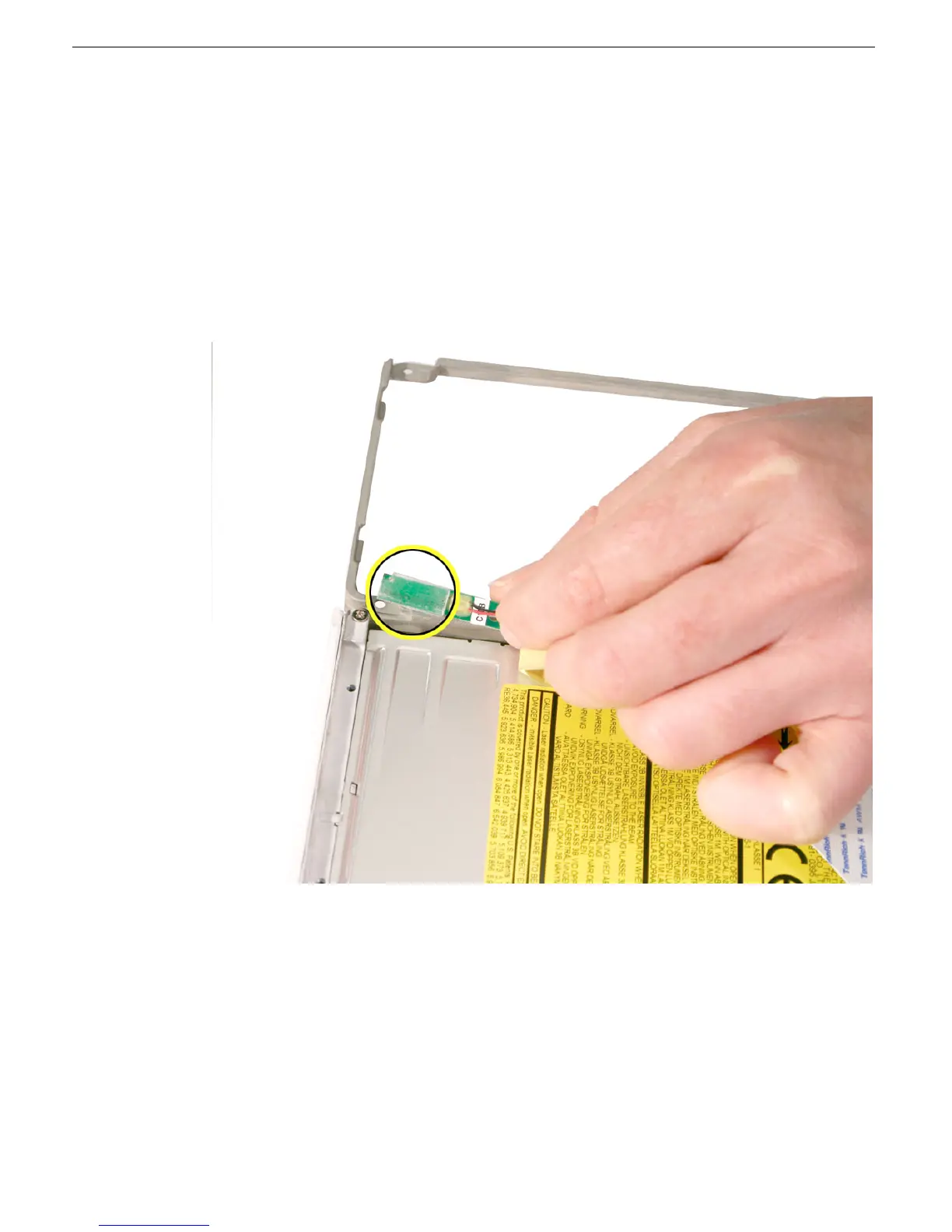
6. Remove the reed switch cable assembly.
7. Install the replacement reed switch board and cable assembly, and reassemble and
test the computer.
Be sure to tuck the cables into the groove at the lower edge of the optical drive.
Secure the cables with the tape provided.
Replacement Note: When replacing the reed switch board and cable, align the
board end with the inner edge of the optical drive bezel. Make sure the board has
sufficient adhesive.



 To Next Page