93 - iBook G4 (12-inch Mid 2005) Take Apart
Optical Drive
• Bottom case
• Bottom shield
• DC-in board
• Top case
• Top shield
Procedure
1. With the computer on a soft cloth, peel up any tape on top of the optical drive.
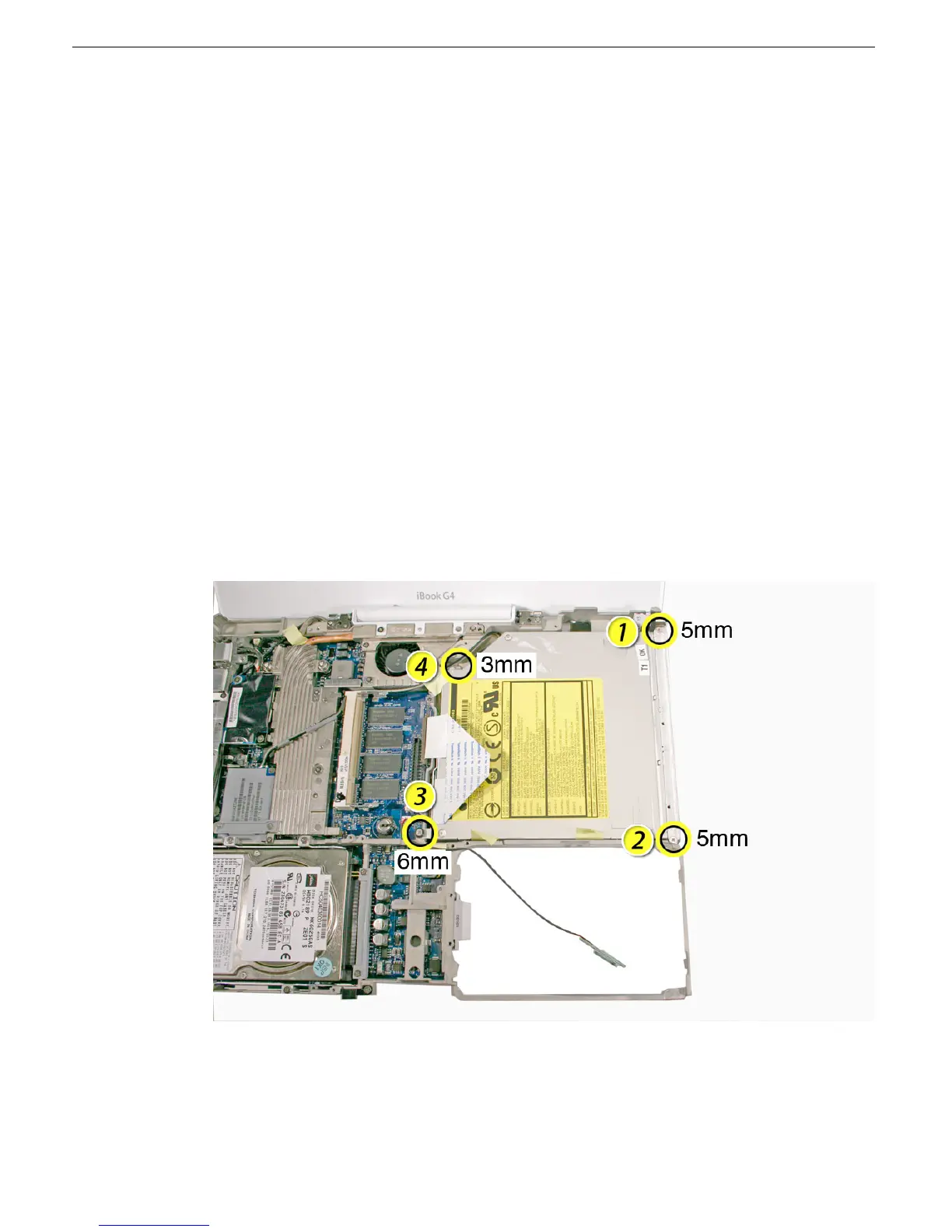
2. Remove the following from the optical drive:
• 5-mm long screw at ends of drive bezel
• 6-mm long screw at lower left corner of drive (this screw has an identifiable collar
under the screw head)
• 3-mm long screw at upper left corner of drive
Replacement Note: When replacing the optical drive, install the screws in the
sequence shown.
3. Move the reed switch cable aside.
Note: You do not need to completely remove the reed switch board and cable.



 To Next Page