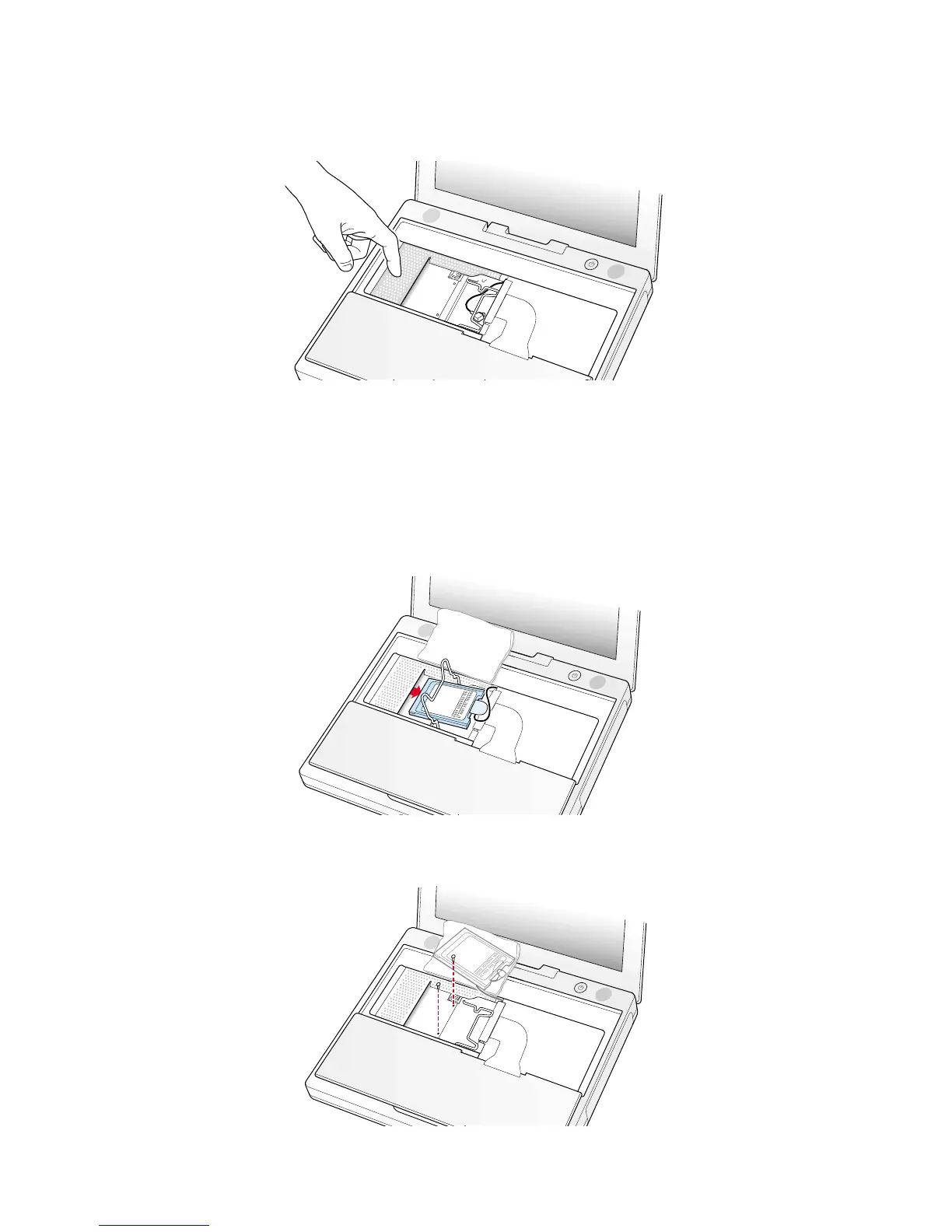
10. Touch a metal surface on the inside of the computer to discharge any static electricity, as shown (Figure 5).
Important : To avoid electrostatic discharge damage, always ground yourself by touching the computer’s framework before
you touch any parts or install any components inside the computer. To avoid static electricity building back up in your body,
do not walk around the room until you have completed the installation and closed the computer.
Removing the Installed Keyboard
1. If your computer has the optional AirPort Card installed, unlatch the flexible wire holder that secures the card (Figure 6).
2. Use the pull-tab on the card to remove it from the slot. (You do not need to disconnect the antenna.)
Note : To avoid scratching the computer’s case, place a soft cloth between the AirPort Card and the surface of your iBook.
3. If an AirPort Card is not installed, unlatch the flexible wire holder to release the AirPort Card antenna cable.
4. Remove the screws that secure the RAM shield (Figure 7).
3B073-0614 Rev. E iBook (Dual USB - Late 2001 - 14.1 LCD - 16 VRAM - 14.1 LCD 16 VRAM) - Keyboard
Figure 5
Figure 6
Figure 7



 To Next Page