17 -
iBook (14.1 LCD 16 VRAM) Take Apart
Bottom Case
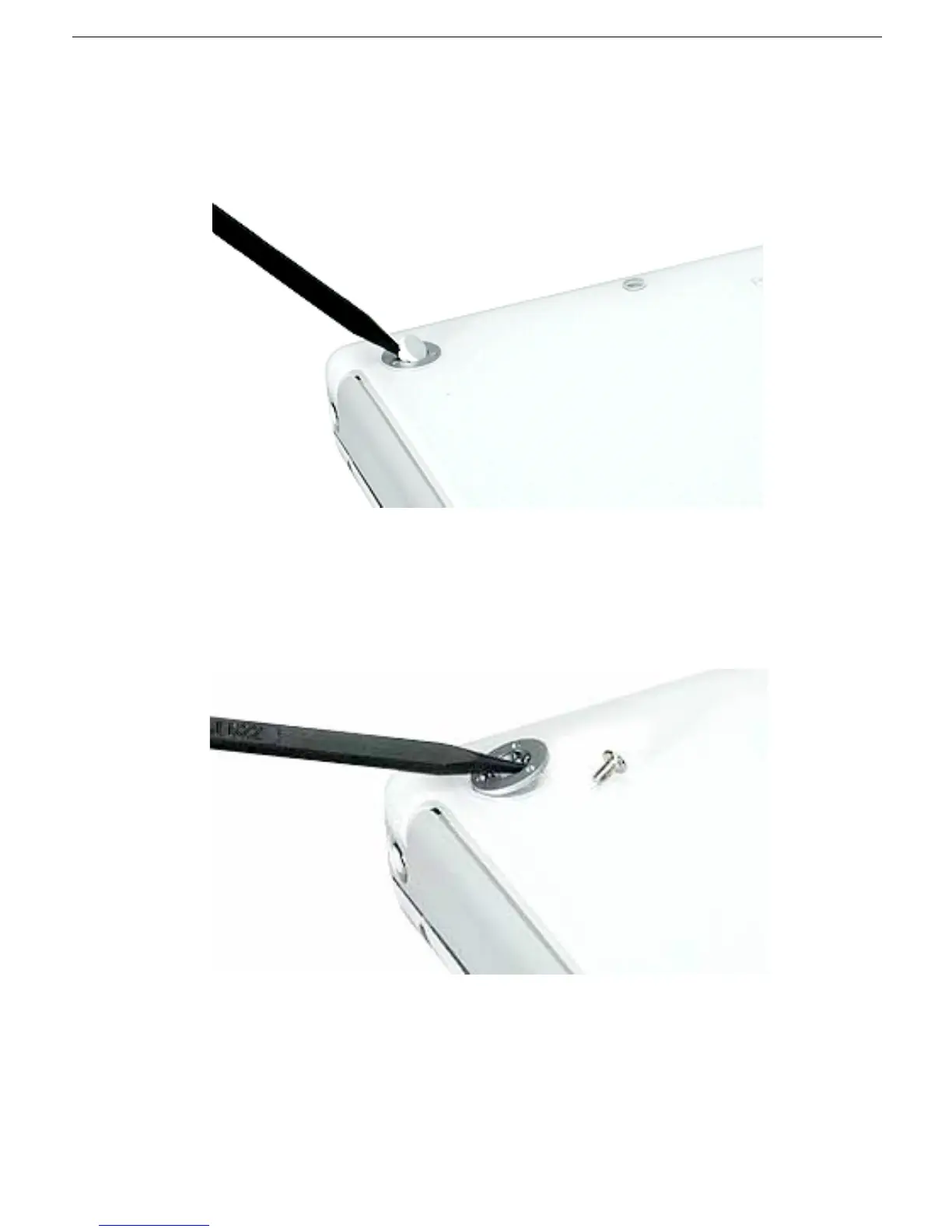
3. Using a black stick, peel up the three rubber feet from the metal sockets.
Note:
When reassembling the computer, do not reuse the feet. Install three new
rubber feet.
4. Remove the three identical Phillips screws from the metal sockets.
5. Use a black stick to lift out the metal sockets.
Note:
When reassembling the computer, note that the metal sockets are keyed.
Rotate them until they sit flat against the bottom case.



 To Next Page