iBook (14.1 LCD 16 VRAM) Take Apart - 30
Top Case
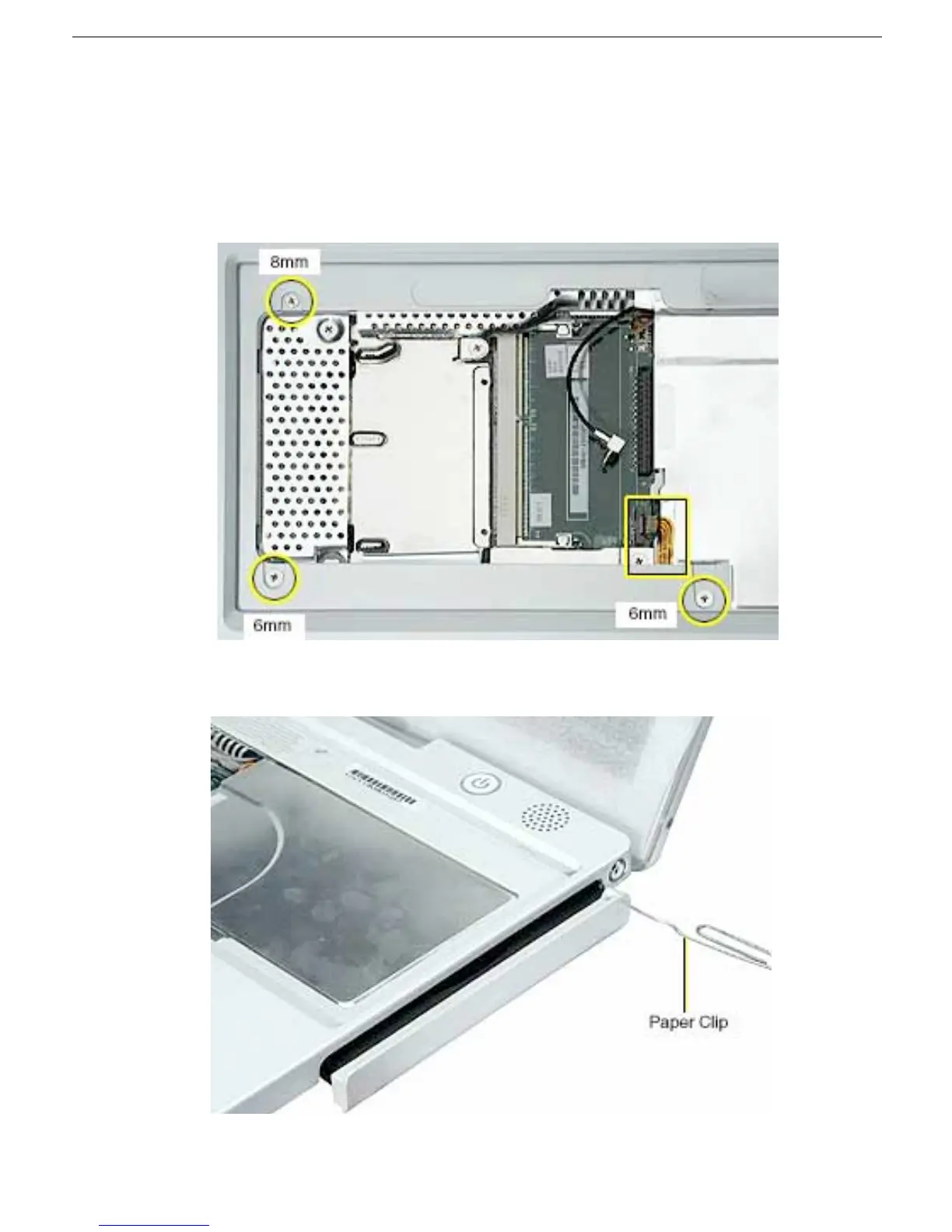
2. Turn over the computer. Using a black stick, pry up the sides of the trackpad cable
connector to release the trackpad cable.
3. Remove the three screws from the keyboard well:
• two 6-mm long Phillips screws
• one 8-mm long Phillips screw
4. Using a straightened paper clip, open the optical drive.



 To Next Page