51 - iBook (14.1 LCD 16 VRAM) Take Apart
Display Module
Procedure
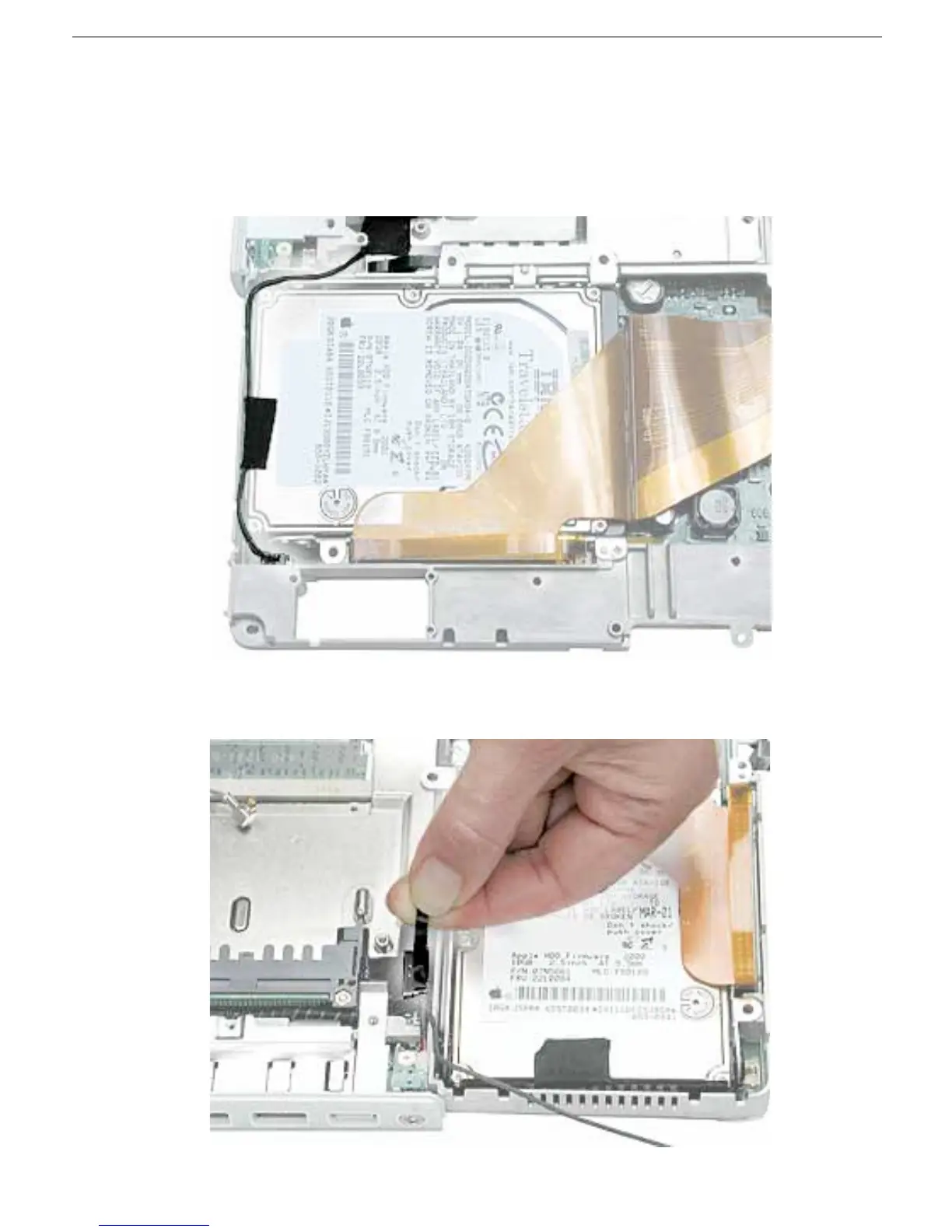
1. With the computer on a soft cloth, note the routing of the black microphone cable.
Disconnect the microphone cable from the logic board and release the cable from the
black fabric tape on the hard drive.
2. Pull up the flexible tab to disconnect the LVDS (low voltage data signal) cable from the
logic board.



 To Next Page