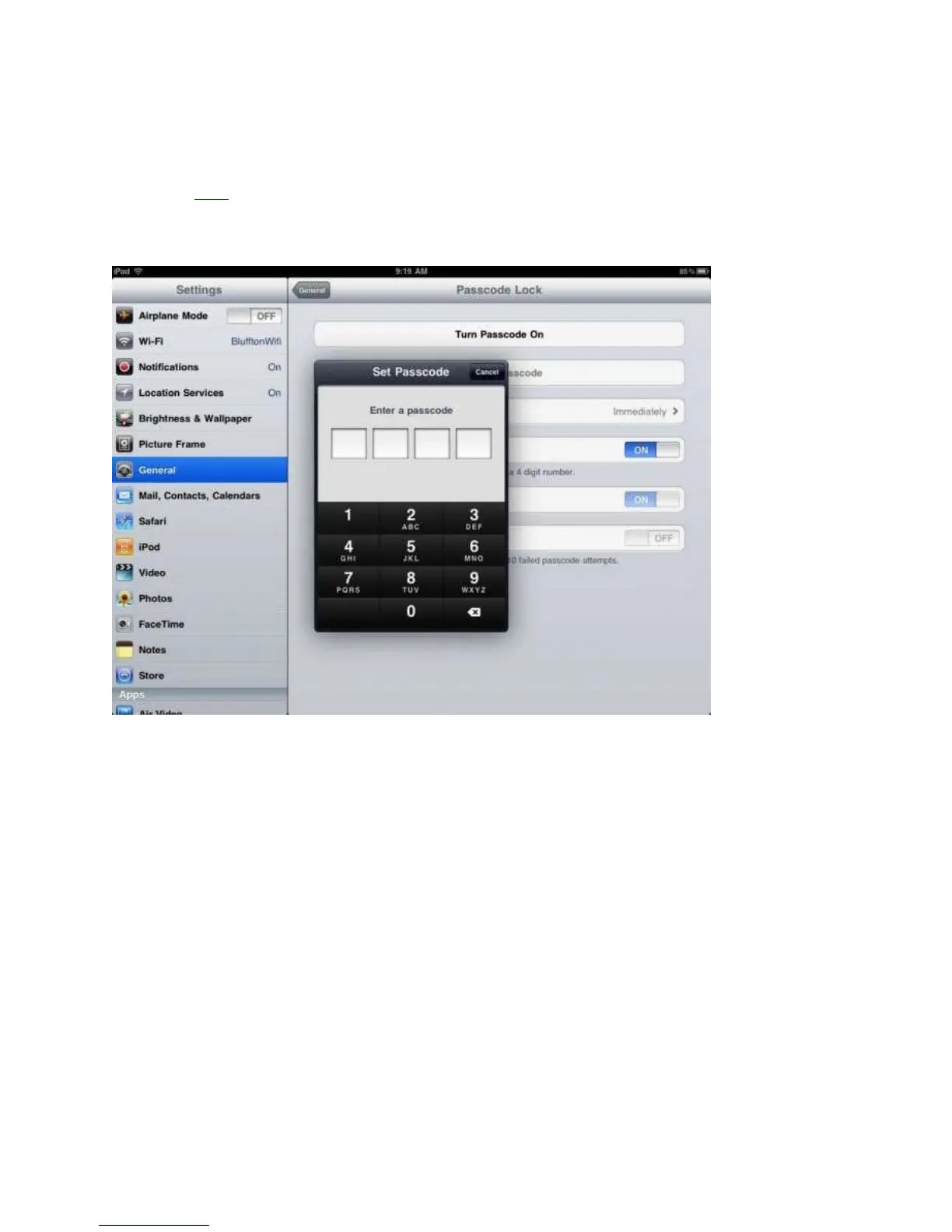
Set a Passcode – 1 Minute
Setting up a Passcode, or security lock, on your iPad is a good way to protect your
important data and email accounts. By turning on a Passcode the iPad cannot be unlocked
without a 4 digit code which keeps your data secure. You can even wipe the iPad, erasing all
data if the Passcode is entered wrong ten times straight.
To set up a Passcode:
1. Tap Settings.
2. Choose Passcode Lock form the right side menu.
3. Tap turn Passcode on.
4. Enter a 4 digit Passcode that you will remember, ,but not something as simple as
1234. For help, use the letters to spell out a four letter word.
5. Enter the Passcode a second time to verify.
6. Choose how long you want the iPad 2 to wait before the Passcode turns on and locks
the device.
7. When you turn your iPad on next, you will be prompted to enter your Passcode.



 To Next Page