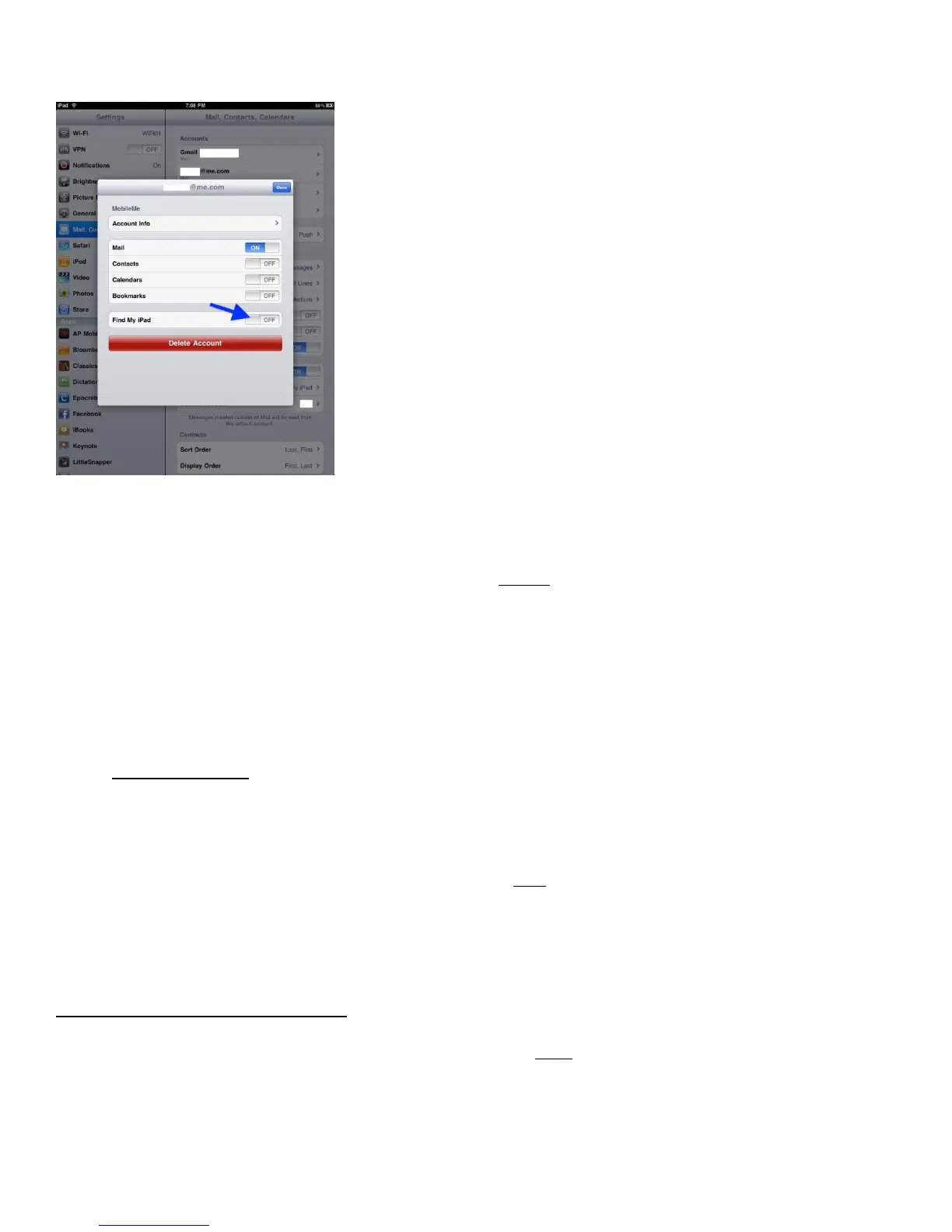
How To Setup Find My iPad
Please note that you must first set up and turn on Find My iPhone on each
device you want to locate. Here are the steps to get Find My iPad working.
1. Tap the Settings icon and choose Mail, Contacts, Calendars.
2. Tap the Add Account button and select MobileMe.
3. Enter your Apple ID and password. If you have an iTunes Store account or have ordered from the
Apple Online Store, you already have an Apple ID. If you don’t have an Apple ID, tap Create Free
Apple ID and follow the onscreen instructions. If you’re already a MobileMe subscriber, enter your
me.com or mac.com email address and password.
4. Verify your account. If your MobileMe account says “Not Verified,” check your email inbox for a
message from Apple. Click Verify Now and sign in with your Apple ID. If you don’t see a verification
email in your inbox, select your MobileMe account and tap Resend Verification Email.
5. Return to the MobileMe screen and switch on Find My iPad. When the Find My iPad message appears,
tap Allow.
6. Sign in to me.com from a computer to see your iPad on a map, display a message, or set a passcode
lock.
Once you have done the following steps, you can get the Find My iPhone app which will also work on your
iPad. You do not need the app for the Find My iPad service to work but it is added convenience if you choose
to use it. The app is free and can be downloaded by clicking here.
That is how to setup and use the new Find My iPad feature in iOS 4.2. It should go without saying that this will
only work on iPad’s that can be located that have their location services turned on. And if your iPad does not
have the 3G service turned on and there is no WiFi then it would not be able to be located.
HOW TO CARE FOR YOUR IPAD
If you have invested your hard-earned money and purchased an iPad for school, your business or your personal
use, then you probably want to know the best way to care for it and make sure it stays in top-performing
shape. Here we gather together the best practices to help you care for your iPad.



 To Next Page