Play music
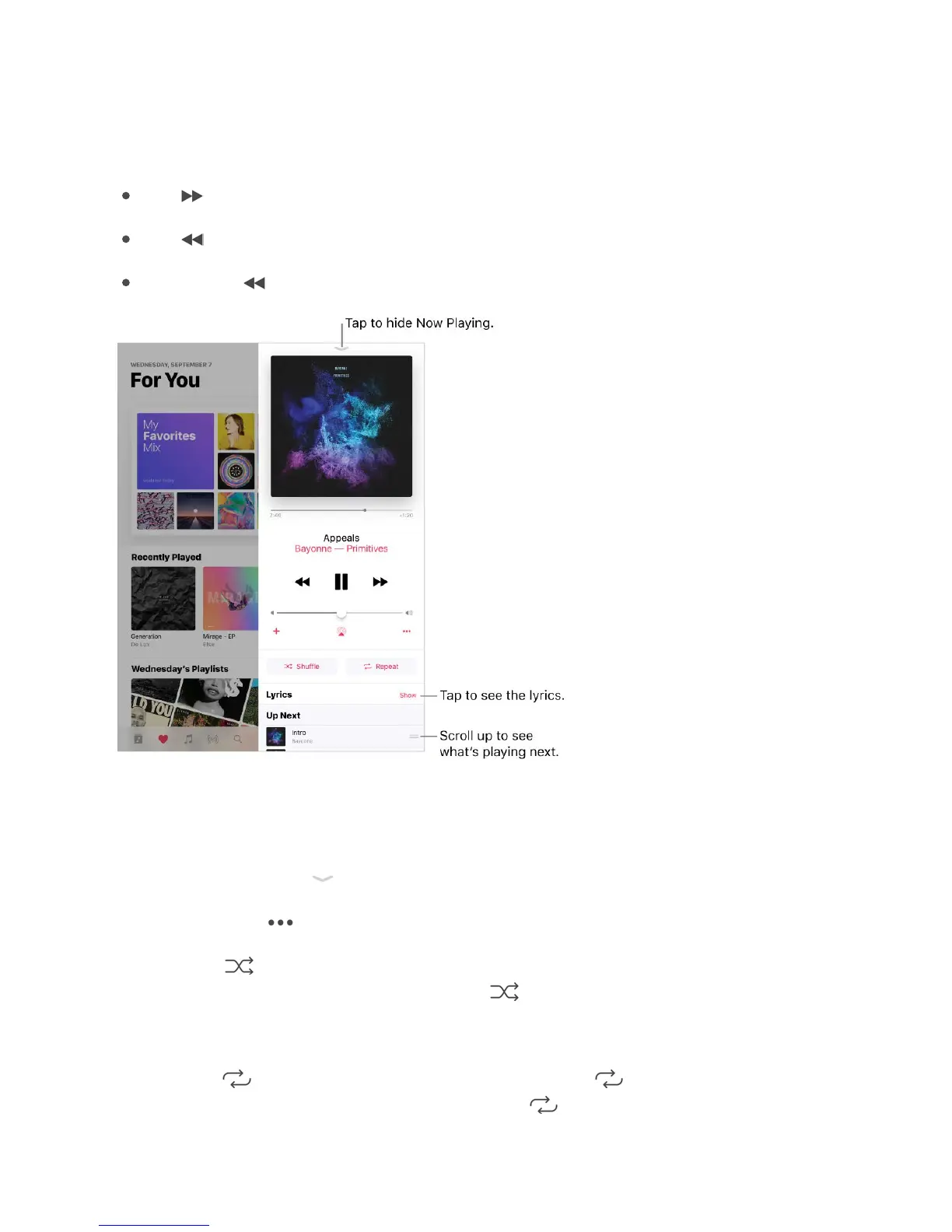
Control playback. Tap a song to play it and show the player. Tap the player to show the
Now Playing screen, where you can do the following:
Tap to skip to the next song.
Tap to return to the songʼs beginning.
Double-tap to play the previous song in an album or playlist.
Skip to any point in a song. Drag the playhead.
Quickly navigate to the album. Tap the track, artist, or album name in Now Playing.
Hide Now Playing. Tap at the top of the Now Playing screen.
Share music. Tap , then tap Share Song.
Shuffle. Tap to play your songs in random order. Tap again to turn off shuffle. If iPad
is in landscape orientation, swipe up, then tap .
When viewing the contents of a playlist or album, tap Shuffle All.
Repeat. Tap to repeat an album or playlist. Double-tap to repeat a single song. If
iPad is in landscape orientation, swipe up, then tap



 To Next Page