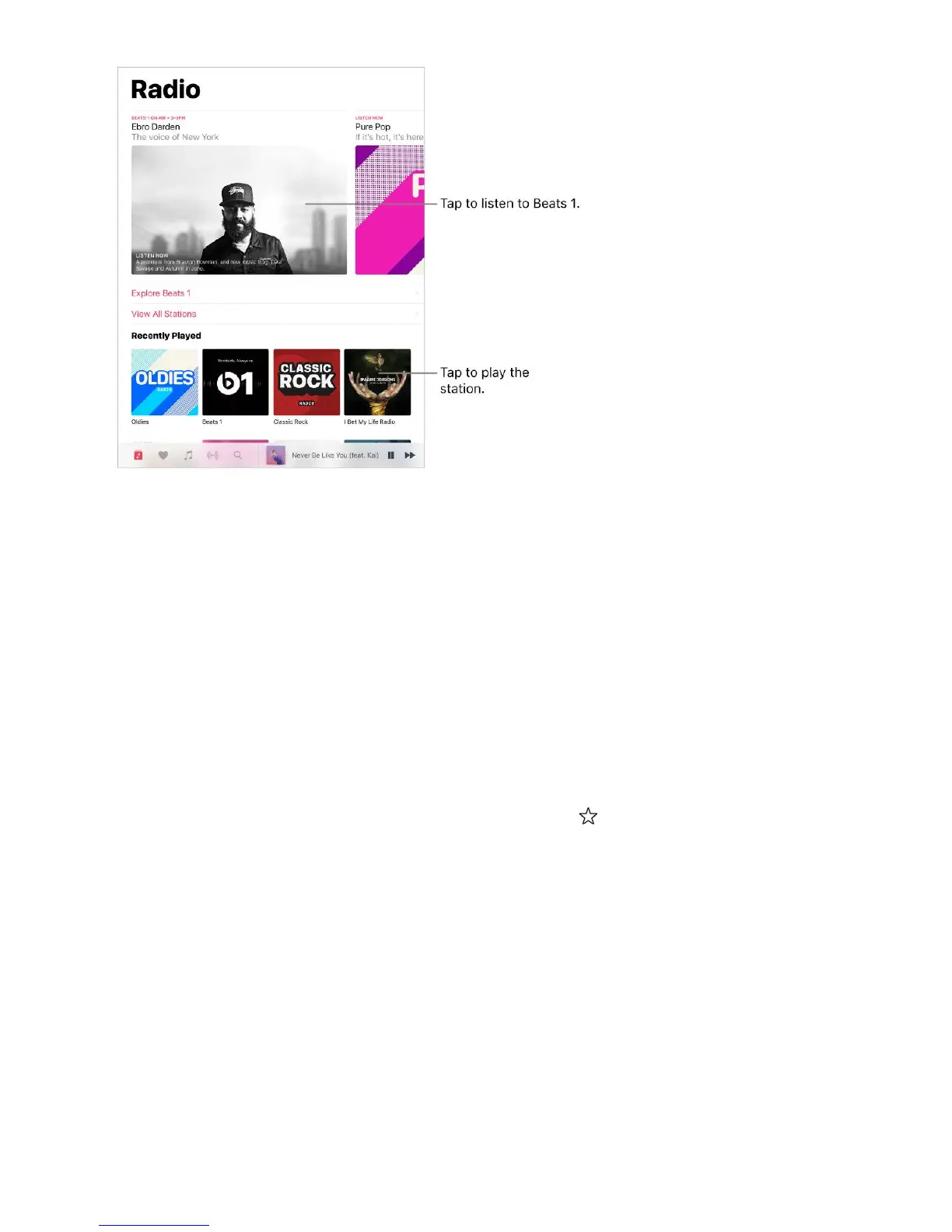
Listen to live radio. Tap the currently playing Beats 1 program.
Note: Because Beats 1 is live radio, you canʼt pause, rewind, or skip tracks.
Listen to past shows and find out when your favorite shows are on. Tap Beats 1
Shows, then tap a show or DJ.
Listen to your favorite music genre. Tap Radio Stations, then tap a genre or featured
station. If you already listened to a station, tap a recently played station on the Radio
screen.
Create a station. Touch and hold an artist or song, then tap Create Station.
Fine-tune the stations you create. While playing a station you created from an artist or
song, tap the player to show the Now Playing screen, tap , then choose Play More Like
This or Play Less Like This.
iTunes Match
With an iTunes Match subscription, all your music can be stored in iCloud—even songs
youʼve imported from CDs. You can access your music from all your devices and listen to
your entire library wherever you are. To learn more about iTunes Match, see the Apple
Support article .
Turn on iTunes Match. Go to Settings > iTunes & App Store. Sign in if you havenʼt
already. Go to Settings > Music, then turn on iCloud Music Library.
Subscribe to iTunes Match



 To Next Page