92
|
Chapter 12
8. Tap the Unread tab to see all the saved websites you haven’t visited since
they were stored in your Reading List.
9. Tap any saved website. As long as you have a Wi-Fi or 4G Internet connec-
tion, your chosen website will load.
Deleting an Article from a Reading List
Articles you visit again on your Reading List will no longer appear in the Unread tab.
But you may want to delete an article from your list without reading it.Here’s how:
1. From the Home screen, tap Safari. The
Safari screen appears.
2. Tap the Action icon. A menu appears
(see Figure 12-4).
3. Tap Reading List. The Reading List
menu appears (see Figure 12-6).
4. Tap the All or Unread tab to view the
list of websites in your Reading List.
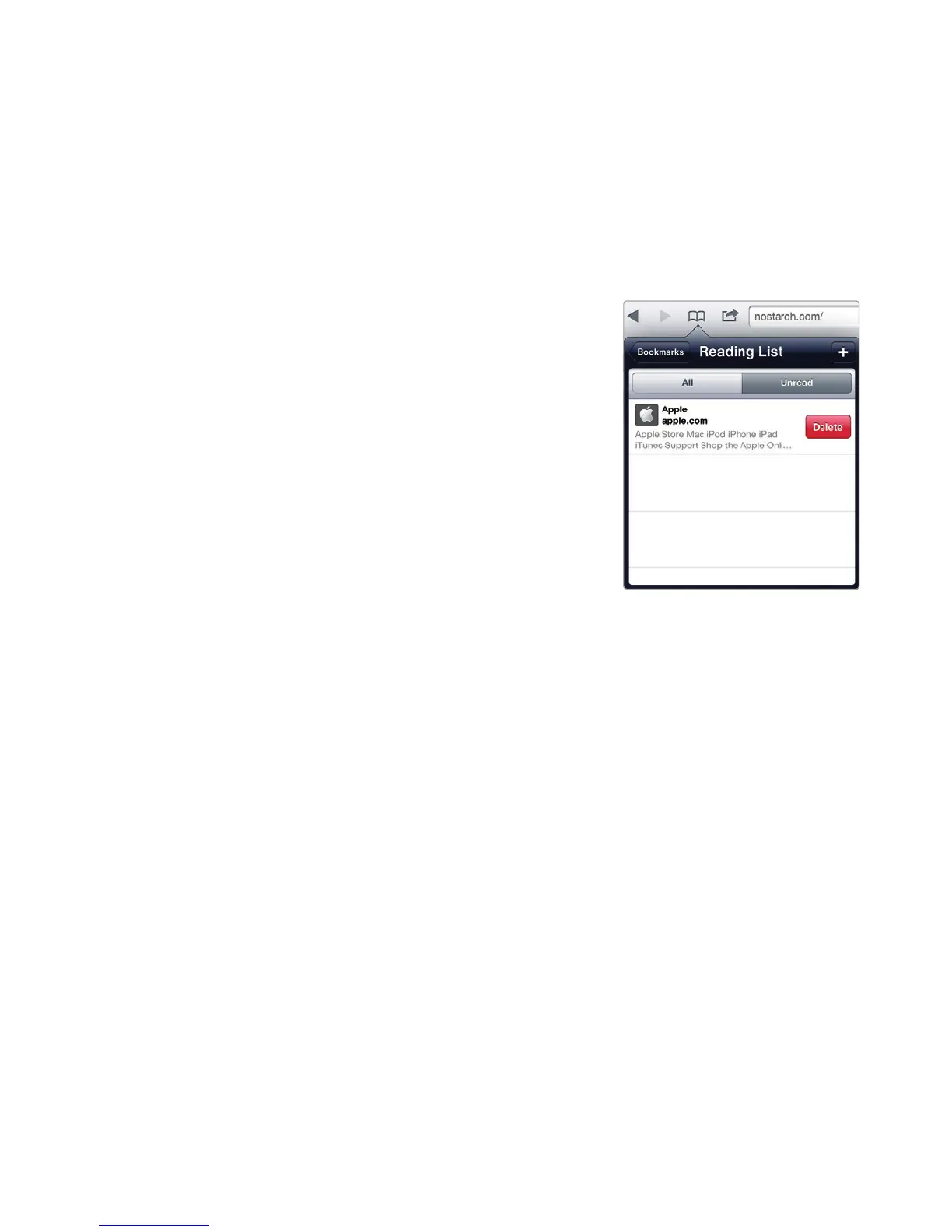
5. Swipe the website you want to delete
to the left. A red Delete button appears
on the right of your chosen item, as
shown in Figure 12-7.
6. Tap the Delete button.
7. Tap the Action icon to make the Read-
ing List menu disappear.
Emailing a Web Page Link
If you find a particularly interesting web page, you can email a link to someone
(even to your own email account so you can open it on a regular computer). To
email a web page link, follow these steps:
1. From the Home screen, tap Safari. The Safari screen appears.
2. Visit a website by typing an address, using a search engine, or visiting a pre-
viously stored bookmark.
3. Tap the Action icon (it looks like a square with a curved arrow). A menu
appears (see Figure 12-4).
4. Tap Mail Link to this Page. An email message appears with a virtual
keyboard.
5. Type an email address to receive your web page link. You may also want to
type additional text as part of your message.
6. Tap Send to send your email message.
Q NOTE: If you have set up a Twitter account, you can also tweet the website
link by tapping the Tweet button in step 4. To set up a Twitter account, tap
Settings from the Home screen and then tap Twitter.
FIGURE 12-7: Deleting a web-
site from your Reading List



 To Next Page