102
|
Chapter 14
What You’ll Be Using
To set up and customize an email account, you need to use the following:
> An Internet connection
(Wi-Fi or 4G)
The Mail app
The Settings app
Setting Up an Email Account Automatically
If you use one of the more common email providers such as AOL, Yahoo!, Google,
iCloud, or Microsoft Exchange, your iPad can set up your email account almost
automatically. All you have to do is type in your email address, and your iPad can
figure out the correct settings.
To set up a common email account, follow these steps:
1. From the Home screen, tap Settings. The Settings screen appears.
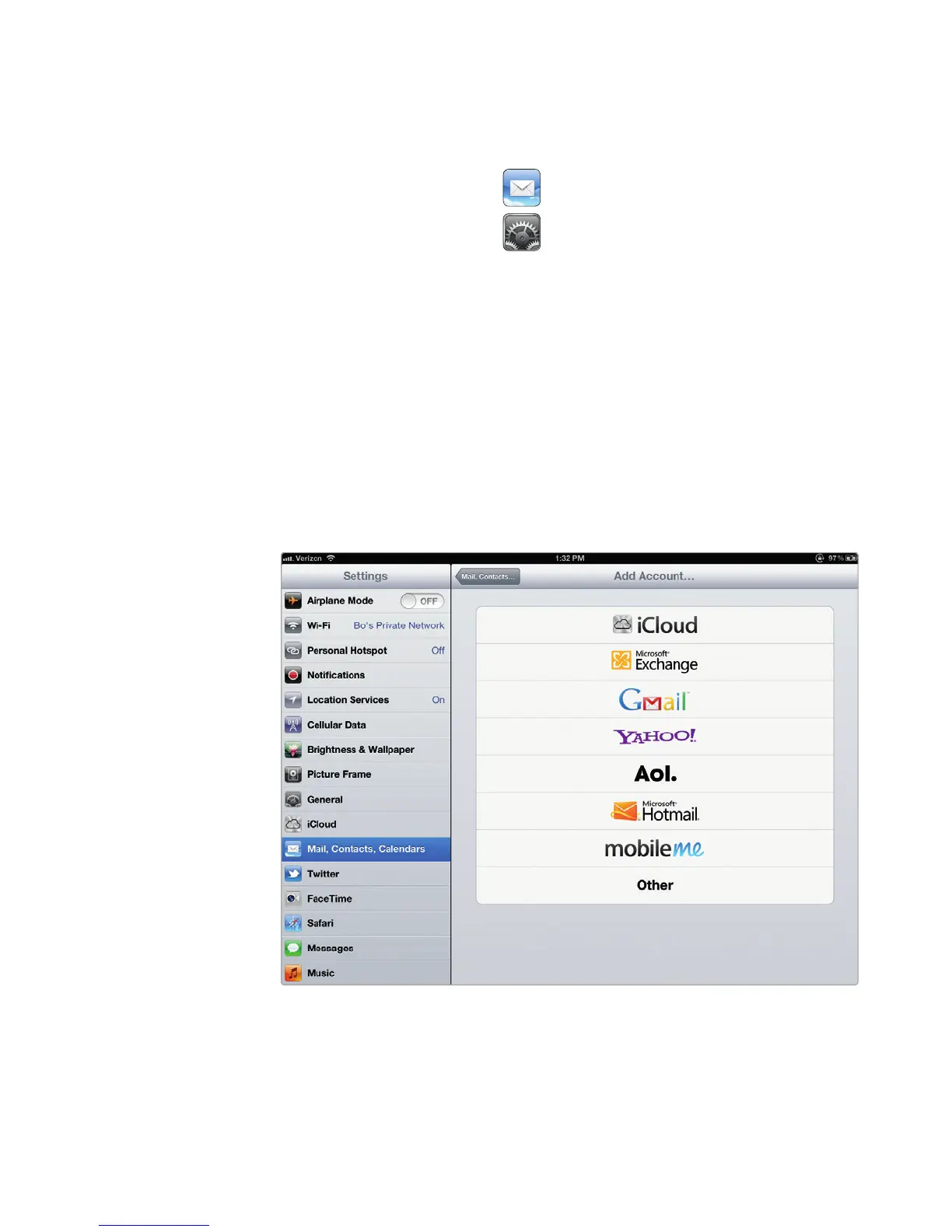
2. Tap Mail, Contacts, Calendars. The Mail, Contacts, Calendars settings
screen appears.
3. Tap Add Account. The Add Account screen appears, as shown in Figure 14-1.
FIGURE 14-1: The Add Account screen lets you choose the type of
email account to set up.



 To Next Page