154
|
Chapter 19
What You’ll Be Using
To watch video files on your iPad, you’ll use the following:
> An Internet connection
(Wi-Fi or 4G)
The Videos app
The YouTube app
Choosing a Video
The Videos app lets you watch movies, TV shows, video podcasts, or iTunes video
courses stored on your iPad. To see how to play these video files, follow these steps:
1. From the Home screen, tap Videos. The Videos screen appears.
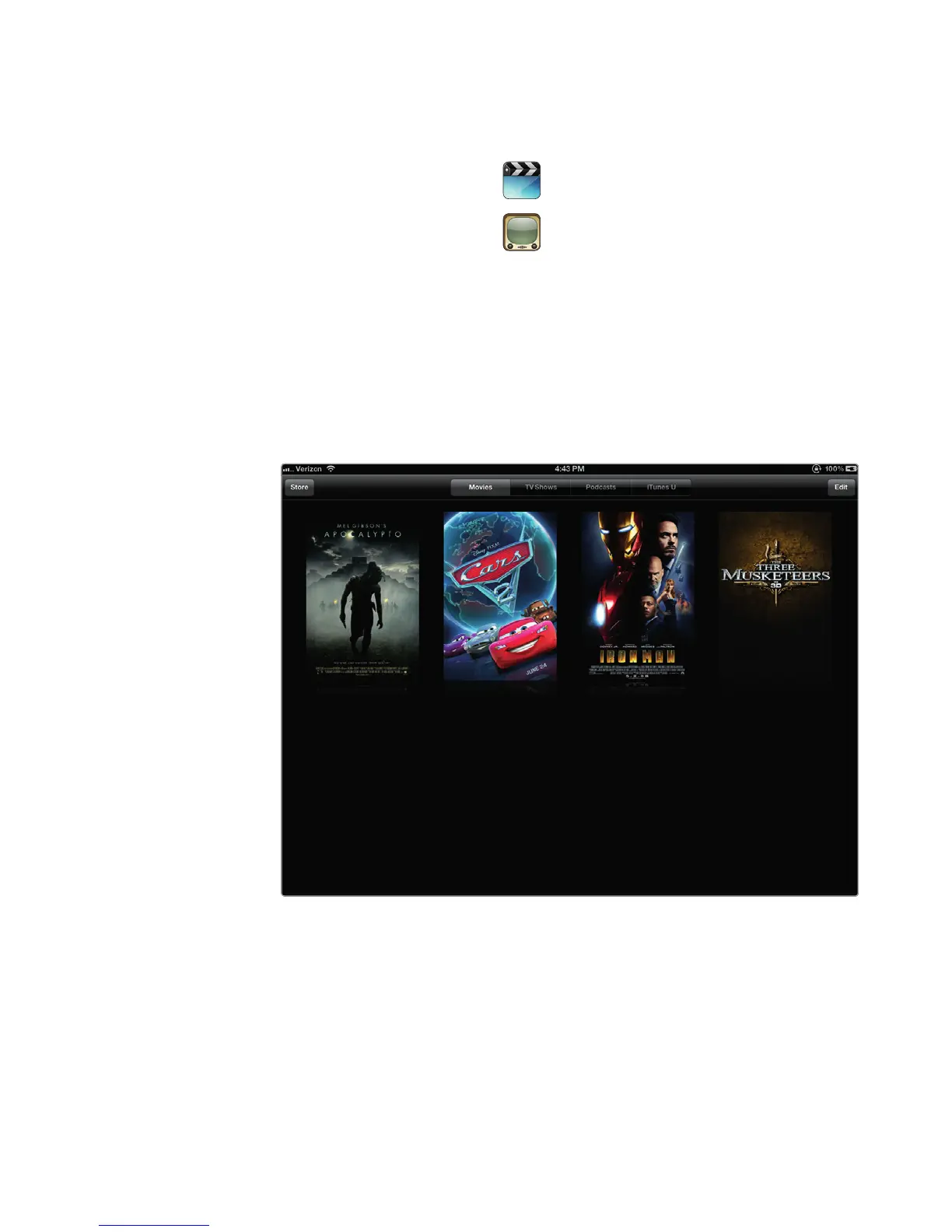
2. Tap the Movies tab at the top of the screen. Thumbnail images of all movies
stored on your iPad appear, as shown in Figure 19-1.
3. Tap the TV Shows tab at the top of the screen. Thumbnails of your TV shows
appear. Tapping the Podcasts, Music Videos, and iTunes U tabs will display
thumbnails of your files in the same way.
4. Tap a thumbnail image to start watching that video.
FIGURE 19-1: The Movies tab in the Videos app shows your stored
movies.



 To Next Page