278
|
Chapter 32
Resetting Everything
If you want to return your iPad to its original factory settings, you have two choices.
First, you can reset your iPad but leave all your data (photos, video, music, and so
on) intact. Second, you can wipe out everything, including anything you have saved,
such as photos or apps that you’ve downloaded.
Saving Your Data While Resetting the iPad
If your iPad starts acting weird and restoring doesn’t do the trick, then you might
need to completely reset it while preserving any data you have stored on it. To
reset your iPad while preserving all your data on it, follow these steps:
1. From the Home screen, tap Settings. The Settings screen appears.
2. Tap General. The General settings screen appears.
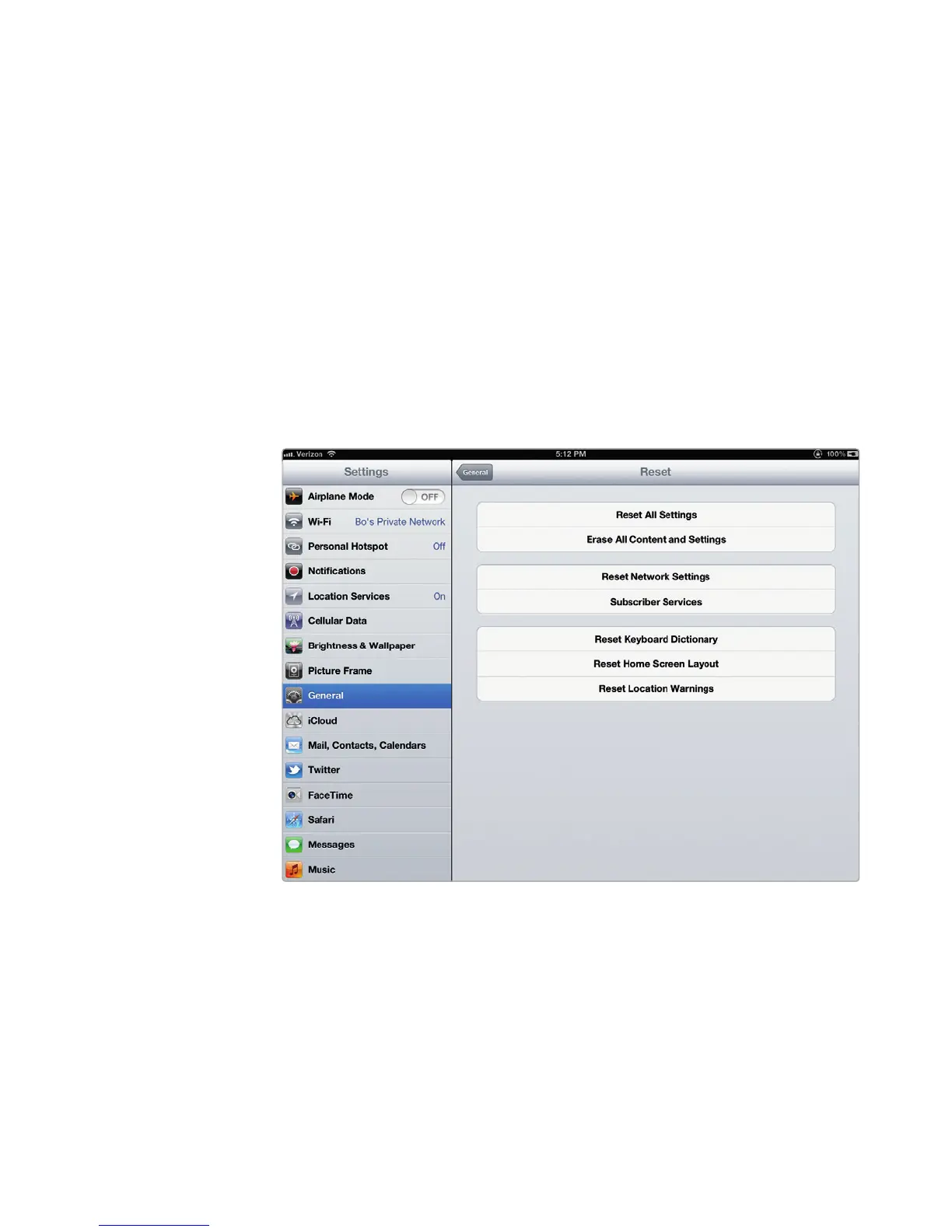
3. Scroll down and tap Reset. The Reset settings screen appears, as shown in
Figure 32-4.
4. Tap Reset All Settings. A Reset All Settings dialog appears, asking for con-
firmation before resetting your iPad.
5. Tap Reset or Cancel.
FIGURE 32-4: The Reset settings screen



 To Next Page