280
|
Chapter 32
Finding a Stolen or Lost iPad
If someone steals your iPad or if you misplace it in a restaurant or office, you can
track it down using Apple’s free “Find My iPad” service.
The basic idea is that you register your iPad (and iPhone or iPod too!) using
a free Apple ID. Then if you lose your iPad, you can use any computer to locate
your device on a map or send a message to its screen. If you have sensitive data
that you’re worried might get into the wrong hands, you can send a command to
“wipe” all data from your iPad! And if you’ve just lost your iPad among your couch
cushions, you can get the iPad to play a sound for two minutes—even if it has been
muted.
Turning On the Tracking Feature
Before you can track down an iPad, you must first associate it with an Apple ID
account. (If you already have an Apple ID from buying music on iTunes or using
the FaceTime app, you can use that email address and password for your iCloud
account.) Then turn on the tracking feature on your iPad by following these steps:
1. From the Home screen, tap Settings. The Settings screen appears.
2. Tap Mail, Contacts, Calendars. The Mail, Contacts, Calendars settings
screen appears.
3. Tap Add Account. The Add Account screen appears.
4. Tap iCloud. An iCloud window appears. Enter your current Apple ID and
password or tap Create Free Apple ID if you don’t have one yet, and then
follow the instructions to set up your iCloud account.
5. Check your email and look
for a message from Apple
asking you to verify your
iCloud account by clicking
on a verification link. After
you click the link, you will be
able to access your iCloud
account by visiting http://
www.icloud.com/.
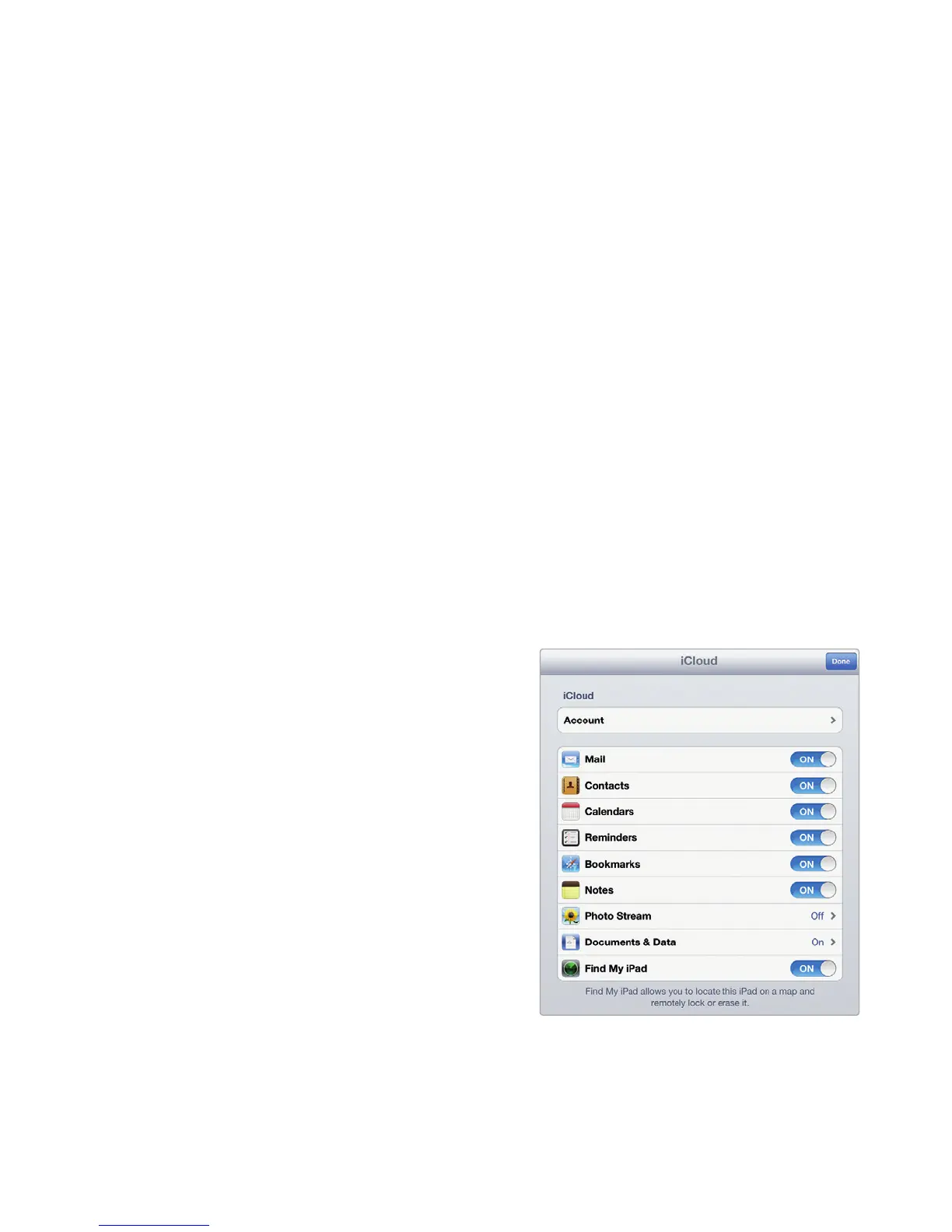
6. From the Home screen,
tap Settings, tap Mail,
Contacts, Calendars,
and then tap your iCloud
account. An iCloud account
window appears, as shown
in Figure32-5.
7. Tap the Find My iPad on/
off switch to ON. Your iPad
will now broadcast its loca-
tion using its cellular or
Wi-Fi Internet connection.
FIGURE 32-5: The iCloud account
window displays a Find My iPad
on/off switch.



 To Next Page