16
|
Chapter 2
Additional Ideas for Conserving Power
The most important way to conserve battery power for your iPad is to put it to
sleep (or to turn it off completely) when you’re not using it. The iPad’s brightness
setting is the second most important factor in preserving its battery life (though
there’s no sense in preserving the battery but straining your eyes looking at a dim
screen). You can also shut off Internet access (Wi-Fi and 4G) by switching to air-
plane mode (see Chapter 1) to save battery power.
Although the iPad’s battery can last approximately 10 hours, you may want to
invest in a battery pack. These external battery packs may be cumbersome to lug
around, but you can use them in emergencies when you need to use your iPad but
find that its power has drained away.
Rather than rely on a battery pack, you could also buy a solar panel that can
recharge your iPad as long as you can place the solar panel in the sun. You can also
buy a car charger that plugs into your car’s cigarette lighter to provide power to
your iPad while you’re driving around. If you combine conservation techniques with
additional power sources, there’s no reason why you should ever run out of power
for your iPad.
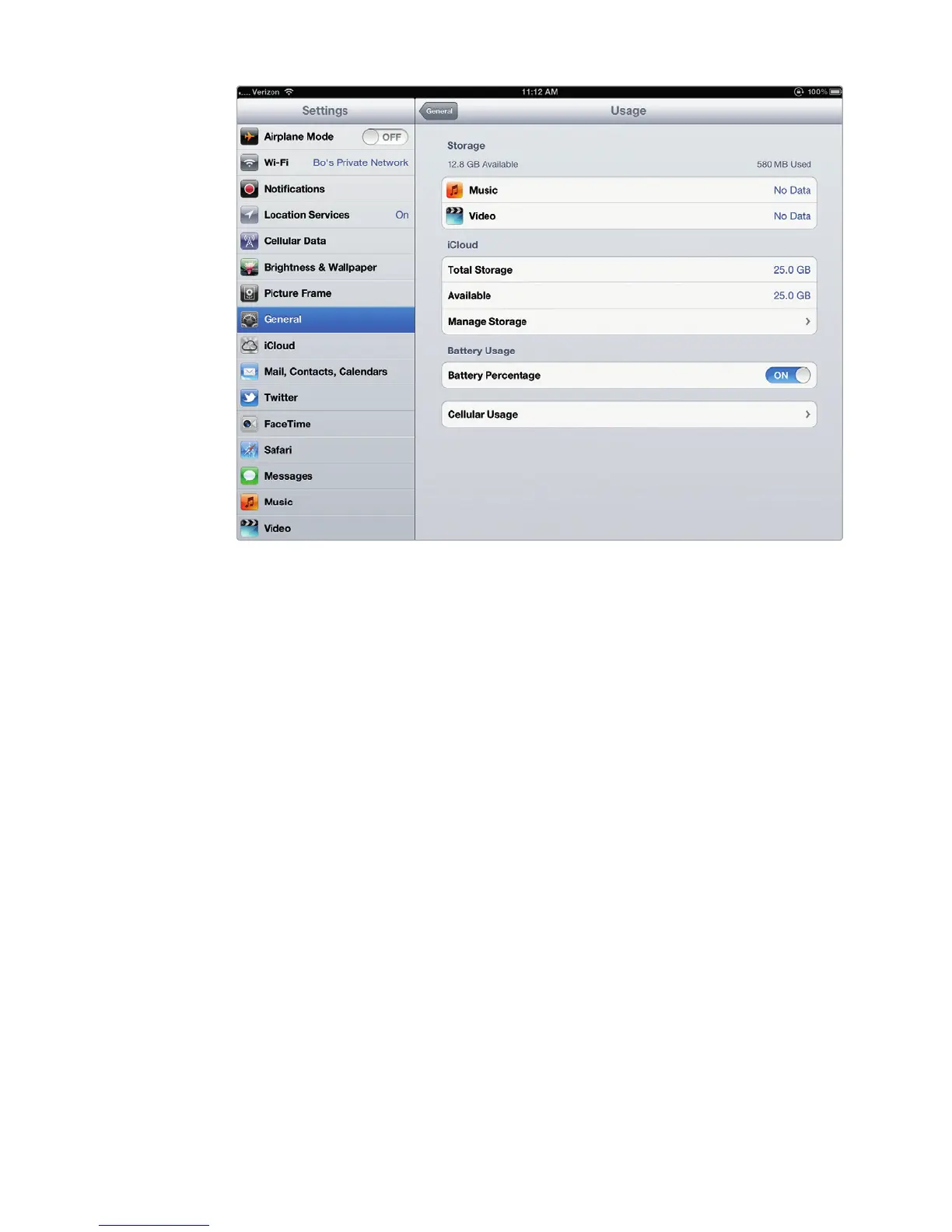
FIGURE 2-7: The Battery Percentage on/off switch appears on the Usage
settings screen.



 To Next Page