26
|
Chapter 4
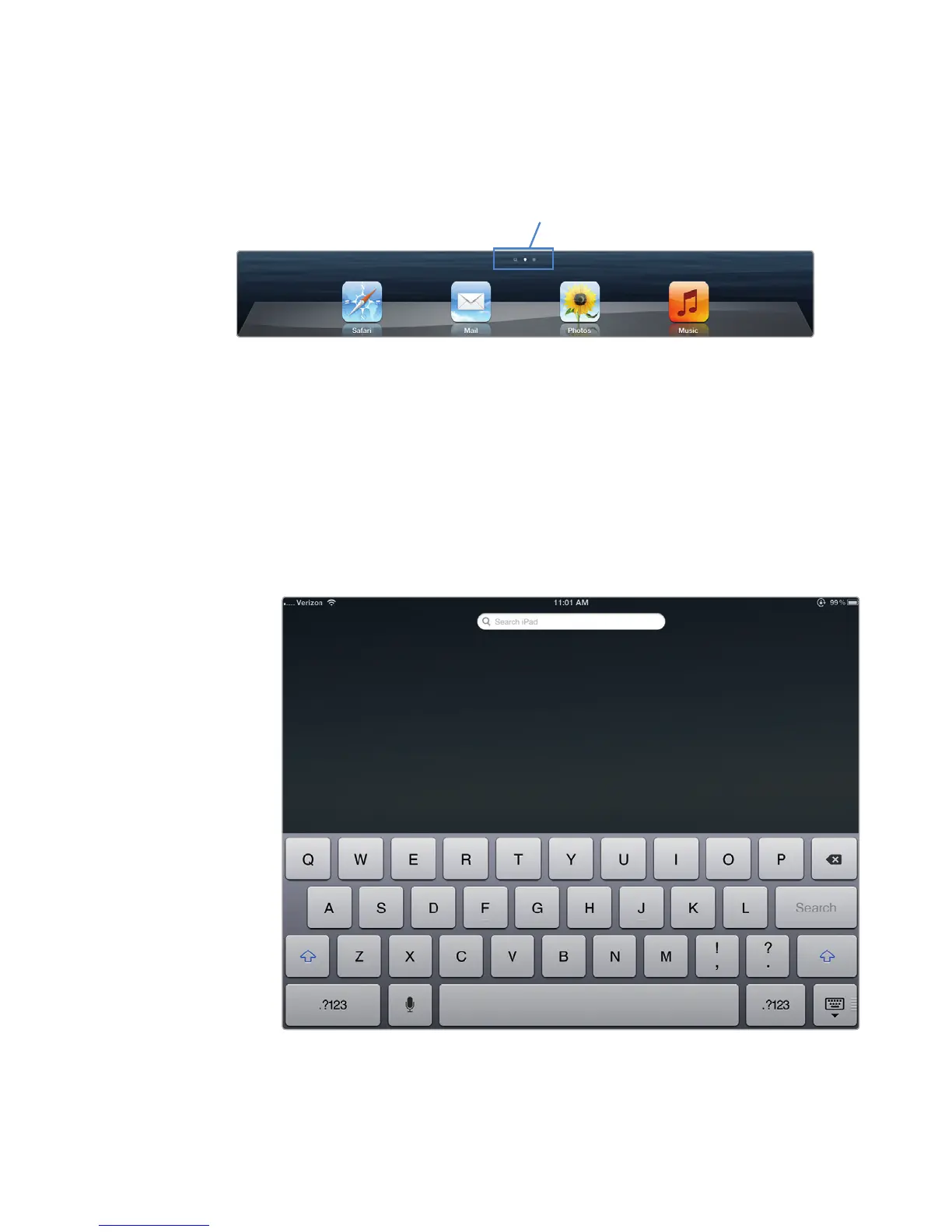
To let you know that a screen consists of multiple panes, two or more dots
are displayed at the bottom of the screen—each dot represents a screen (see Fig-
ure 4-2). A bright dot represents the current screen, while dimmed dots represent
hidden screens. To view these additional screens, you need to slide the current
screen left or right with your finger.
The Home screen actually consists of multiple panes (up to a maximum of 11
panes). To practice scrolling horizontally to view other panes, follow these steps to
get acquainted with the Home screen:
1. From the Home screen, slide your finger to the right across the screen. The
Search screen appears, as shown in Figure 4-3.
2. Slide your finger to the left across the Search screen. The Home screen pane
appears again.
FIGURE 4-2: This Home screen has two panes.
FIGURE 4-3: Sliding your finger horizontally to the right displays the
Search screen.
Number of screens



 To Next Page