Setting Up an Internet Connection
|
75
Q NOTE: Not all cellular phone networks allow you to turn an iPad into a Wi-Fi
hotspot.
To share your iPad’s Internet connection through Wi-Fi, follow these steps:
1. Make sure you have signed up with a cellular data plan through your iPad.
2. From the Home screen, tap Settings. The Settings screen appears.
3. Tap General. The General screen appears.
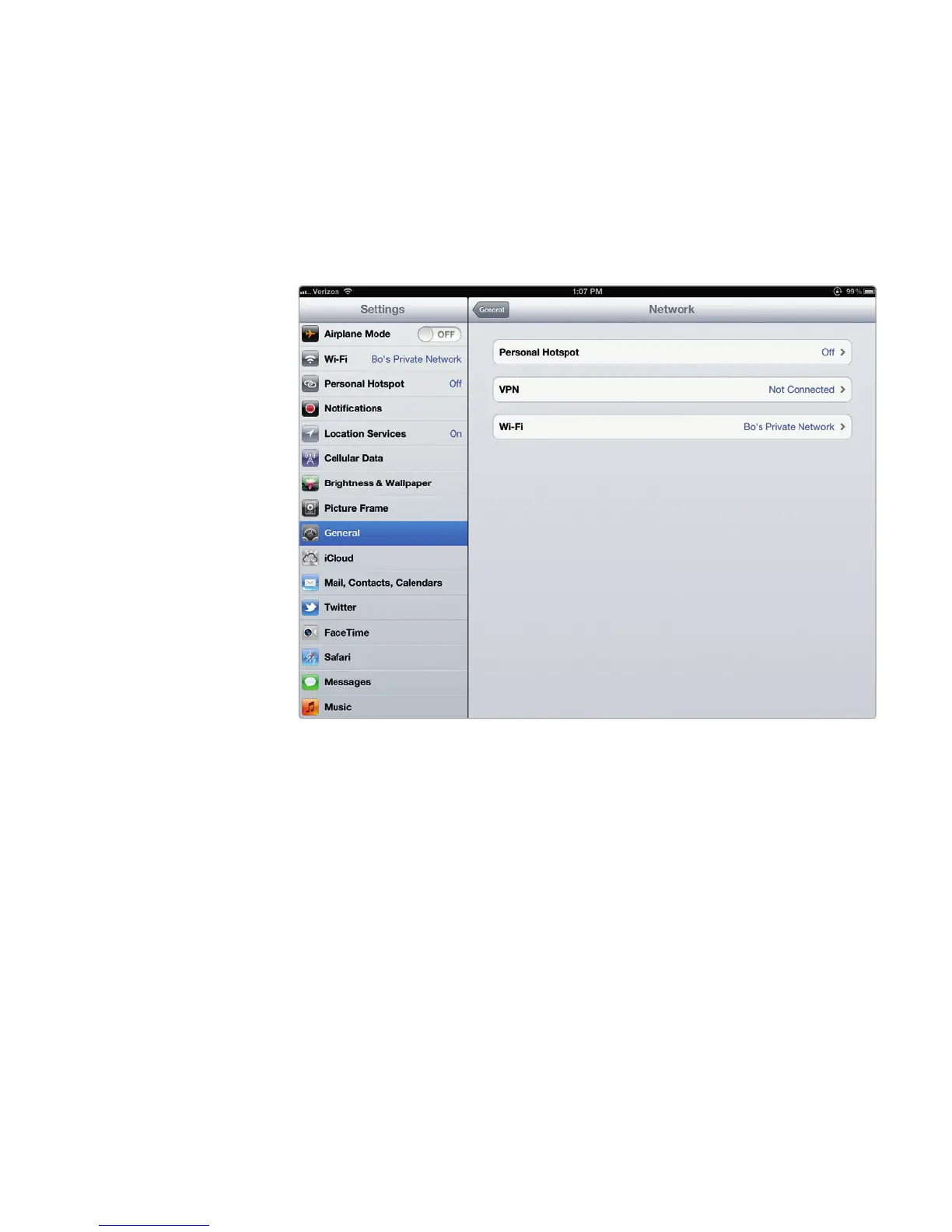
4. Tap Network. The Network settings screen appears, as shown in Figure10-4.
5. Tap Personal Hotspot. The Personal Hotspot screen appears, as shown in
Figure 10-5.
6. (Optional) Tap Wi-Fi Password and create your own password to access
your Wi-Fi hotspot. If you do not create a password, your iPad creates a
random password for you.
7. Tap the Personal Hotspot on/off switch to turn it ON. You can now access
the Internet through your iPad’s cellular connection.
FIGURE 10-4: The Network settings screen



 To Next Page