iPad Basics — Hardware Information 19
2010-04-30
Sensors
Accelerometer Sensor
Detects iPad positioning, movement, and tilt, switches between portrait and landscape modes,
and functions as the tilt controller for applications and games that utilize this hardware
component.
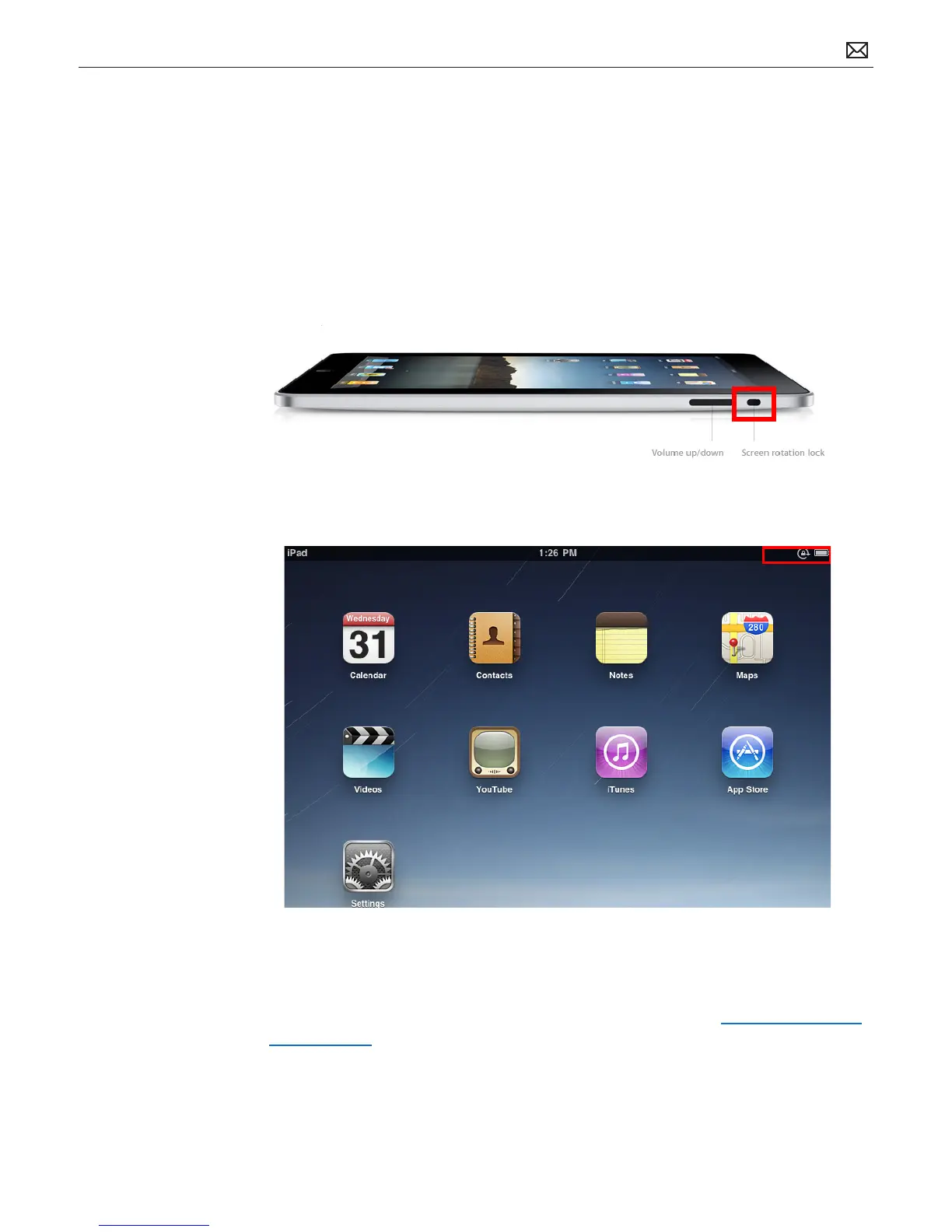
Use the screen rotation lock switch on the right side of the iPad to lock the screen in portrait or
landscape mode. If the display is locked, an indicator appears in the status bar (second graphic).
The lock indicator appears next to the battery indicator, in the top right corner. of the display.
Many built-in applications such as Mail or Calendar adjust their interface based on whether
iPad is held in portrait or landscape mode.
For more information, refer to iPad: Screen does not rotate as expected: http://support.apple.
com/kb/HT408.



 To Next Page