iPad Basics — Hardware Information 20
2010-04-30
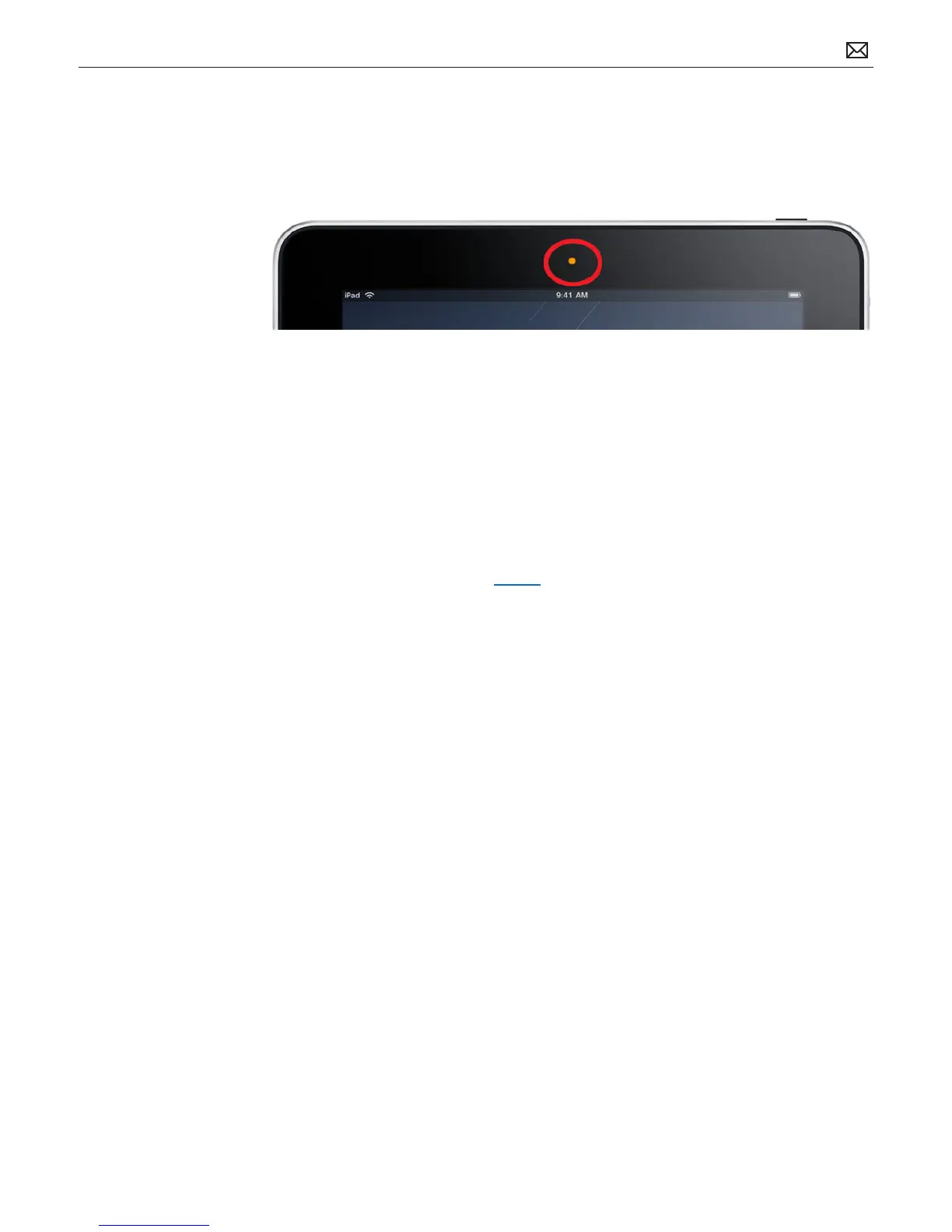
Ambient Light Sensor
The ambient light sensor detects light levels at the current location and adjusts the brightness
of the Multi-Touch display. The approximate location of the ambient light sensor is circled and
marked in orange:
Troubleshooting Notes:
• Make sure the ambient light sensor is not being blocked or covered. Screen brightness can
be aected by a screen protector, especially if it covers the ambient light sensor.
• The ambient light sensor can be defeated using the Settings application.
• The iBooks application includes a screen brightness slider that overrides the iPad screen
brightness (but only when iBooks is running). Note: There is a slight delay of a few seconds
before the screen adjusts to ambient light (this is by design, it is not intended to be
instantaneous).
• Isolate applications that might modify the screen brightness on the iPad and if unsure what
application might be the cause, restore the iPad to see if it xes the problem (restoring the
iPad will remove all 3rd party applications from the device and reset the unit back to factory
default settings).



 To Next Page