iPad Symptom Charts — Connectivity Issues 65
2010-04-30
Headphone Issues
Quick Check
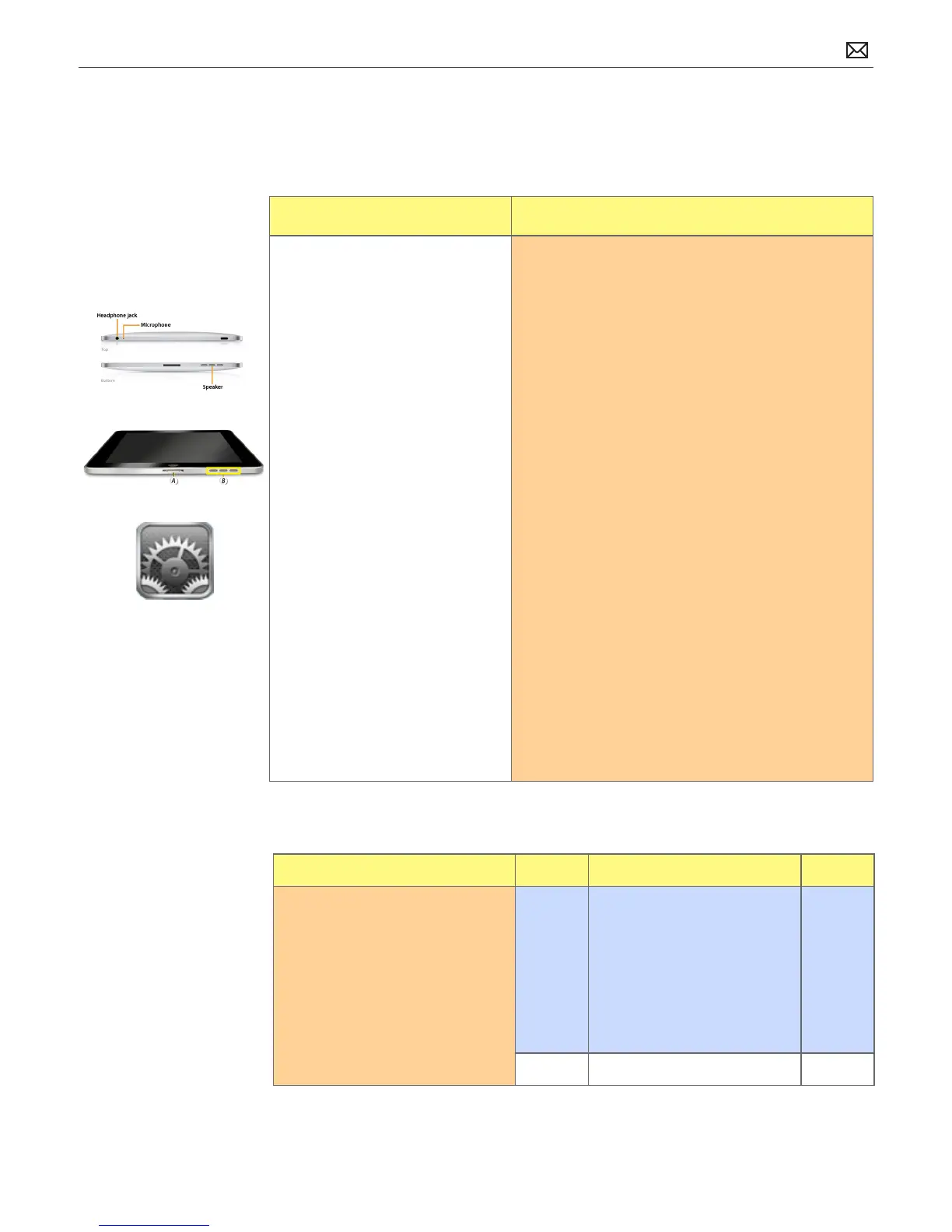
Symptom Quick Check
• No audio through headphones
• Audio distorted
• Sound from only one channel
in headset
• Unable to listen to music
1. Adjust volume setting with volume buttons
• verify music/audio is not paused
• check the Volume Limit setting (Settings >
Music > Volume Limit)
2. Verify headset is pushed in all the way into
connector.
3. Verify “Mono Audio” option setting is not enabled
(for those who don’t require it). This setting forces
stereo left and right channels to be mixed into
both ears.
• check Settings>General>Accessibility
4. Make sure iPad case or plastic protective lm is
not covering speaker or microphone. Remove
case / or protective lm and test again.
5. Check that the speaker grilles, headphone jack,
and mic are not clogged with lint or other debris.
6. Use a clean, small, dry, soft-bristled brush to clean
out the holes and speaker grilles.
7. Try known-good compatible headset.
8. Use compressed-gas duster with the straw
attached to blow out debris.
9. Go to Deep Dive
Deep Dive
Check Result Action Code
1. Check headphones port
for debris, contamination,
corrosion, or damage.
Yes Clean or x if possible.
Go to step 2.
If not safe to connect
headphones cable, the issue is
not covered under warranty.
Check for out-of-warranty
repair option.
No Go to step 2.
Possible Causes:



 To Next Page