© Computer Coaching Services | www.computercoach.co.nz | 027 637 0413 | info@computercoach.co.nz P a g e | 4
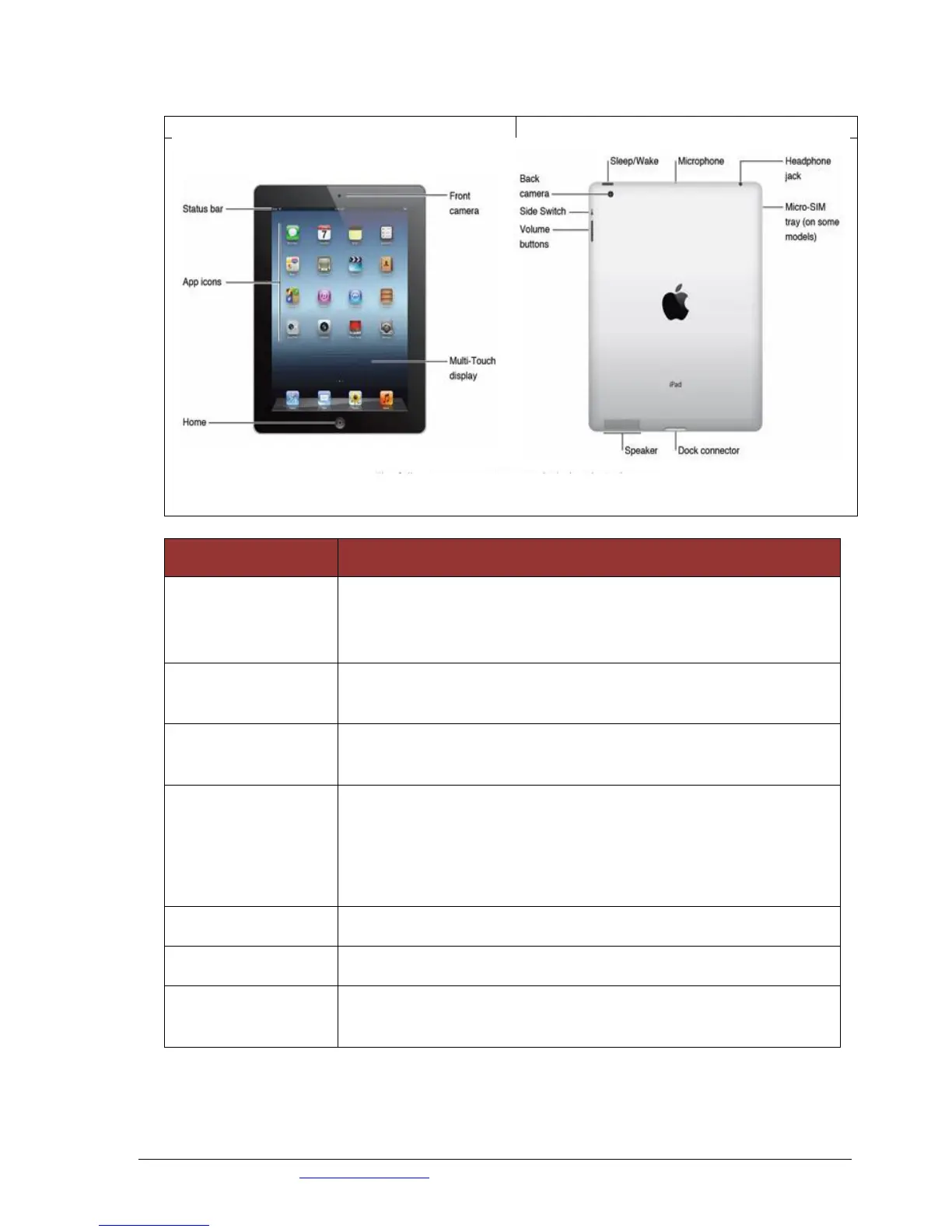
Touring the iPad Exterior
The iPad has both a front and back camera. Because of its size it
can be difficult to keep still while taking a picture. However it
takes great photos and videos. The front camera is useful for video
and video chats.
Press this button at any time to display the Home screen. No matter
what application you are in.
The iPad is designed to use with your fingers. You can access and
move around your ipad using ‘gestures’.
This button is used to turn your iPad on and off and also to put it to
sleep or wake it up.
To put it to sleep or wake it up, just press the button.
To turn it off or on, press and hold the button
A good quality microphone
Use this to plug in a headset.
The speaker plays audio (music or video soundtracks) as long as a
headset is not plugged in.



 To Next Page