iPad for Learning Trial – iPad Quick Start Guide Page 9
Installing the iPad User Guide on to your iPad
Once you have installed the DEECD bselected applications on your iPad which includes the
iBooks application, you are able to download online books, many of which are free. One very
useful book is the iPad User Guide; the iPad User Guide contains all the information you
might be seeking to help get you started.
To download the iPad User Guide, complete the following steps.
1. From your web browser, enter the following address
http://manuals.info.apple.com/en_US/iPad_User_Guide.pdf and press enter.
2. Download the file to your computer.
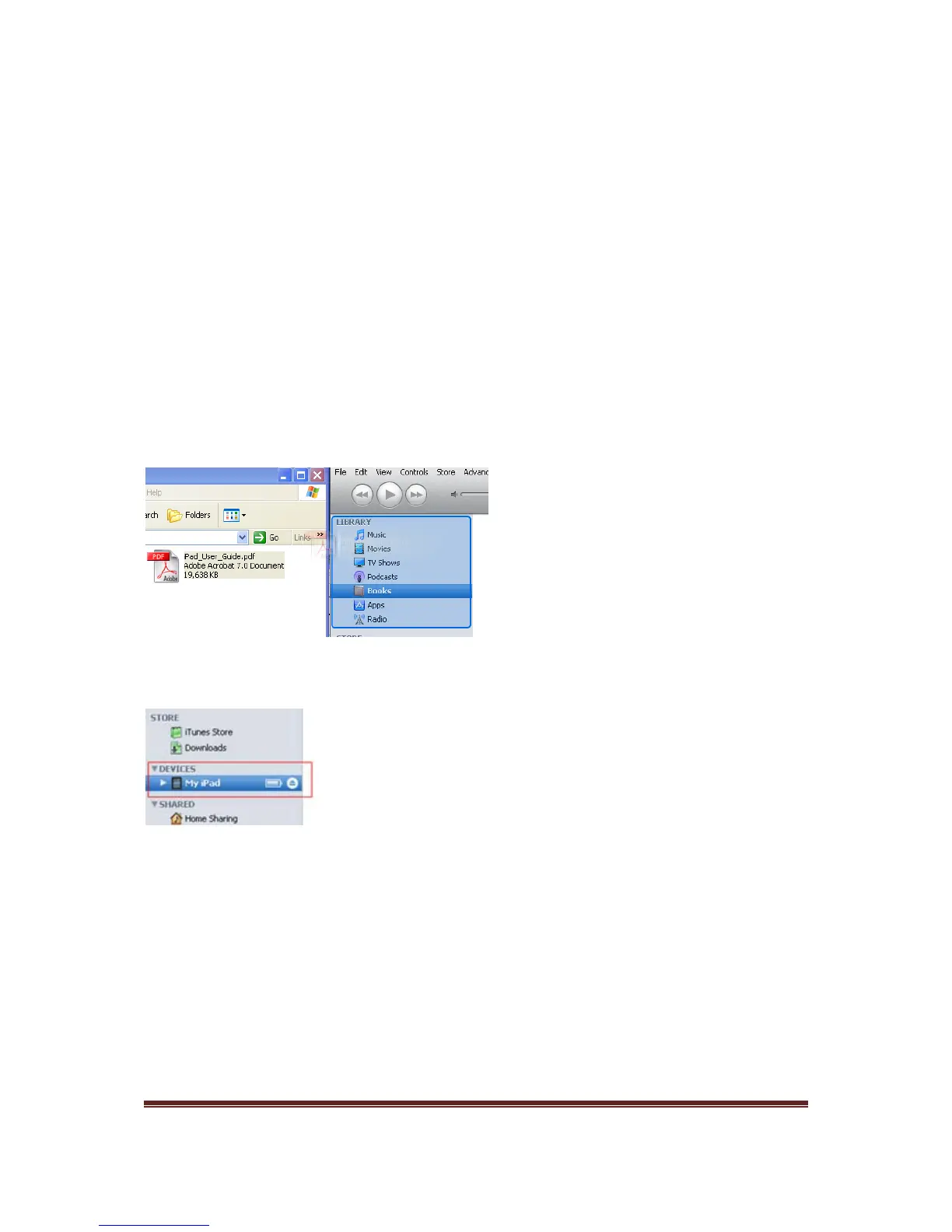
3. Open iTunes and ensure your iPad is connected.
4. Drag and drop the iPad User Guide that you downloaded on the Library section of
iTunes.
5. On the left hand side of the screen, click My iPad.
6. From the summary page click Sync
Congratulations, you have now added the iPad User Guide to your iPad. To access the iPad
user Guide, launch the iBooks application on your iPad.
Additional apps can be purchased at the student’s or parent’s own expense.



 To Previous Page