Add an attachment.
When you’re in another app and find something (like a location in the Maps app
or a web page in Safari) that you want to add to one of your notes, tap Share or
, then tap Notes. You can create a new note, or add the attachment to an
existing one.
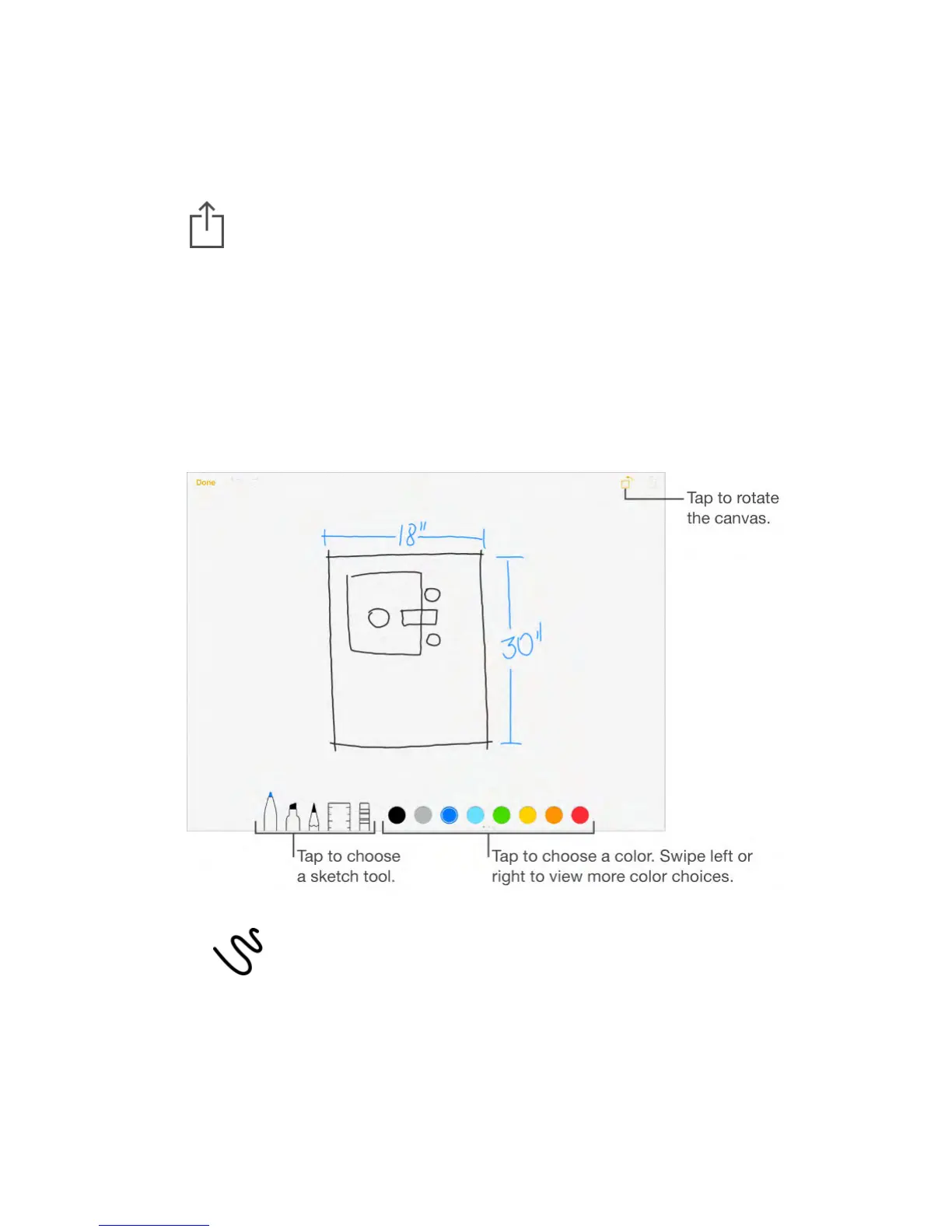
Create a sketch
Sometimes you may want a sketch to help you capture an idea or plan. Start a
sketch using the pencil, marker, or pen tool. Switch to the eraser if you make a
mistake.
Note: The sketching feature is available with upgraded notes on iPad
(4th generation), iPad Air and later, iPad Pro, and iPad mini 2 and later.
Sketch in your note.
Tap , use your finger to sketch, then tap Done. Your sketch appears in
your note. Tap the sketch to edit it.
View more color choices.
Swipe the color palette left or right to see more colors.
Draw straight lines.
Tap the ruler tool to make it appear on your canvas. Draw a line along the edge



 To Next Page