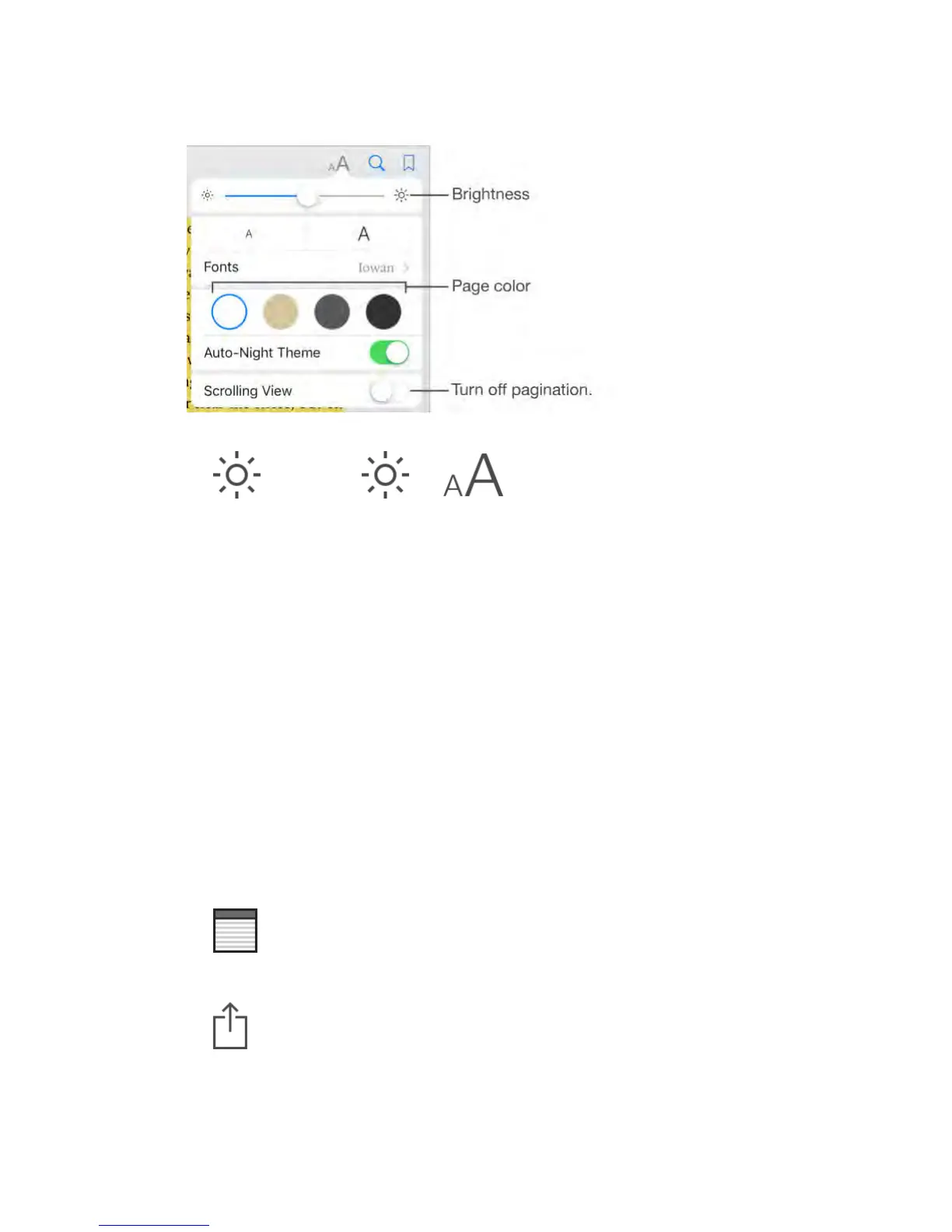
Change the brightness.
Tap . If you don’t see , tap first.
Dim the screen when it’s dark.
Turn on Auto-Night Theme to automatically change the bookshelf, page color,
and brightness when using iBooks in low-light conditions. (Not all books support
Auto-Night Theme.)
Interact with multimedia
Some books have interactive elements, such as movies, diagrams,
presentations, galleries, and 3D objects. To interact with a multimedia object,
tap, swipe, or pinch it. To view an element full screen, pinch open with two
fingers. When you finish, pinch it closed.
Study notes and glossary terms
In books that support it, you can review all of your highlights and notes as study
cards.
See all your notes.
Tap . You can search your notes, or tap a chapter to see notes you
made in that chapter.
Delete notes.
Tap , select some notes, then tap Delete.
Review your notes as study cards.



 To Next Page