July 3, 2008 © 2008 Apple Inc. All rights reserved. APPLE NEED TO KNOW CONFIDENTIAL 070-2356 iPhone 3G Carrier Troubleshooting Guide Page 2
Inspection for Debris or Corrosion in Ports
Debris or other contamination could prevent proper function, connection, charging, or
testing and should be removed if possible.
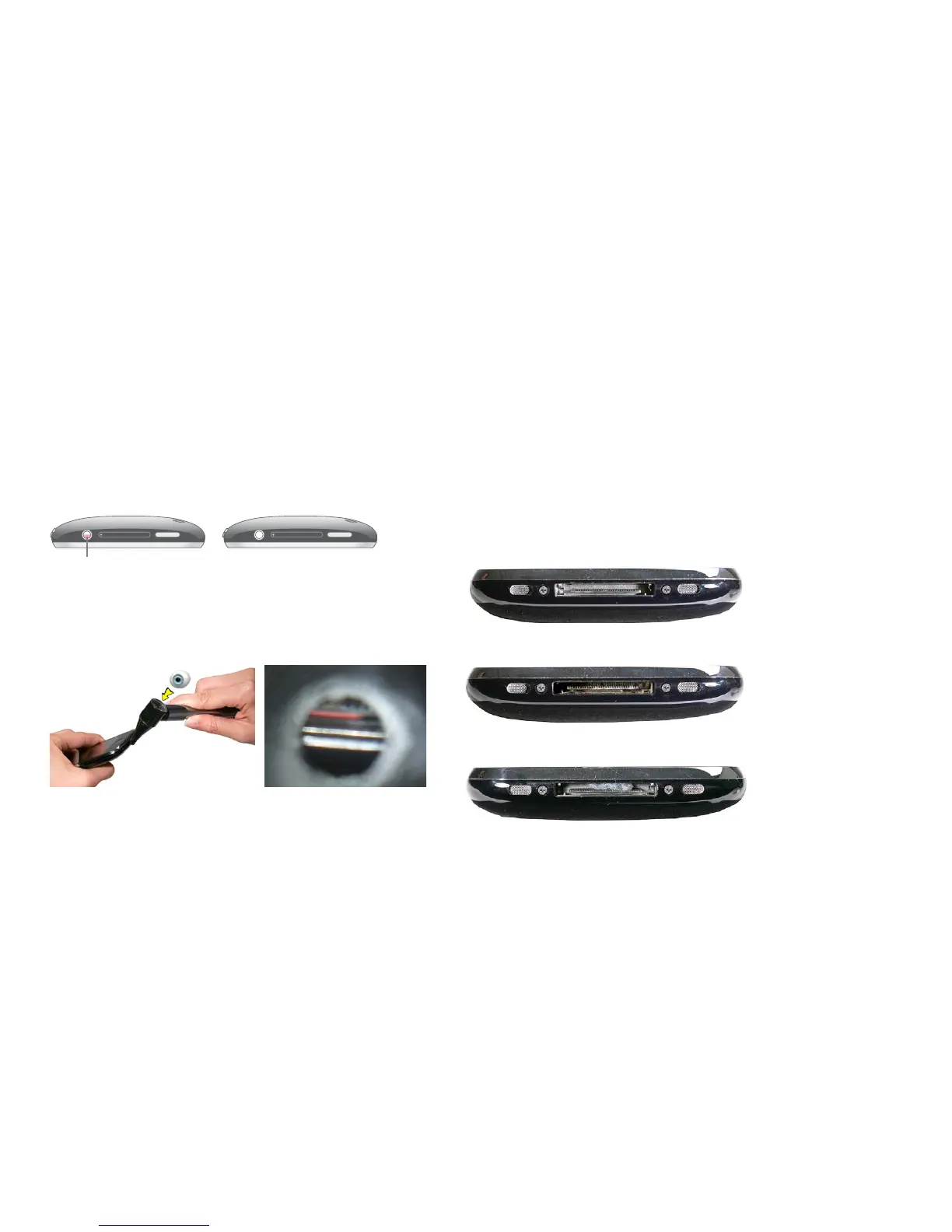
Use a lighted otoscope or lighted magnifying glass to check the:
•
Dock connector
•
Headset jack
•
Speaker opening
•
Microphone opening
Important: Corrosion indicates exposure to liquid and is not covered under warranty.
If debris or contamination is from an external cause, any resulting non-operation,
malfunction, damage, or cosmetic damage is also not covered under warranty.
Examples :
Clean, no debris, contamination, or corrosion
Corrosion (original iPhone shown)
Lint
Note: Lint or other foreign debris should be removed with a compressed-gas duster,
and if needed, an anti-static brush and or anti-static tweezers, before connecting
cables.
Visual Inspection
A visual inspection is performed before troubleshooting to protect test cables and
identify conditions and potential causes that may affect warranty coverage.
Liquid Submersion Indicators
iPhone 3G has two liquid submersion indicators: one in the headset jack and one in
the dock connector. If needed, first clean the headset jack and dock connector (see
procedures), then use a lighted Otoscope or magnifier to inspect both indicators.
Headset jack: The bottom of the headset jack is normally a white or a silver metallic
color. If the iPhone has been submerged in liquid, a red or pinkish color appears across
half of the indicator.
Dock Connector: To check, hold the iPhone so that you can point the lighted otoscope
or magnifier at an angle to view the center of the bottom inside face of the dock
connector port opening (not the connector pin rail).
The indicator is white, and oval shaped. If the indicator has been exposed to liquid, the
indicator will turn red, as shown at right.
Liquid Damage of Display Module
In the event an iPhone is submerged or encounters an excessive amount of liquid,
damage may occur to the display module. In some cases liquid damage can be
observed under the display module when the unit is able to power on.
Liquid damage to the display module is NOT covered under warranty.



 To Next Page