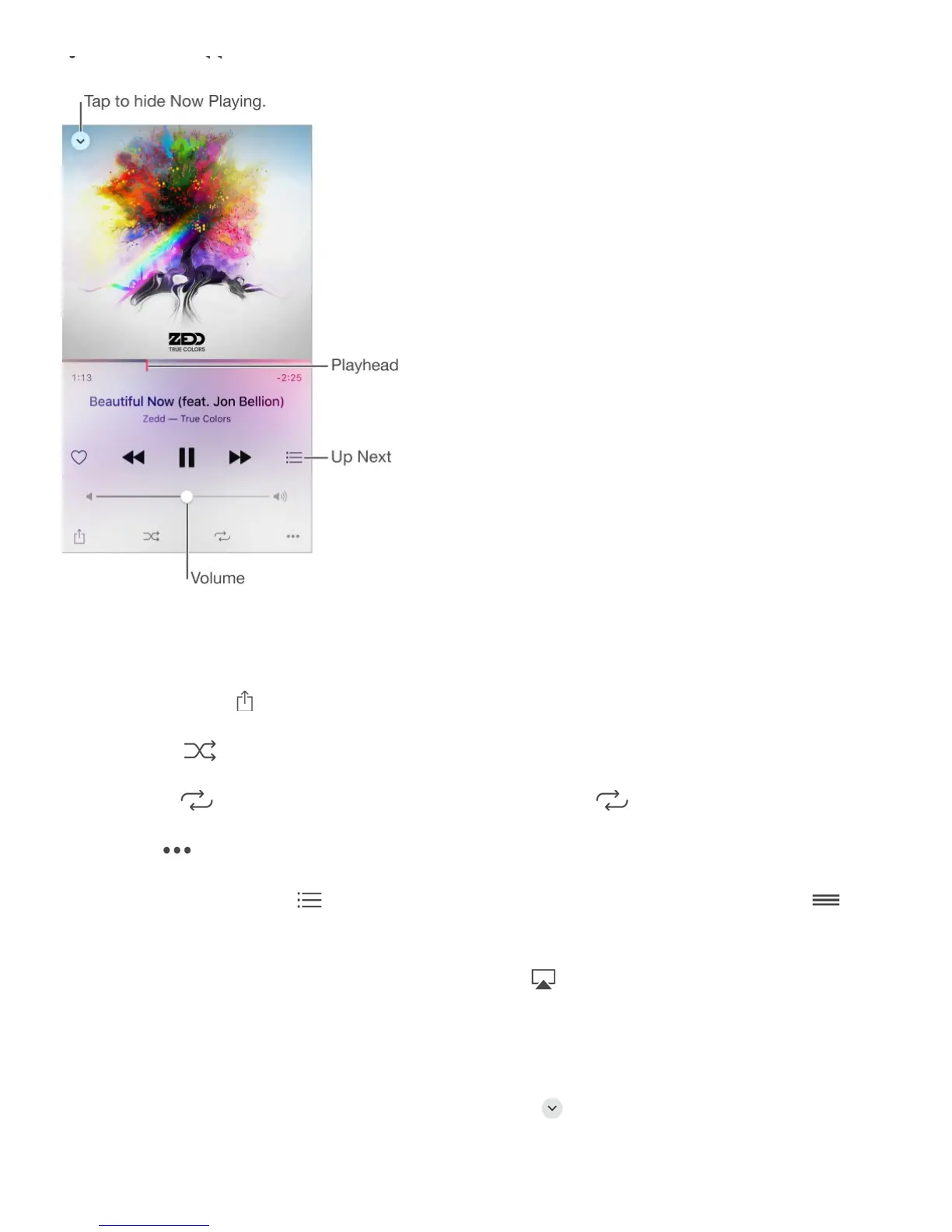
Double tap to play the previous song in an album or playlist.
Skip to any point in a song. Drag the playhead. Decrease the scrubbing speed by sliding
your finger down the screen.
Share music. Tap , then choose a sharing option.
Shuffle. Tap to play your songs in random order.
Repeat. Tap to repeat an album or playlist. Double-tap to repeat a single song.
More. Tap for additional options.
See what’s up next. Tap . Tap a song to play it and the songs that follow. Drag to
reorder the list.
Stream music to an AirPlay-enabled device. Tap in Now Playing, then choose a
device. See .
Quickly navigate to the album. Tap the track, artist, or album name in Now Playing.
Hide Now Playing. Swipe down the album art or tap .



 To Next Page