Quickly respond to a message. On iPhone 6s and iPhone 6s Plus, press a conversation in
the Messages list, then swipe up to see available actions.
Resume a conversation. Tap the conversation in the Messages list.
Use picture characters. When you type a message, tap or to change to the Emoji
keyboard. See .
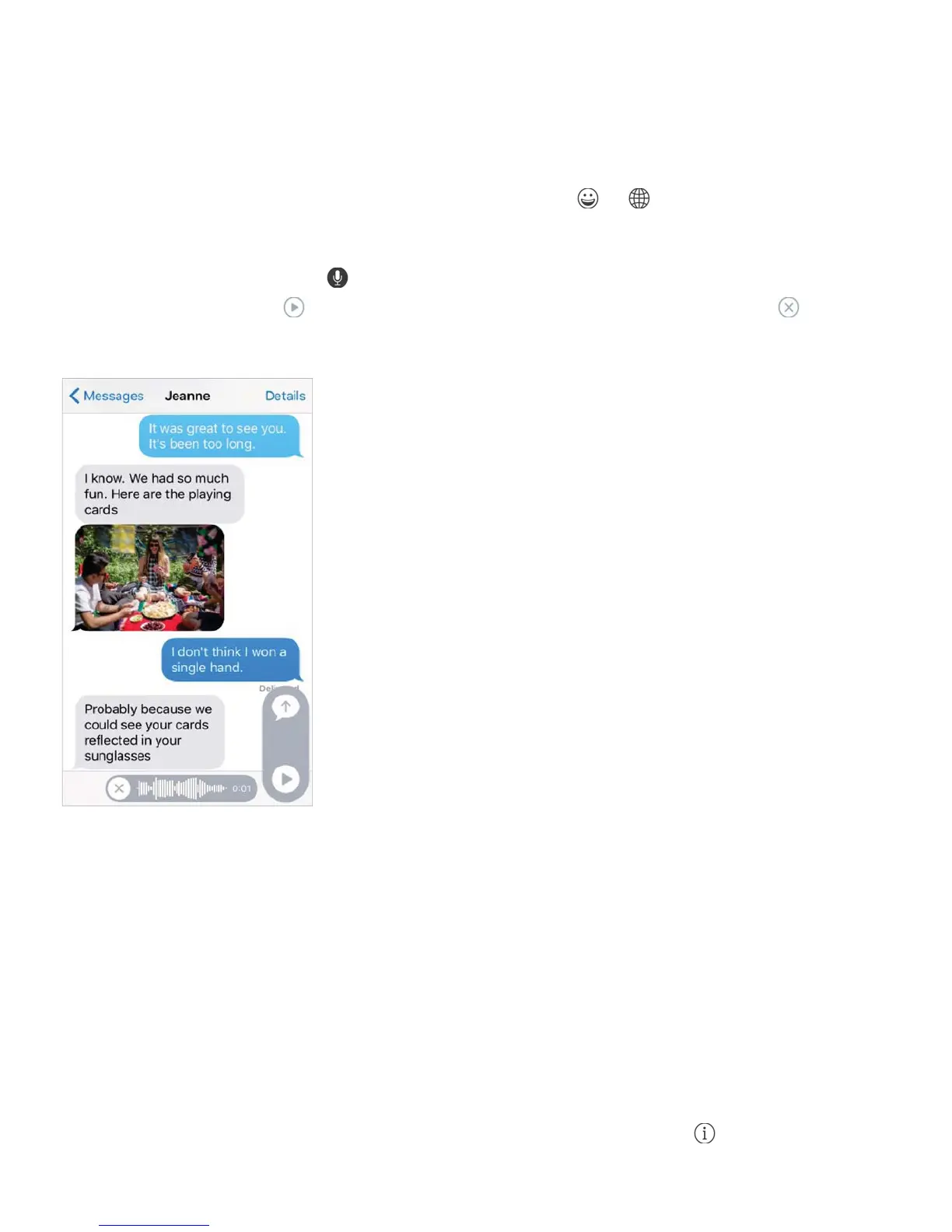
TaptoTalk.Touch and hold to record a message, then swipe up to send it immediately.
Lift your finger, then tap to listen to your message before you send it, or tap to delete
it.
To save space, Tap to Talk audio messages that you receive are deleted automatically two
minutes after you listen to them, unless you tap Keep. To keep them automatically, go to
Settings > Messages > Expire (under Audio Messages), then tap Never.
Raise iPhone to listen or reply to an audio message. Raise iPhone to your ear, as if you
were talking on the phone, to play incoming audio messages automatically. Raise iPhone to
your ear again to reply to an audio message. Turn this feature on or off at Settings >
Messages, under Audio Messages.
See what time a message was sent or received. Drag any bubble to the left.
See a person’s contact info. In a conversation, tap Details, then tap . Tap the info items
to perform actions, such as making a FaceTime call.



 To Next Page