Organize books
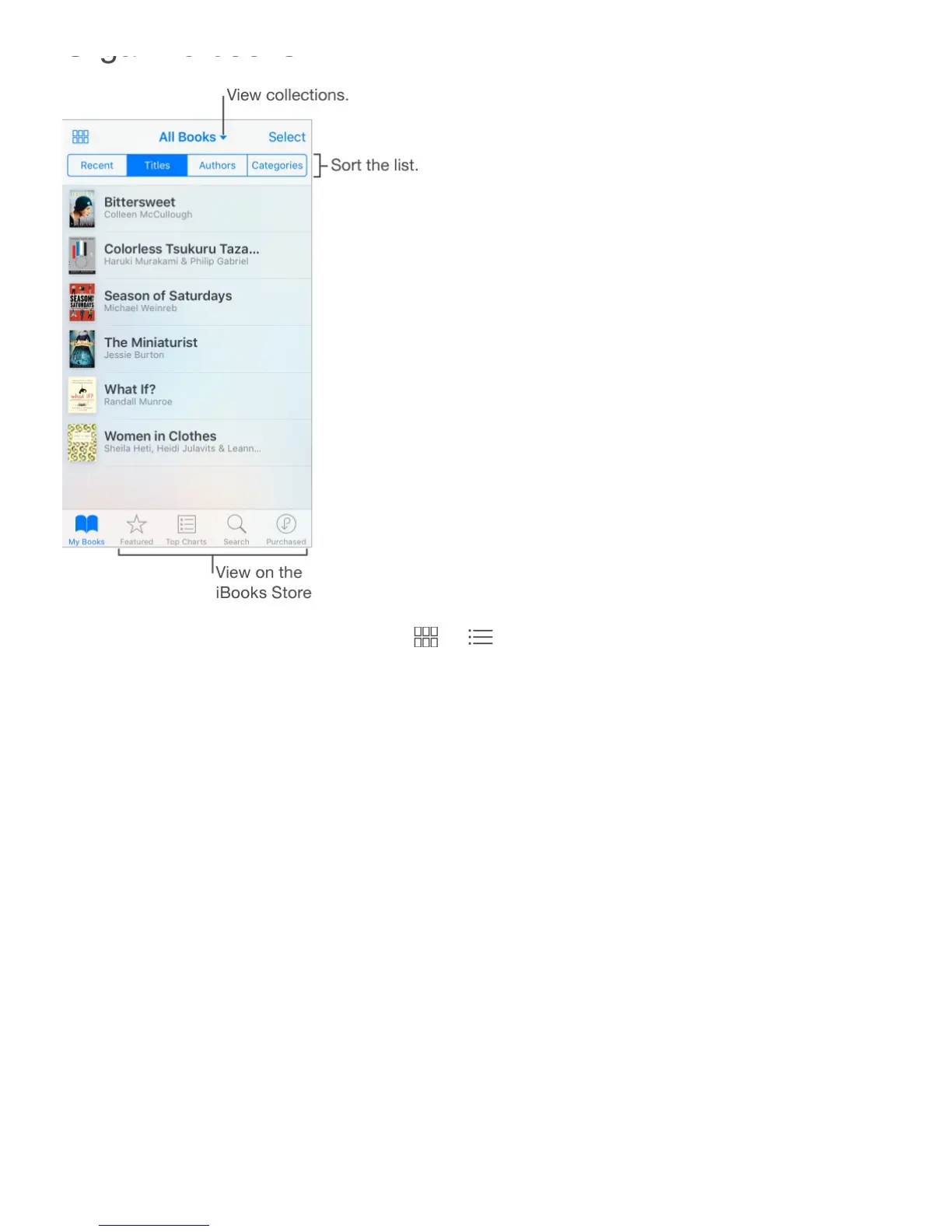
View books by title or by cover. Tap or .
How far along am I? On iPhone 6s and iPhone 6s Plus, press a book’s cover to view your
stats and other info. If it’s an audiobook, you’ll see the listening time remaining. See
.
View only audiobooks or PDFs. Tap the name of the current collection (at the top of the
screen), then choose PDFs or Audiobooks.
Organize your books with collections. Tap Select, then select some books to add them
to a collection. To edit or create collections, tap the name of the current collection (at the
top of the screen). Some built-in collections, such as PDFs, can’t be renamed or deleted.
Rearrange books. While viewing books by cover, touch and hold a cover, then drag it to a
new location. While viewing books by title, sort the list using the buttons at the top of the
screen. The All Books collection is automatically arranged for you; switch to another
collection if you want to manually arrange your books.
Search for a book. Pull down to reveal the Search field at the top of the screen. Searching
looks for the title and the author’s name.
3D
Touch



 To Next Page