Compass at a glance
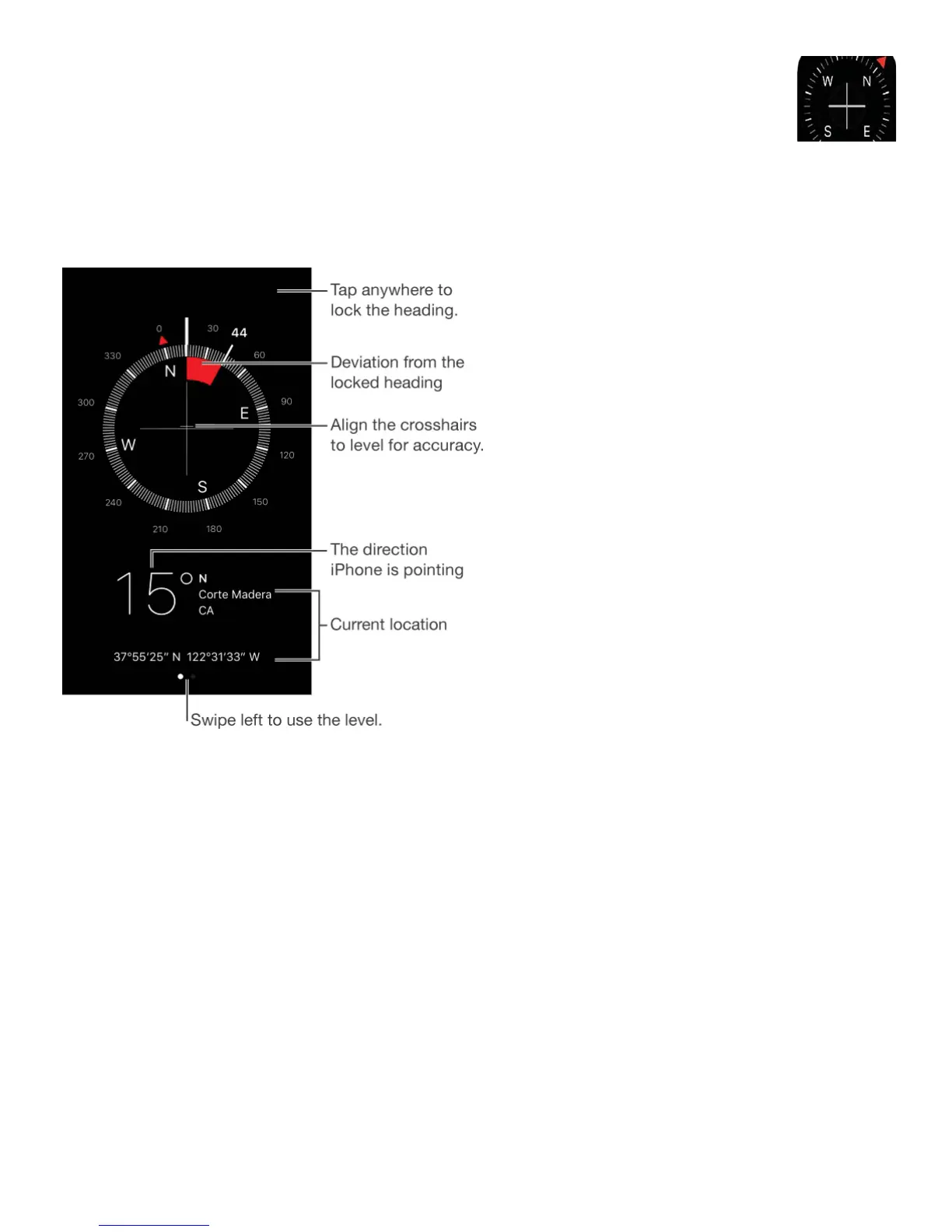
Find a direction, see your latitude and longitude, find level, or match a slope.
Quickly access compass. On iPhone 6s and iPhone 6s Plus, tap Extras on the Home
screen, press Compass, then choose the Start Compass quick action. See .
See your location. To see your current location, go to Settings > Privacy > Location
Services, then turn on Location Services and Compass. For more about Location Services,
see .
See your location in Maps. Tap the coordinates at the bottom of the screen to open Maps
and display your location.
Stay on course. Tap the screen to lock in the current heading, then watch for a red band to
see if you’re off course.
Important: The accuracy of the compass can be affected by magnetic or environmental
interference; even the magnets in the iPhone earbuds can cause a deviation. Use the digital
compass only for basic navigation assistance. Don’t rely on it to determine precise location,



 To Next Page