proximity, distance, or direction.
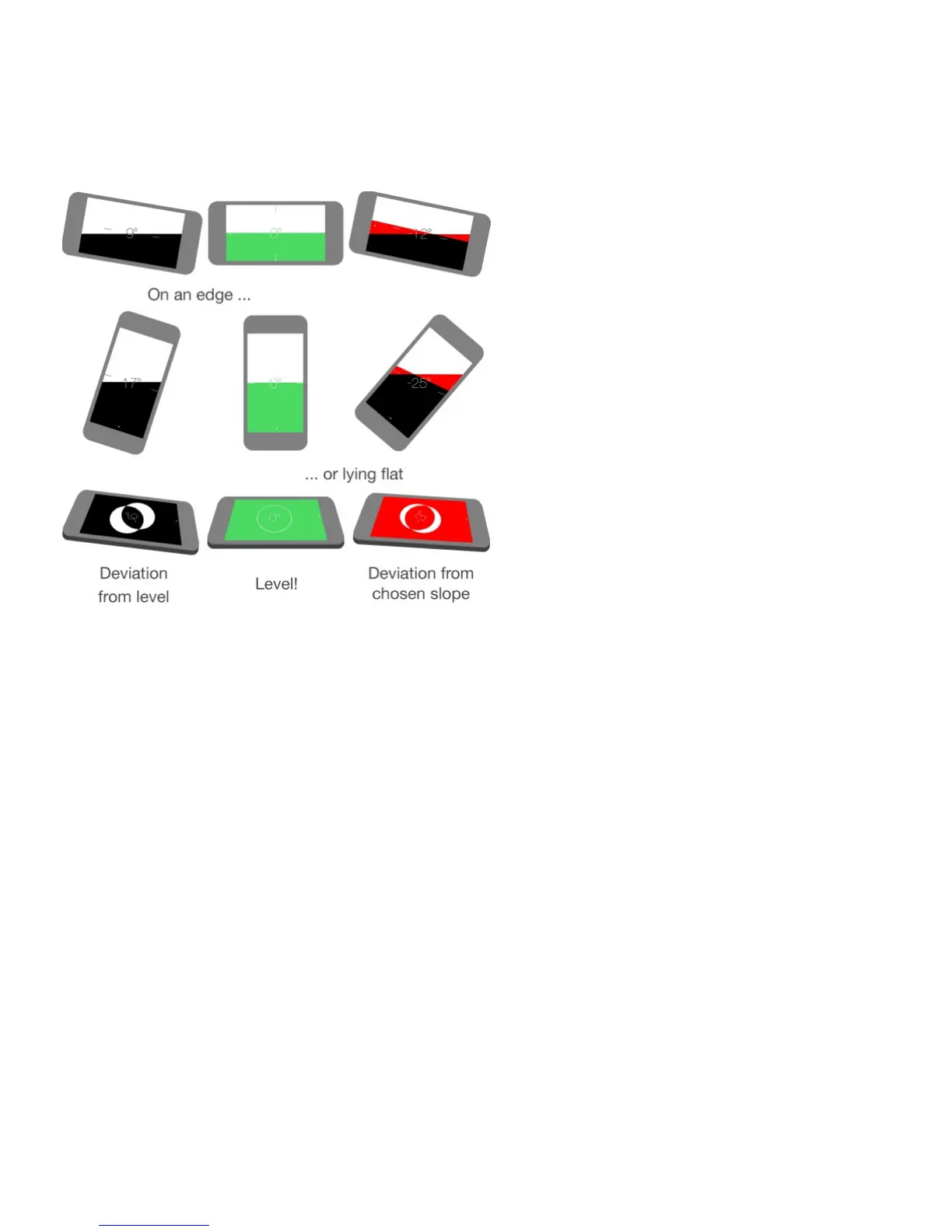
On the level
Quickly access the level. On iPhone 6s and iPhone 6s Plus, tap Extras on the Home
screen, press Compass, then choose the Start Level quick action. See .
Show the level. Swipe left on the Compass screen.
Hang it straight. Hold iPhone against a picture frame or other object, then rotate them until
you see green. For true level, the deviation is displayed on a black background. If the
background is red (indicating relative slope), tap the screen to change it to black.
Level the table. Lay iPhone flat on the table.
Match that slope. Hold iPhone against the surface you want to match, then tap the screen
to capture the slope. The slope you seek is shown in black, with deviation shown in red. Tap
again to return to standard level.



 To Next Page