Voice Memos at a glance
Voice Memos lets you use iPhone as a portable recording device. Use it with the built-in
microphone, an iPhone or Bluetooth headset mic, or a supported external microphone.
Record
Start a recording from the Home screen. On iPhone 6s and iPhone 6s Plus, press Voice
Memos, then choose the New Recording quick action. See .
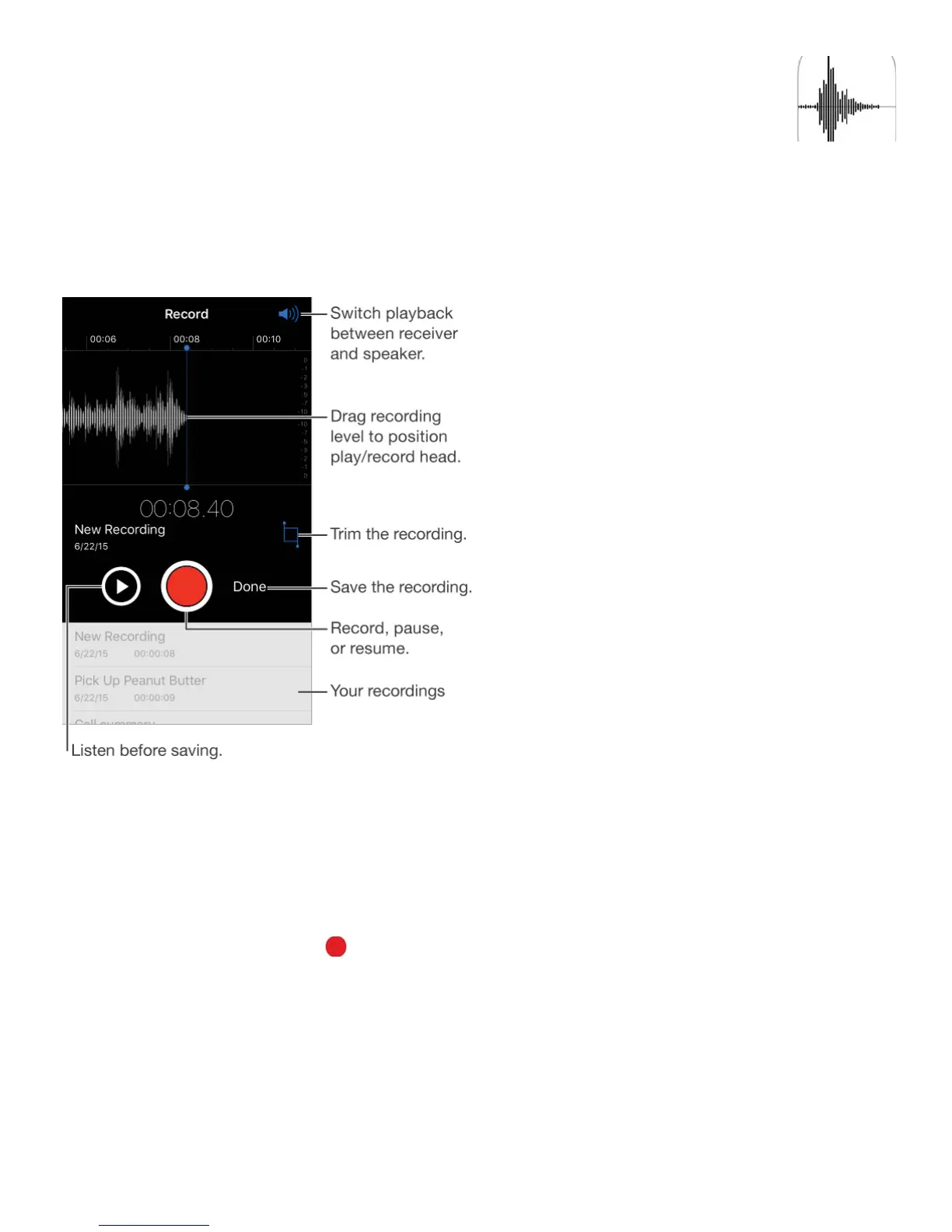
Record a voice memo. Tap or press the center button on your headset. Tap again to
pause or resume.
Recordings using the built-in microphone are mono, but you can record stereo using an
external stereo microphone that works with the iPhone headset jack, or with the Lightning
connector (iPhone 5 and later) or 30-pin dock connector (iPhone 4s). Look for accessories
marked with the Apple “Made for iPhone” or “Works with iPhone” logo.
Adjust the recording level. Move the microphone closer to what you’re recording. For



 To Next Page