Chapter 23 App Store 11 5
Use Wish List. To track an app you might want to purchase later, tap on the app page, then
tap Add to Wish List.
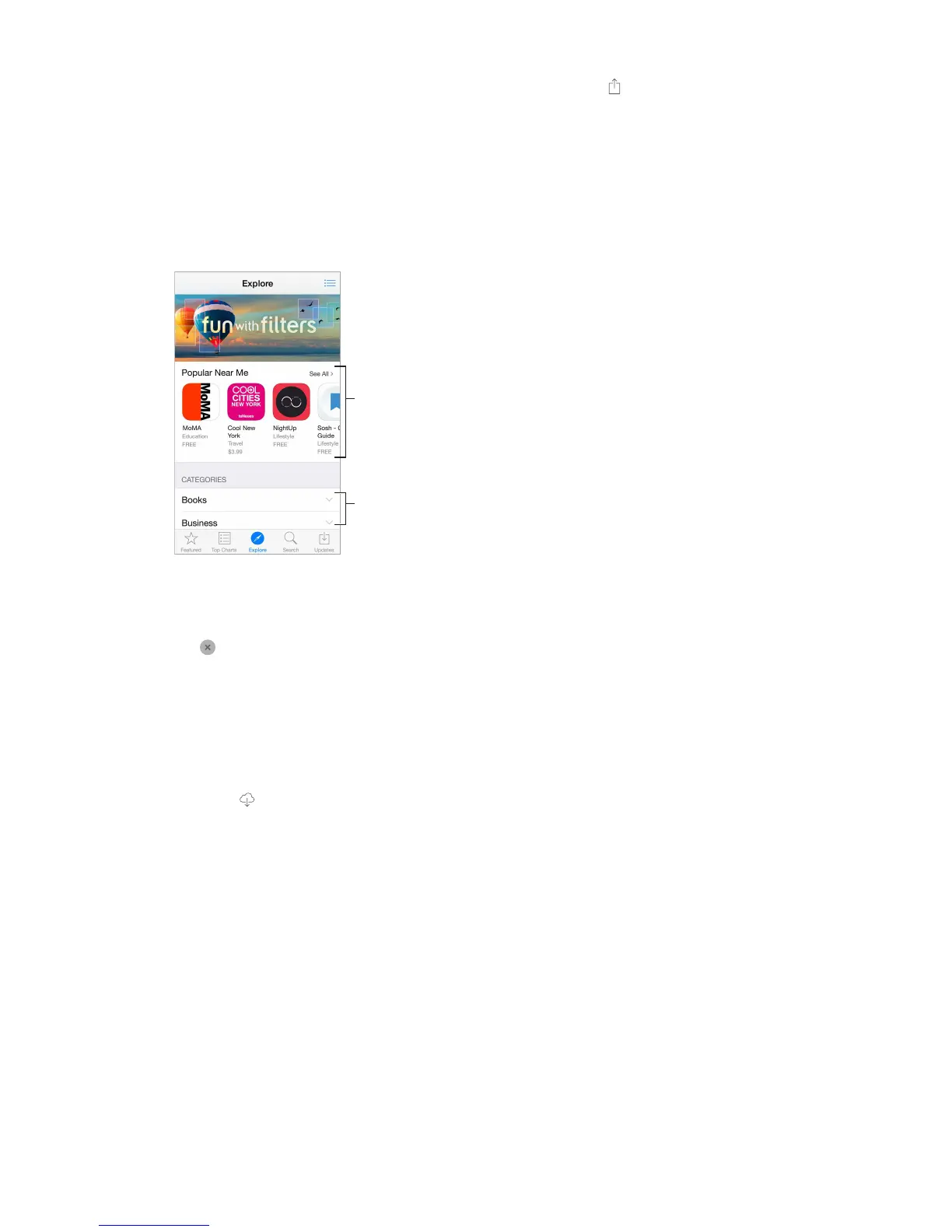
Search apps by category. Tap Explore, scroll to Categories, then tap a category to focus on the
your results.
What apps are being used nearby?
you are using. (Location Services must be on in Settings > Privacy > Location Services.) Try this at
a museum, sporting event, or when you’re traveling, to dig deeper into your experience.
Check out apps
in your areas of
interest.
For information about erasing all of your apps, data, and settings, see Restart or reset iPhone on
page 171.
Delete an app. Touch and hold the app icon on the Home screen until the icon jiggles, then
tap
also deletes its data. You can download any app you’ve purchased from the App Store again,
free of charge.
Purchase, redeem, and download
Tap the app’s price, then tap Buy to purchase it. If it’s free, tap Free, then tap Install.
If you see instead of a price, you’ve already purchased the app and you can download it again
without charge. While the app is downloading or updating, its icon appears on the Home screen
with a progress indicator.
Approve purchases with Family Sharing. With Family Sharing set up, the family organizer can
review and approve purchases made by other family members under the age of 18 (age limit
minor family members, when those members try to make a purchase, a message is sent to the
family organizer for approval. For more information about setting up Family Sharing, see Family
Sharing on page 37.



 To Next Page