Chapter 1 iPhone at a Glance 13
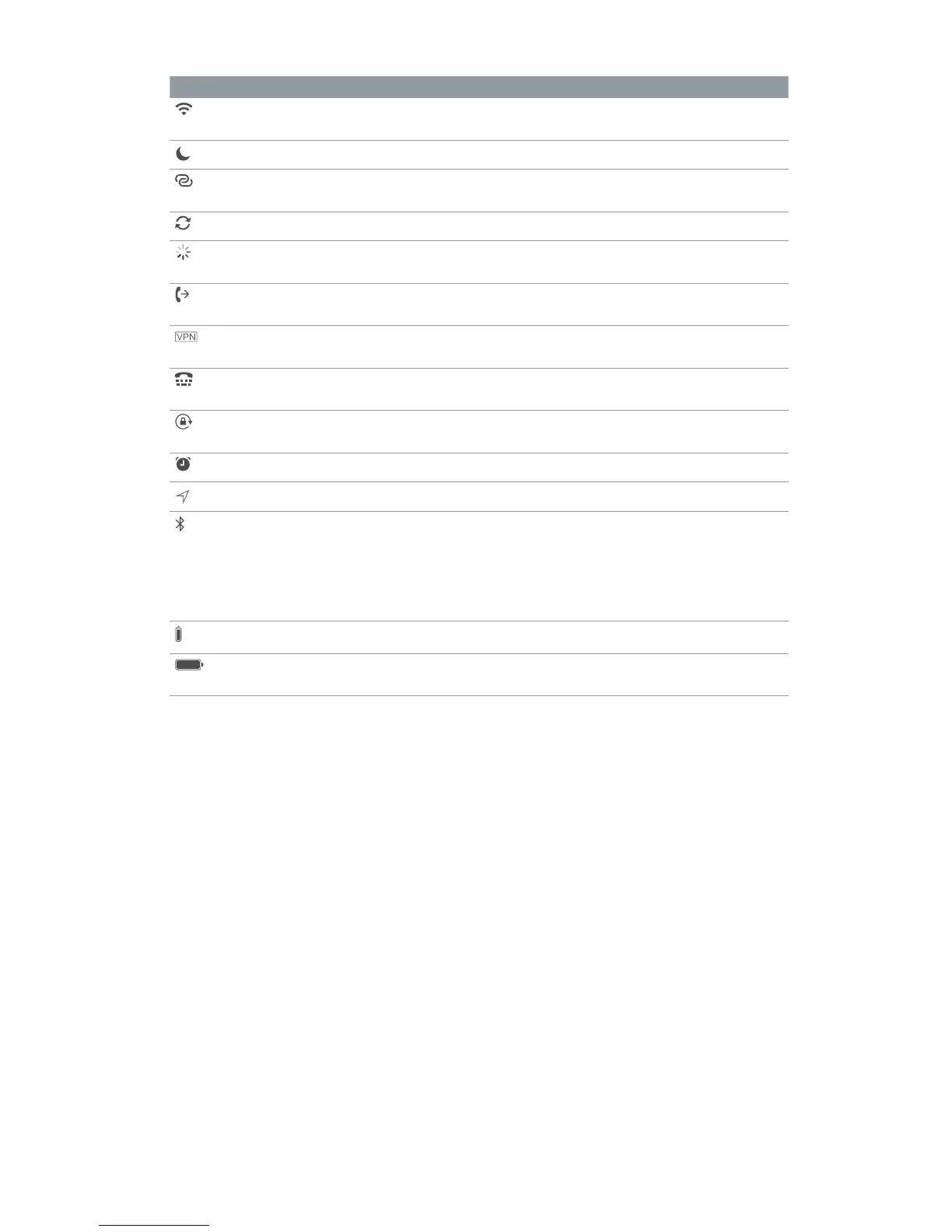
Status icon What it means
Wi-Fi iPhone is connected to the Internet over a Wi-Fi network. See
Connect to Wi-Fi
on page 16.
Do Not Disturb Do Not Disturb on page 36.
Personal Hotspot iPhone is providing a Personal Hotspot for another device. See
Personal Hotspot
on page 39.
Syncing iPhone is syncing with iTunes.
Network activity Shows that there’s network activity. Some third-party apps may also
use it to show an active process.
Call Forwarding Call Forwarding is set up. See Call forwarding, call waiting, and caller
ID
on page 53.
VPN You’re connected to a network using VPN. See Network access on
page 166.
TTY iPhone is set to work with a TTY machine. See TTY support on
page 161.
Portrait orientation
lock
The iPhone screen is locked in portrait orientation. See
Change the
screen orientation
on page 24.
Alarm An alarm is set. See Alarms and timers on page 95.
Location Services An item is using Location Services. See Privacy on page 42.
Bluetooth® Blue or white icon: Bluetooth is on and paired with a device.
Gray icon: Bluetooth is on. If iPhone is paired with a device, the
No icon:
See
Bluetooth devices
on page 41.
Bluetooth battery Shows the battery level of a paired Bluetooth device.
Battery Shows the iPhone battery level or charging status. See Charge and
monitor the battery
on page 45.



 To Next Page