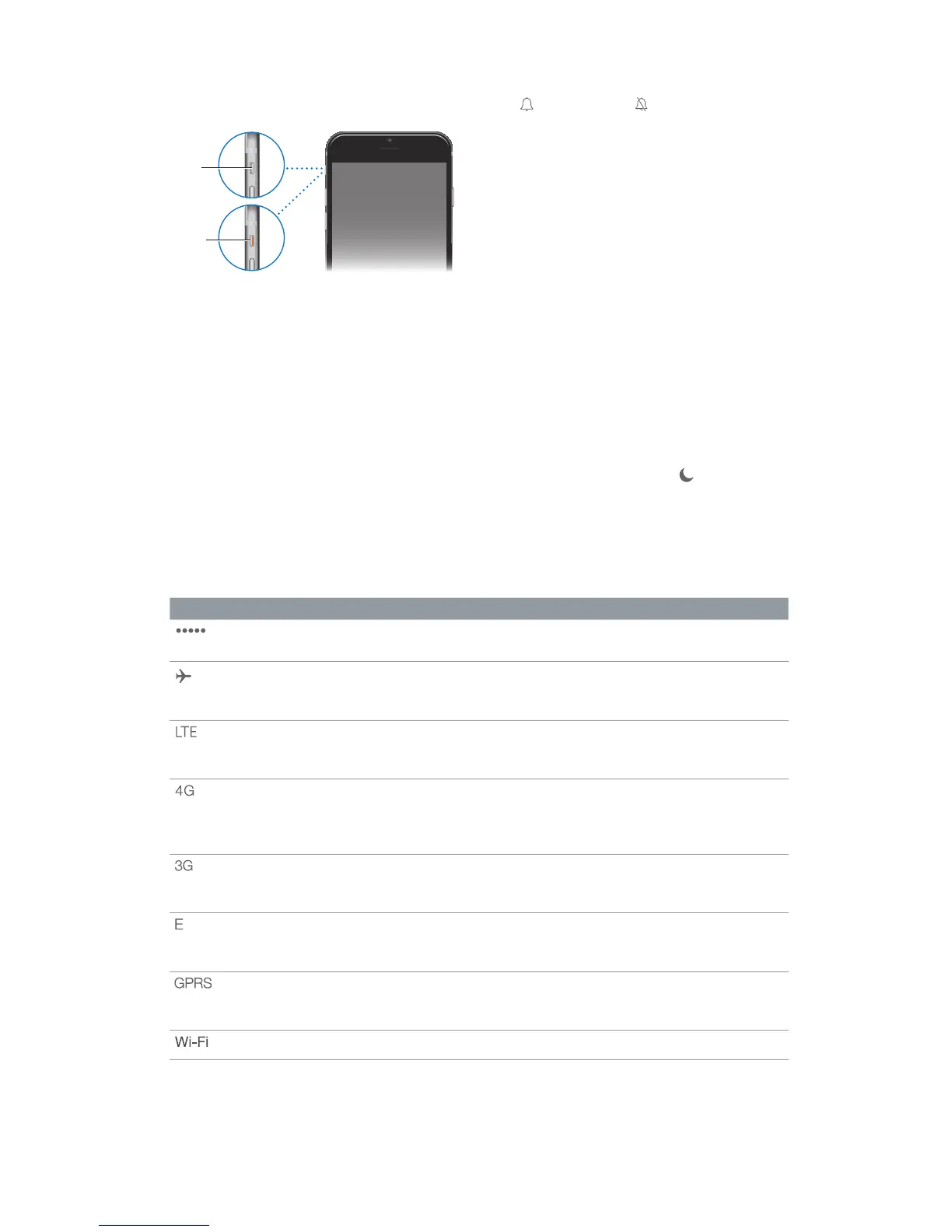
Silent
In ring mode, iPhone plays all sounds. In silent mode, iPhone doesn’t ring or play alerts and other
Important: Clock alarms, audio apps such as Music, and many games play sounds through the
and Voice Memos are played, even if the Ring/Silent switch is set to silent.
For information about changing sound and vibration settings, see Sounds and silence on page 35.
Use Do Not Disturb.
Swipe up from the bottom edge of the screen to open Control Center, then tap . See Do Not
Disturb on page 36.
Status icons
The icons in the status bar at the top of the screen give information about iPhone:
Status icon What it means
Cell signal You’re in range of the cellular network and can make and receive
Airplane mode Airplane mode is on—you can’t make phone calls, and other
wireless functions may be disabled. See
Travel with iPhone
on
page 46.
LTE Your carrier’s LTE network is available, and iPhone can connect to
the Internet over that network. (iPhone 5 or later. Not available in all
areas.) See Cellular settings on page 175.
UMTS Your carrier’s 4G UMTS (GSM) or LTE network (depending on carrier)
is available, and iPhone can connect to the Internet over that
network. (iPhone 4s or later. Not available in all areas.) See Cellular
settings
on page 175.
UMTS/EV-DO Your carrier’s 3G UMTS (GSM) or EV-DO (CDMA) network is available,
and iPhone can connect to the Internet over that network. See
Cellular settings
on page 175.
EDGE Your carrier’s EDGE (GSM) network is available, and iPhone can
connect to the Internet over that network. See
Cellular settings
on
page 175.
GPRS/1xRTT Your carrier’s GPRS (GSM) or 1xRTT (CDMA) network is available, and
iPhone can connect to the Internet over that network. See
Cellular
settings
on page 175.
Wi-Fi call iPhone is making a call over Wi-Fi. See Make a call on page 49.



 To Next Page