iPhone 5c – Disassemble Guide
Page 2 of 9
hp://www.fixez.com/
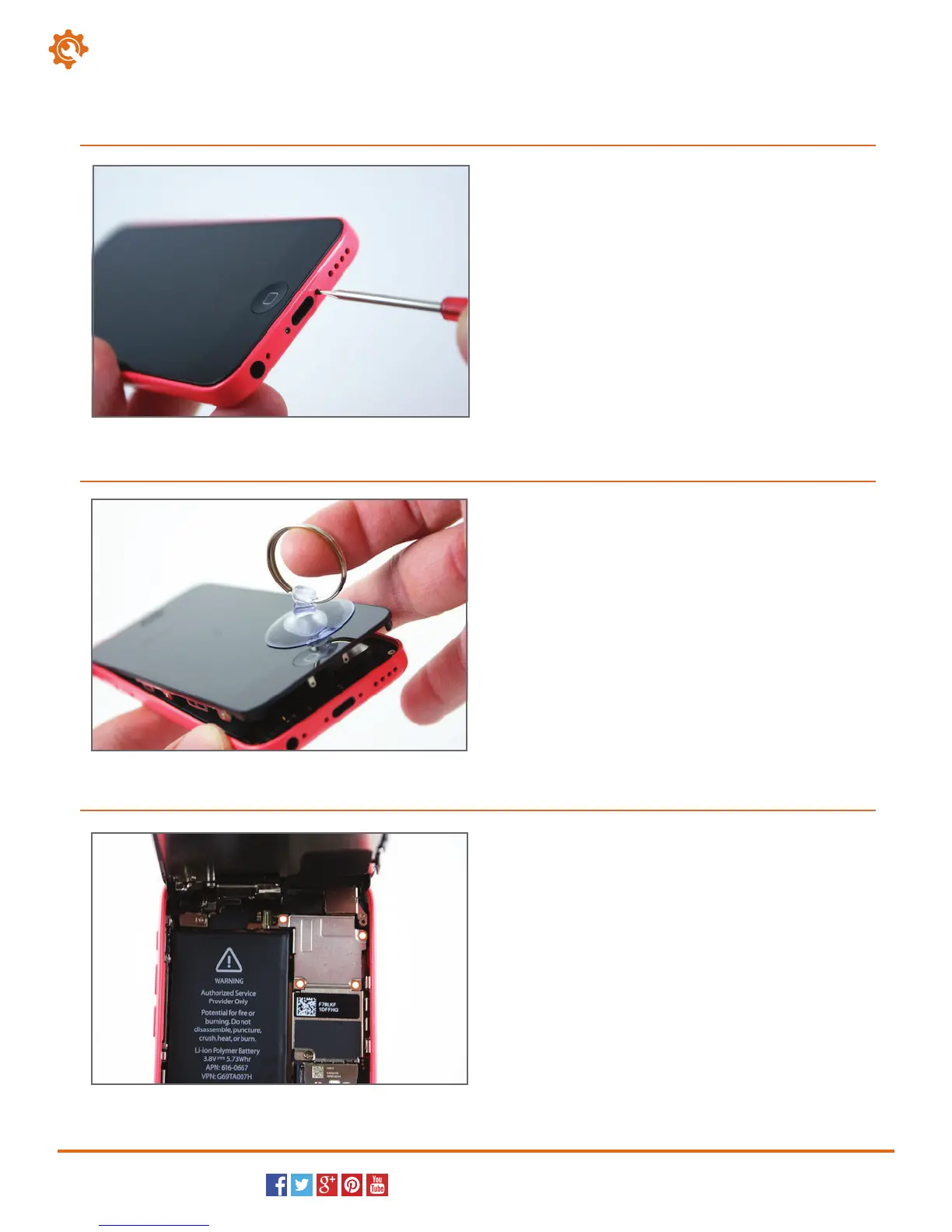
To begin disassembling the iPhone 5c, locate and
remove the two pentalobe screws on either side of
the lightning dock connector port on the bottom of
the iPhone.
1.
Next, put the suction cup close to the home button on
the display assembly side of the iPhone. While holding
the outside of the iPhone down, use the suction cup
to pull the display assembly away from the rear case.
The left corner, on the home button side of the iPhone
5c, has an area that will expose enough space to insert
the plastic opening tool. Use the plastic opening tool to
separate the display assembly from the rear case/
housing of the iPhone.
2.
After lifting up the display assembly, you will see a metal
cover that secures the display assembly cables.
Locate and remove the four Phillips screws (#00) that
secure the cover, and then remove the cover from the
iPhone 5c.
3.
Display Assembly (LCD & Touch Screen Digitizer)



 To Next Page