Vibrator
SIM Card Tray
iPhone 5c – Disassemble Guide
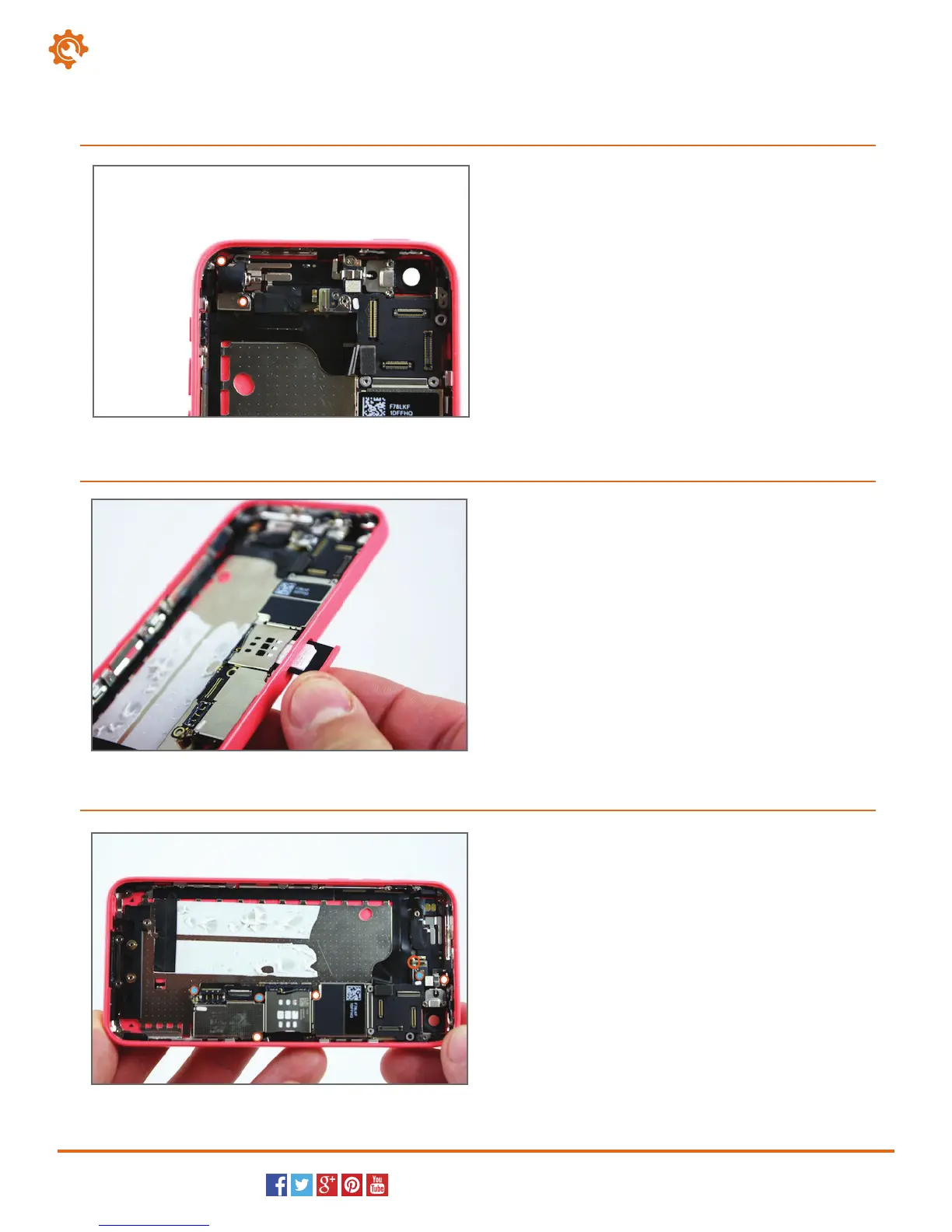
Locate and remove the two Phillips screws (#00)
that secure the vibrator
to the body of the iPhone.
You can now remove the vibrator motor from the
iPhone 5c.
16.
Page 7 of 9
hp://www.fixez.com/
Use the SIM card removal tool, or a paper clip, to
remove the SIM card tray from the side of the
iPhone.
17.
Locate and remove the three Phillips screws (#00) that
secure the motherboard into the phone (white dots
mark them).
Next, locate and remove the two standoffs with the
small flathead screwdriver. The standoffs secure the
mother-board to the iPhone (blue dots mark them).
Now, locate and disconnect the coaxial antenna plug
(circled in orange).
18.



 To Next Page