Power & Volume Buon Assembly
iPhone 5c – Disassemble Guide
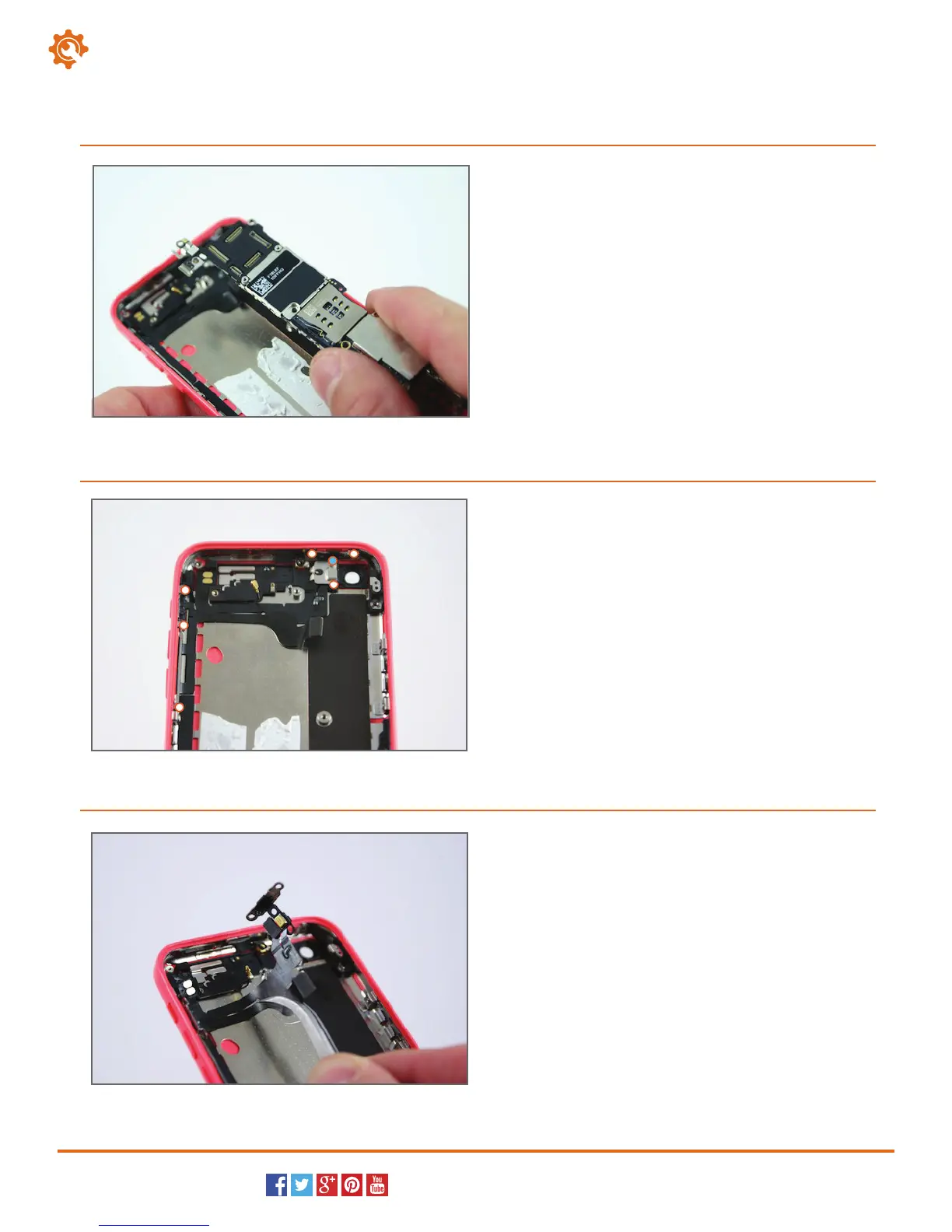
With all screws and connections removed, the mother-
board is now free. Maneuver the motherboard out of
its location and lift it from the iPhone 5c.
19.
Page 8 of 9
hp://www.fixez.com/
Locate and remove the six Phillips screws (#00) that
secure the power & volume button assembly to the
motherboard (white dots mark them).
Now, locate and remove the one standoff with the
small flathead screwdriver (blue dot marks it).
20.
A small amount of adhesive is still securing the power
and volume button assembly to the iPhone. Use the
spudger or the tweezers to peel up and remove the
assembly from the iPhone 5c.
21.



 To Next Page