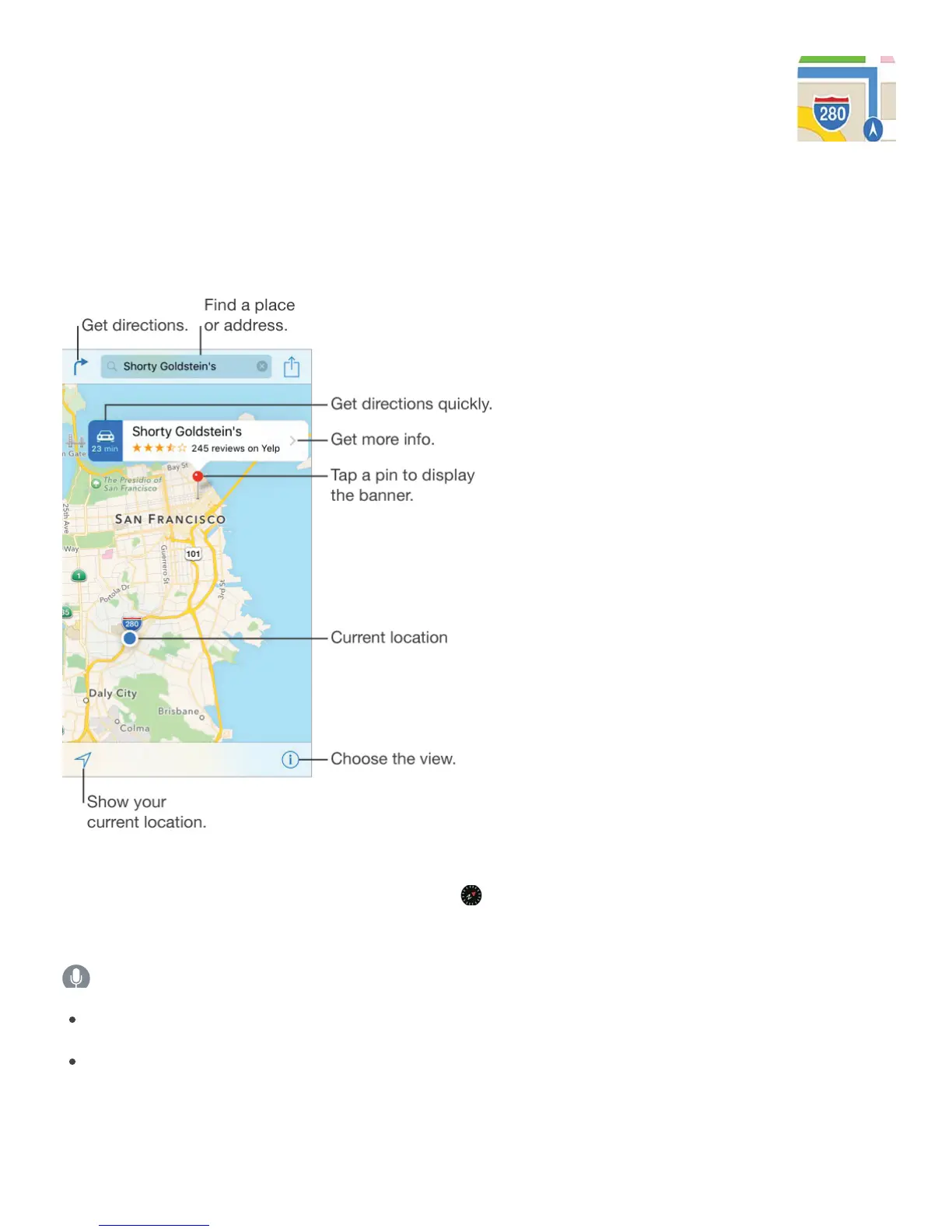
Find places
WARNING: For important information about navigation and avoiding distractions that could
lead to dangerous situations, see .
Move around Maps by dragging the screen. To face a different direction, rotate with two
fingers. To return to north, tap the compass in the upper right. Double-tap the screen to
zoom in; tap with two fingers to zoom out. Or, you can pinch and spread to zoom in and out.
Ask Siri. Say something like:
“Find coffee near me”
“Show me the Golden Gate Bridge”
Zoom in or out. Double-tap with one finger to zoom in; tap with two fingers to zoom out—or
pinch open or closed. The scale appears in the upper left while zooming and when you



 To Next Page