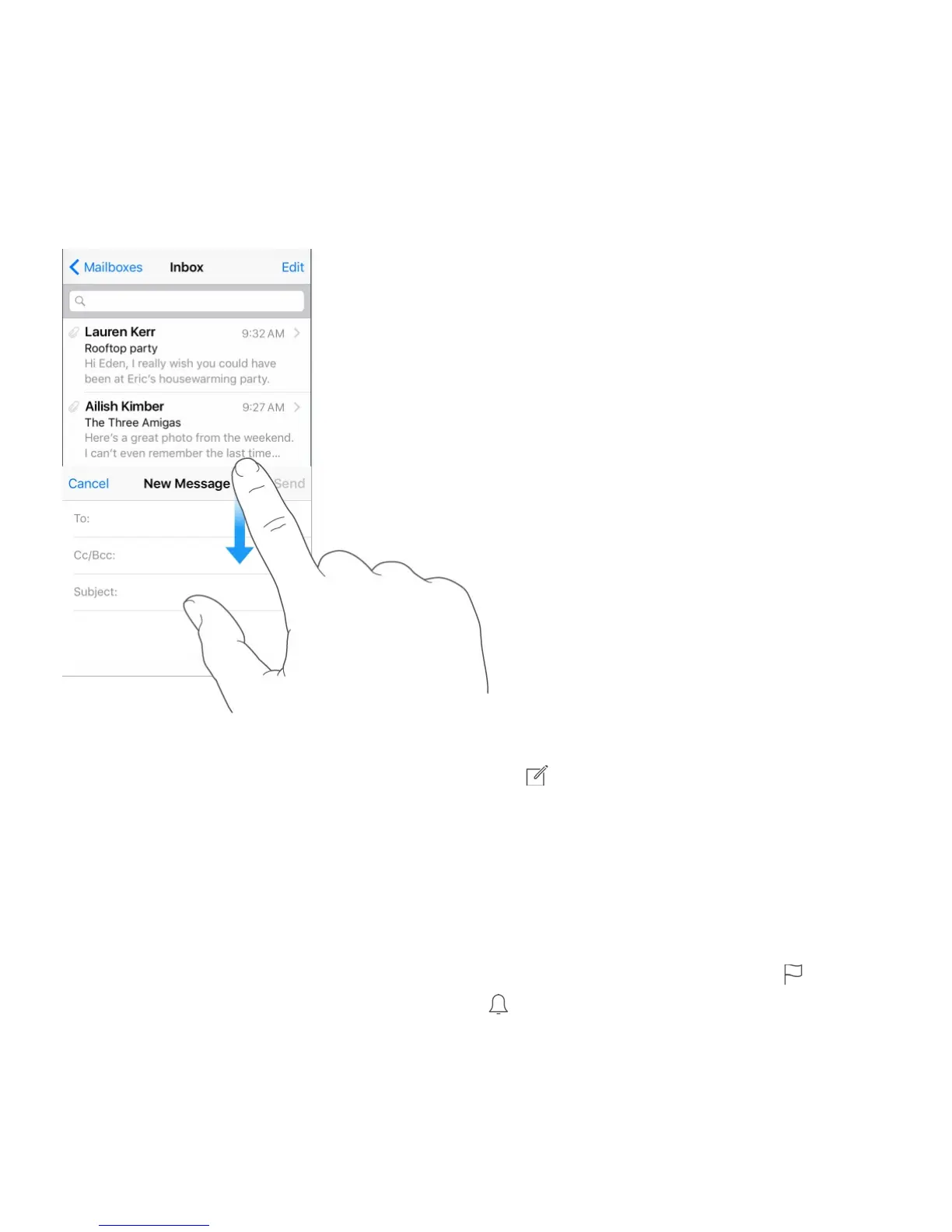
Finish a message later
Look at another message while you’re writing one. Swipe down on the title bar of a
message you’re writing. When you’re ready to return to your message, tap its title at the
bottom of the screen. If you have more than one message waiting to be finished, tap the
bottom of the screen to see them all.
Save a draft for later. If you’re writing a message and want to finish it later, tap Cancel,
then tap Save Draft. To get it back, touch and hold .
With OS X Yosemite or later, you can also hand off unfinished messages with your Mac.
See .
See important messages
Get notified of replies to a message or thread. While reading a message, tap , then tap
Notify Me. While you’re writing a message, tap in the Subject field. To change how
notifications appear, go to Settings > Notifications > Mail > Thread Notifications.
Gather important messages. Add important people to your VIP list, so all their messages
appear in the VIP mailbox. Tap the sender’s name in a message, then tap Add to VIP. To
change how notifications appear, go to Settings > Notifications > Mail > VIP.



 To Next Page