Testing Procedures -
11
iPod mini
FireWire Disk Mode Test
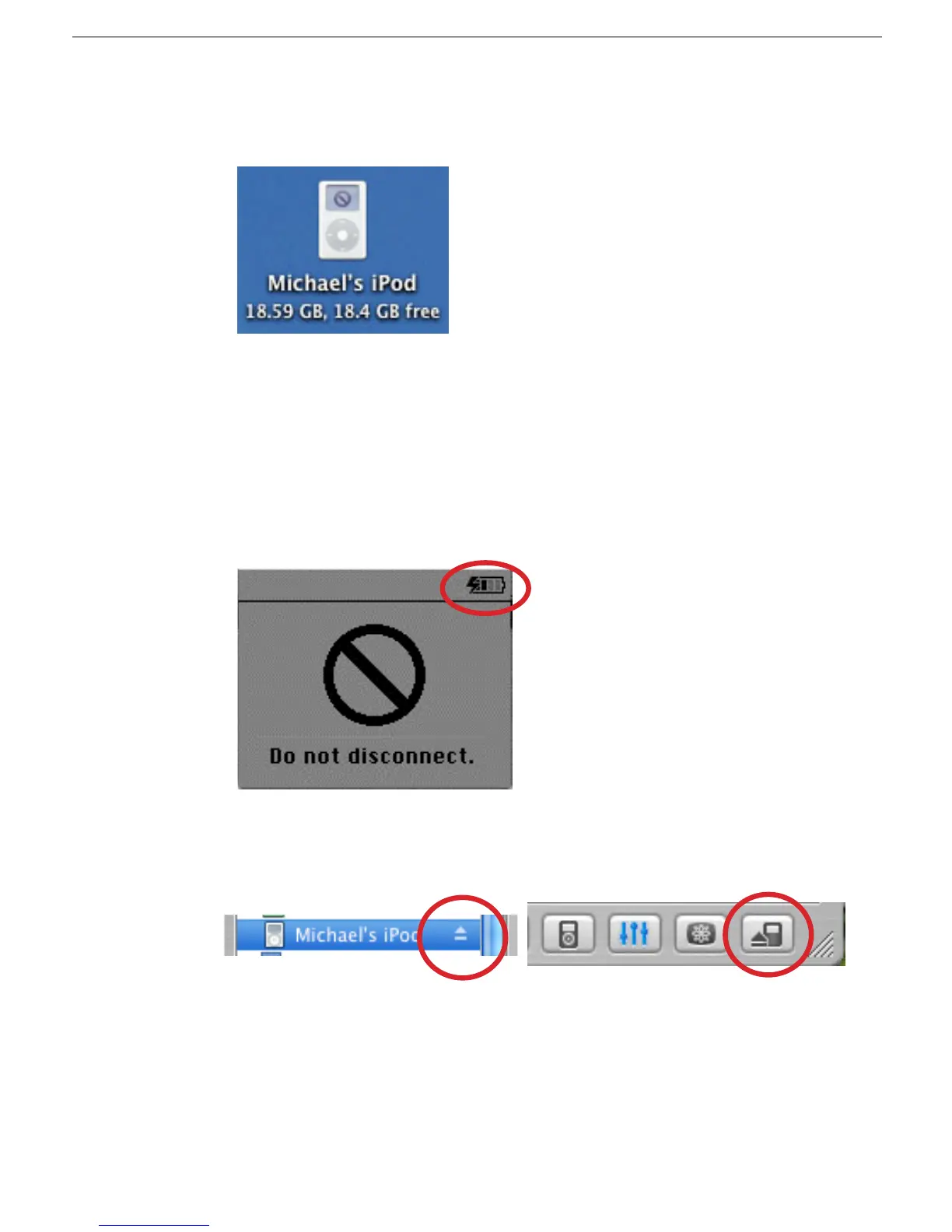
1. Make sure that the iPod icon is on the desktop.
2. If not, select the iPod icon in the iTunes Source panel, then select the “Display iPod
options” button to open iPod Preferences (see above instructions), and make sure the
“Enable disk use” check box is checked.
Battery Charging Check
1. Make sure that the animated battery charging symbol appears at the top right corner
of the iPod screen.
2. Select the iPod icon in the Source panel of iTunes, then either click the iPod Eject
button at the bottom right corner of the iTunes window, or the eject symbol in the
Source panel. This ejects the iPod from the Source panel and the desktop.
3. The “Do not disconnect.” screen will disappear, and the Language screen appears.
4. Disconnect the iPod from the computer.



 To Next Page