10 -
Testing Procedures
iPod mini
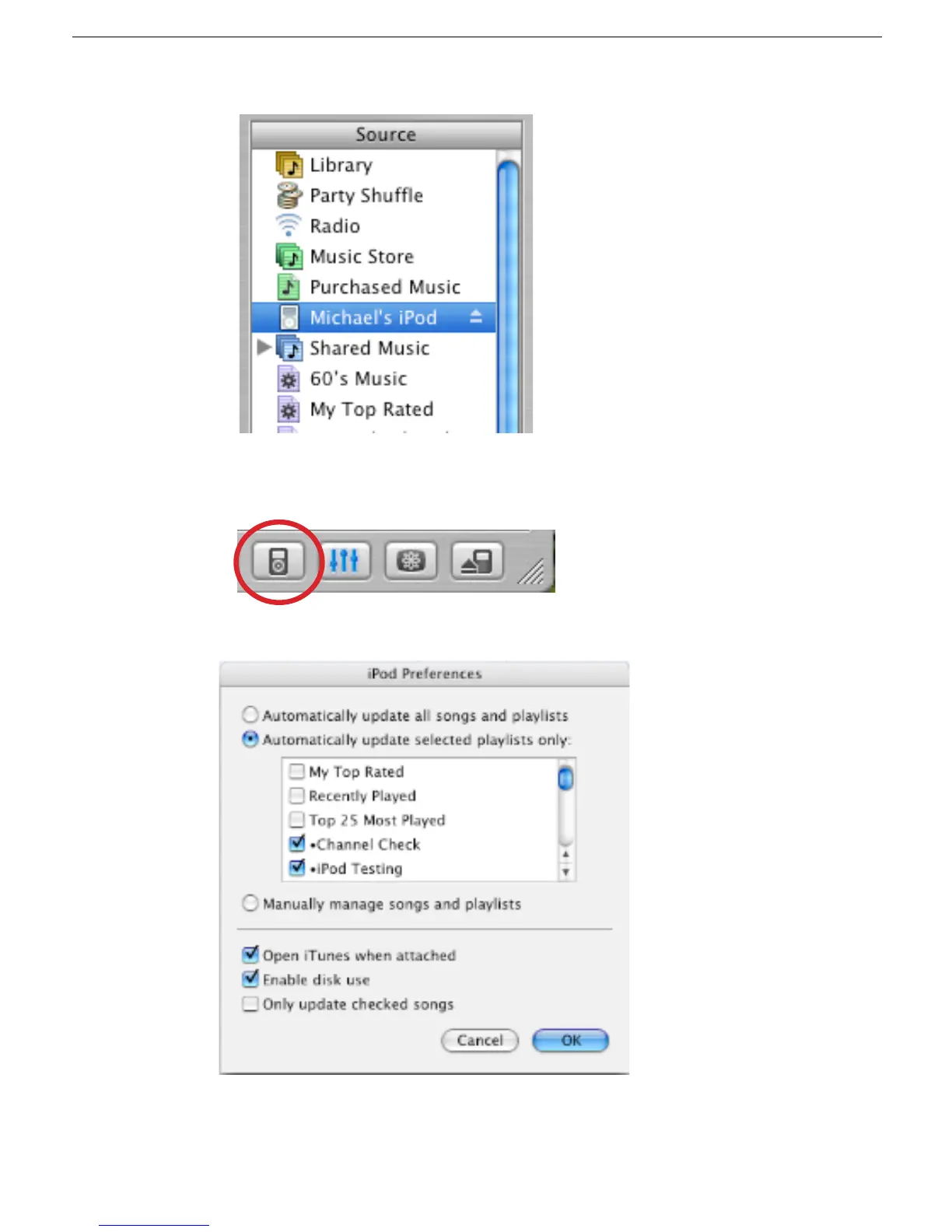
4. In the iTunes playlist Source panel, select the iPod icon.
5. Select the “Display iPod options” button at the bottom right corner of the iTunes
window to open the iPod Preferences.
6. Make the selections shown below, and click OK, and OK the “Are you sure...” window.
7. The iPod will download the music in the test playlists selected above.



 To Next Page