2
15
2 Lesson 2:
Transferring Music to iPod mini
This lesson tells you how to charge the iPod mini battery,
connect iPod mini to your computer, and transfer music
from your computer to iPod mini.
Before You Begin
Before you start, make sure you have each of the following items on hand:
• Your iPod mini and your computer
• The iPod Power Adapter that came with your iPod mini
• The iPod Dock Connector to FireWire Cable that came with your iPod mini
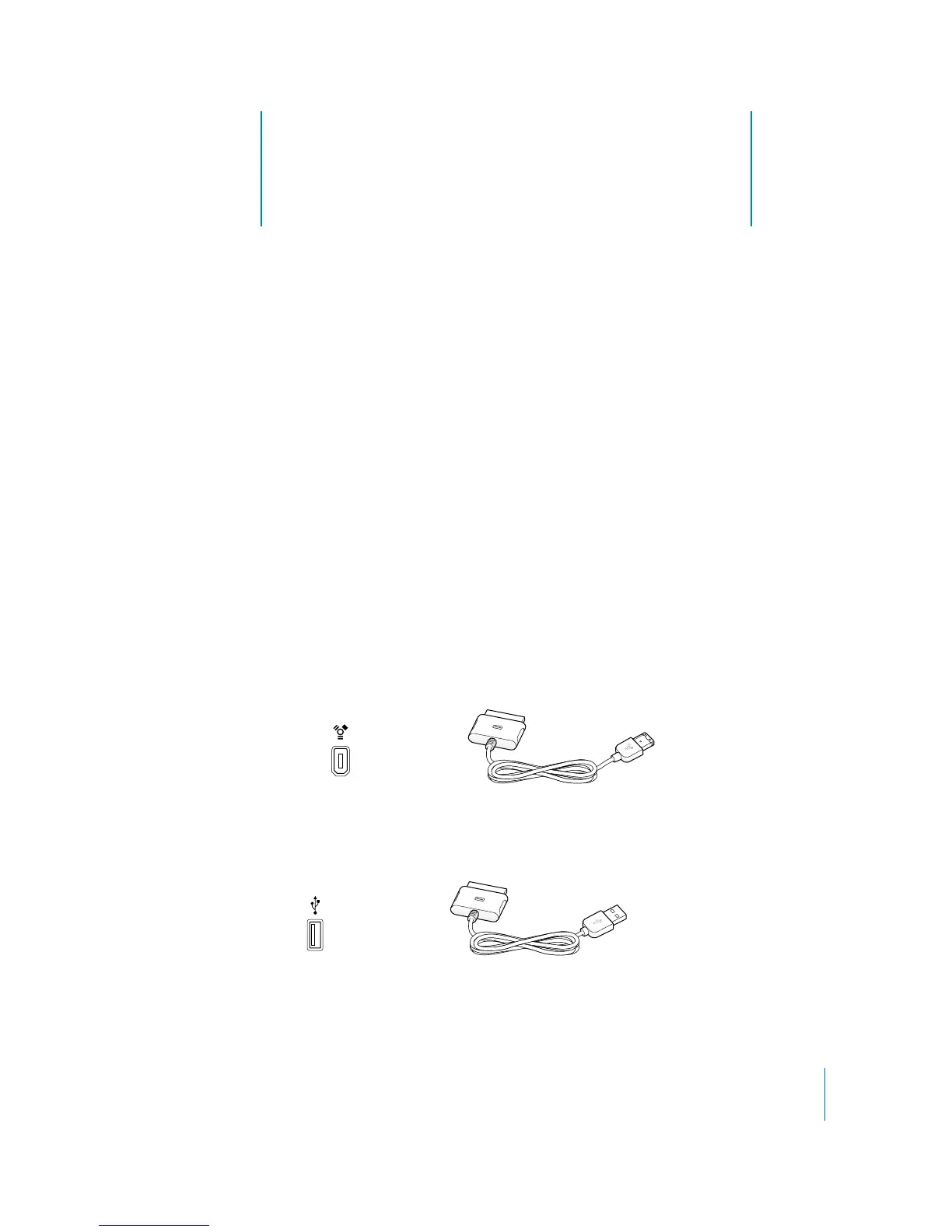
If you have a Windows PC, you’ll need to determine which cable to use to connect iPod
mini to your computer:
• If you have a Windows PC with a 6-pin FireWire port, you need the iPod Dock
Connector to FireWire Cable that came with your iPod mini (the same cable
mentioned above).
• If you have a Windows PC with a high-power USB 2.0 port, you’ll need the iPod Dock
Connector to USB 2.0 Cable that came with your iPod mini.
6-pin FireWire 400 port iPod Dock Connector to FireWire Cable
iPod Dock Connector to USB 2.0 Cable
USB 2.0 port



 To Next Page