3
20 Chapter 3 Lesson 3: Playing Music on iPod mini
3 Lesson 3:
Playing Music on iPod mini
This lesson tells you how to use the iPod mini controls to
do things like browse for and play songs, turn iPod mini
on and off, turn on the backlight, and change settings.
Before You Begin
If there are no songs on your iPod mini, follow the instructions in Lessons 1 and 2 to
transfer music to your iPod mini before you start this lesson.
In some tasks shown in this lesson, you will see instructions for choosing menu
commands, which look like this:
Choose Settings > Backlight Timer > 2 Seconds.
The first term after Choose is the name of an item in the iPod mini main menu (the first
menu you see when you turn on iPod mini). The next item is a choice from the next
menu, and so on. If you don’t see the first item, press Menu (on the iPod mini Click
Wheel) repeatedly until you see the main menu.
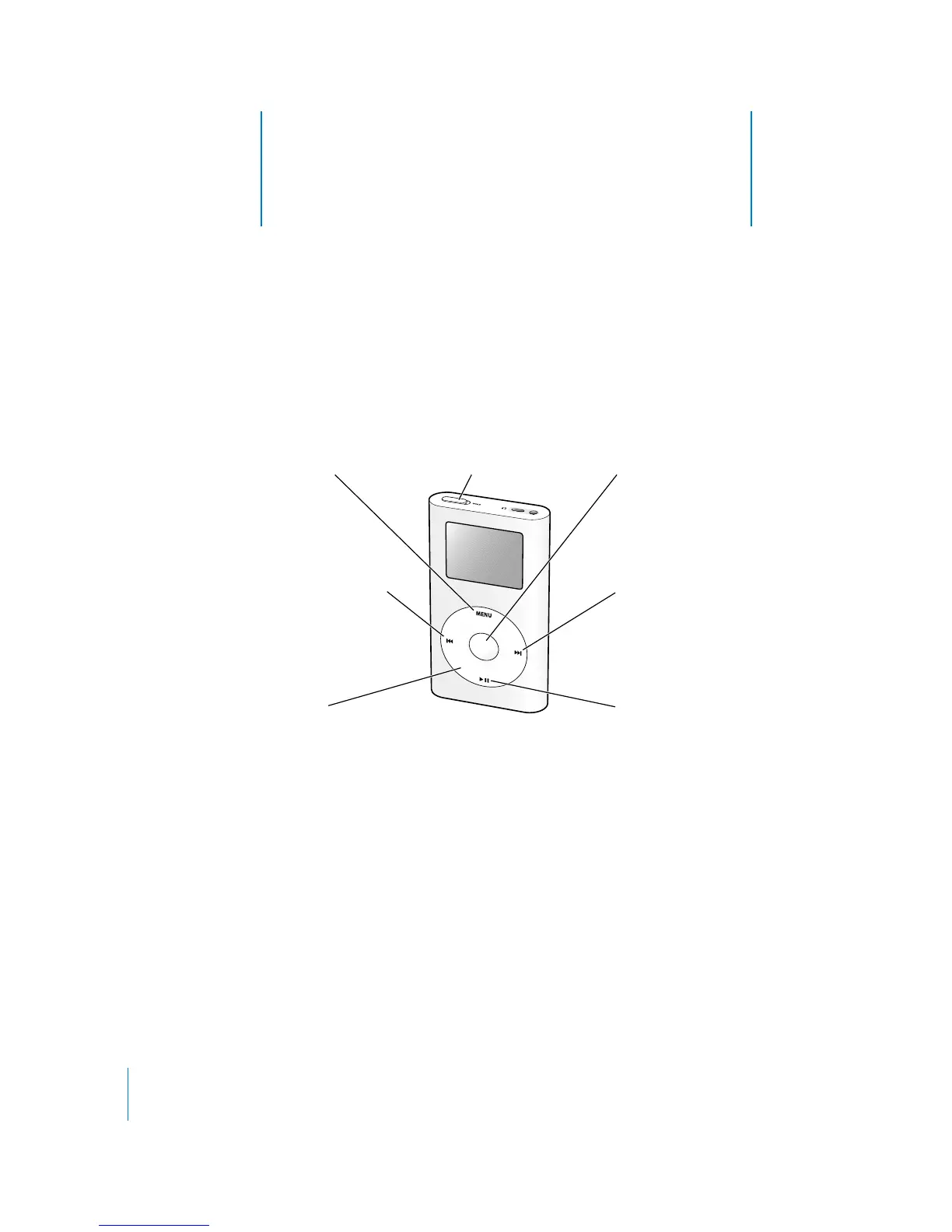
Hold switchMenu button
Previous/Rewind button
Click Wheel
Select button
Next/Fast-forward button
Play/Pause button



 To Next Page