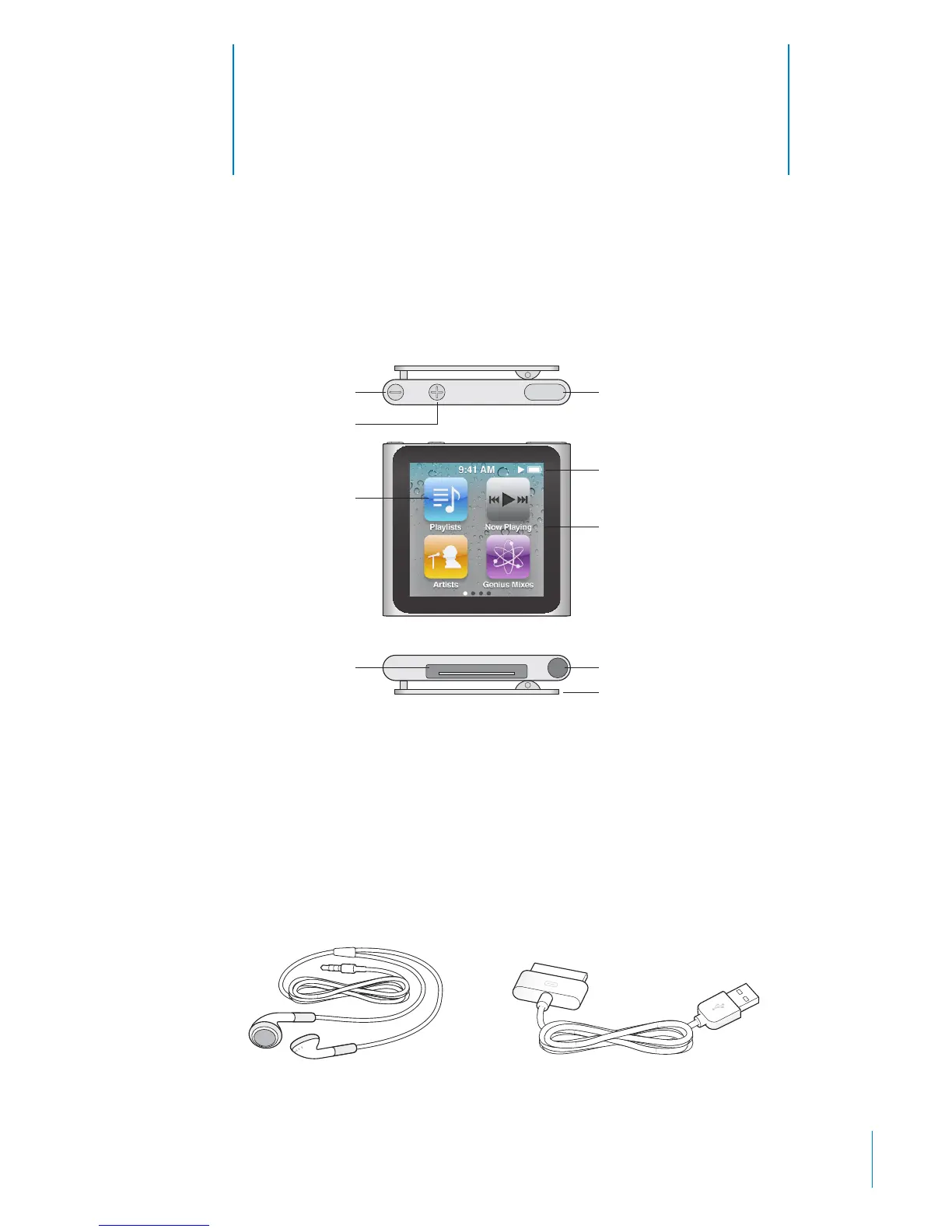
iPod nano at a Glance
1
iPod nano Overview
Multi-Touch screen
Menu and app icons
Earphone portDock connector
Volume Down
Volume Up
Clip
Sleep/Wake
Status bar
Press the Sleep/Wake button to turn the iPod nano screen on or o. To conserve
battery life, the screen goes dark if you don’t touch it for a while.
Press the Volume Up or Volume Down button to adjust the volume while listening
to songs or other media. These buttons also control the volume for alerts and
other sounds.
Accessories
The following accessories are included with iPod nano:
Apple Dock Connector to USB CableApple Earphones
5



 To Next Page