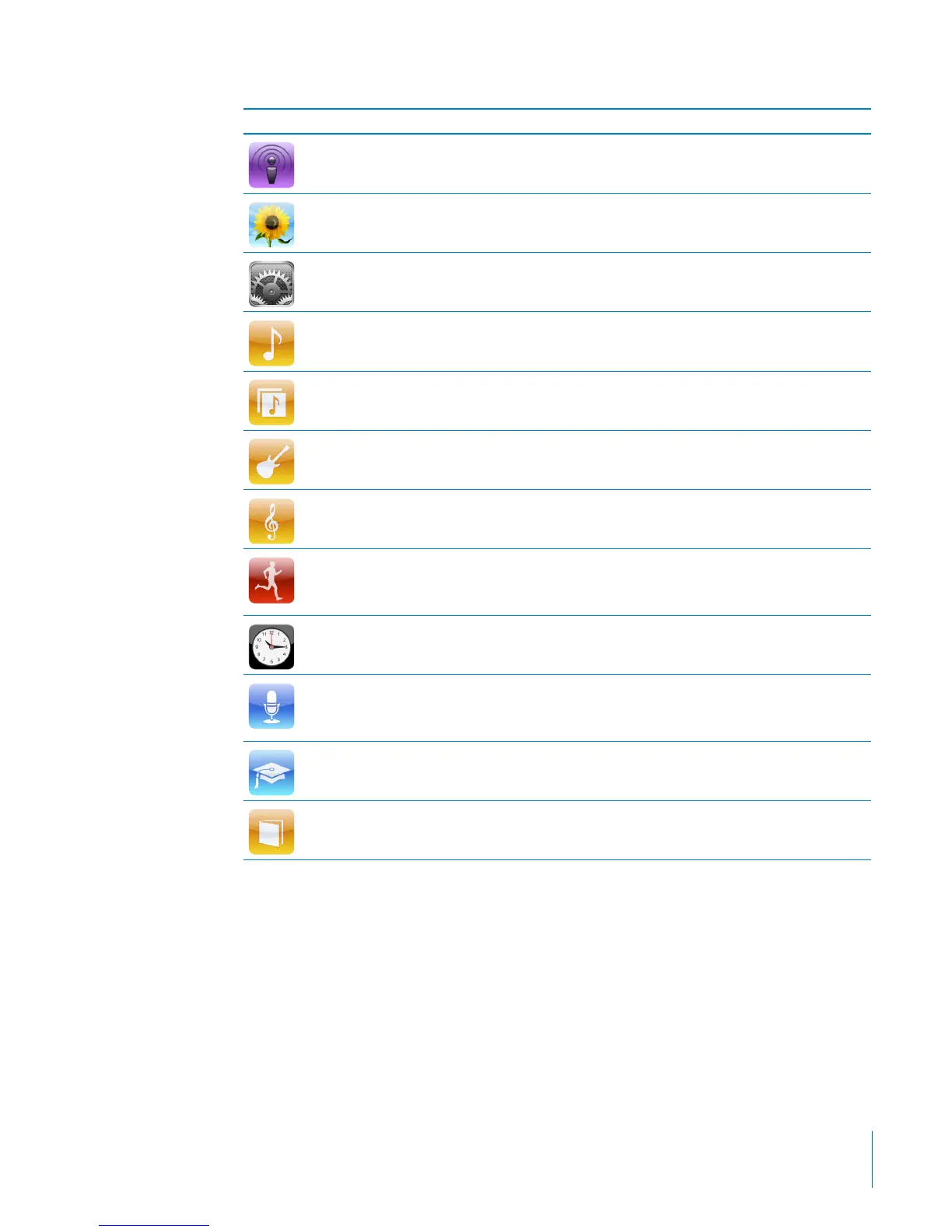
Icon Function
Podcasts Lists the podcasts synced from your iTunes library.
Photos Displays the photos synced from your computer.
Settings Opens settings for iPod nano and many of its features.
Songs Lists songs synced from your iTunes library, in alphabetical order.
Albums Lists albums synced from your iTunes library, in alphabetical order.
Genres Lists songs synced from your iTunes library, by genre.
Composers Lists songs synced from your iTunes library, by composer.
Fitness Opens the built-in pedometer and workout history, and
Nike + iPod features if a Nike + iPod receiver or supported gym
equipment is connected to iPod nano.
Clock Opens the clock, stopwatch, and timer.
Voice Memo Opens the controls for recording and managing voice memos, if a
microphone is connected to iPod nano, or if there are voice memo
recordings on iPod nano.
iTunes U Lists iTunes U collections synced from your iTunes library
(it doesn’t appear, if you have no collections).
Audiobooks Lists audiobooks synced from your iTunes library (it doesn’t
appear, if you have no audiobooks).
You can arrange the icons on your Home screen in any order you want. See
“Customizing the Home Screen” on page 17.
7
Chapter 1 iPod nano at a Glance



 To Next Page