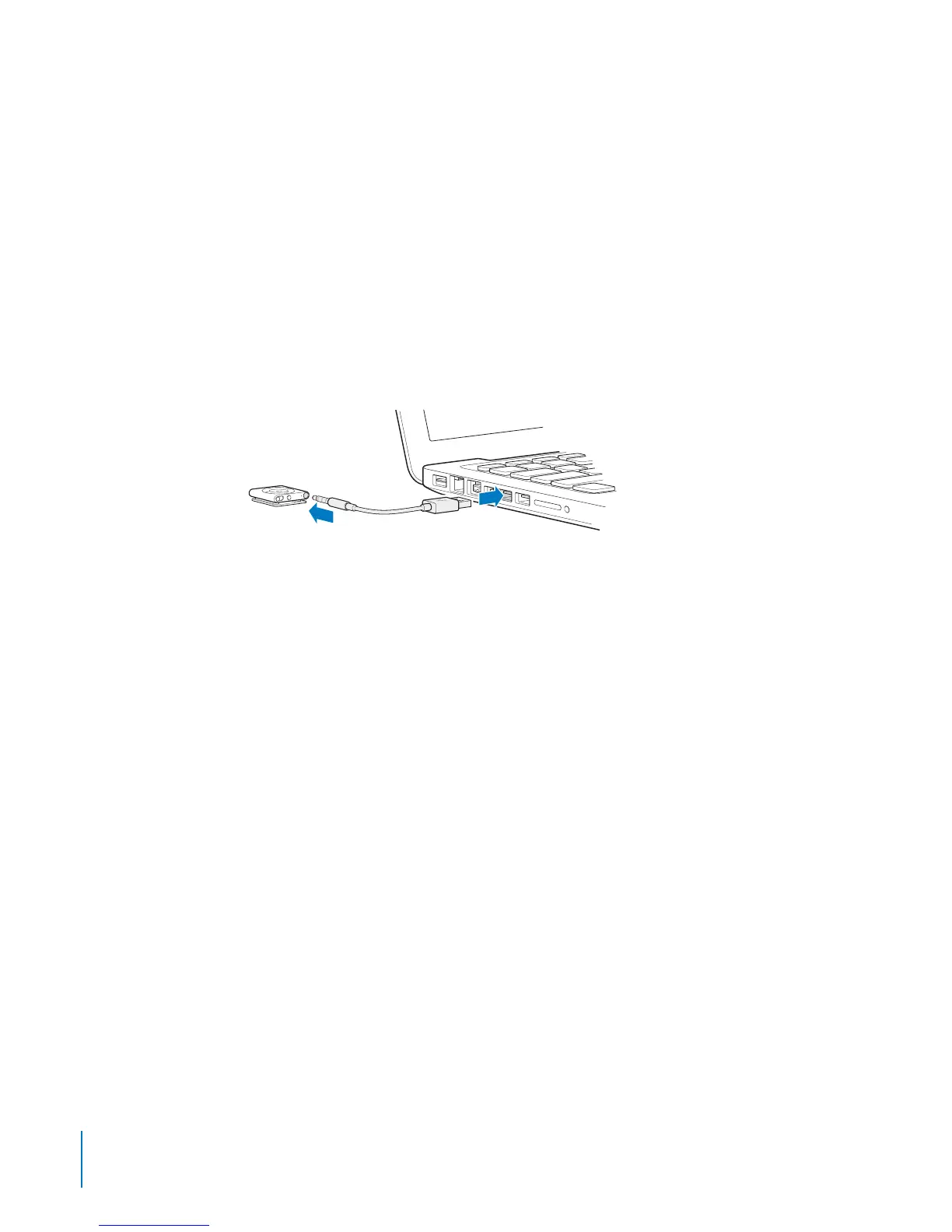
Connecting and Disconnecting iPod shue
Connect iPod shue to your computer to sync songs and other audio les, and to
charge the battery. Disconnect iPod shue when you’re done.
Important: To connect iPod shue to your computer, use only the USB 2.0 cable that
came with iPod shue.
Connecting iPod shue
To connect iPod shue to your computer:
Plug one end of the included USB cable into the earphone port of iPod shue, and the B
other end into a high-power USB 2.0 port on your computer.
Note: Don’t connect iPod shue to a USB port on your keyboard for charging.
A longer USB cable is available separately at www.apple.com/ipodstore.
The rst time you connect iPod shue to your computer, iTunes helps you set up
iPod shue and sync it with your iTunes library. By default, iTunes automatically syncs
songs on iPod shue when you connect it to your computer. You can sync songs while
your battery is charging.
If you connect iPod shue to a dierent computer and iPod shue is set to sync
music automatically, iTunes prompts you before syncing any music. If you click Yes,
the songs and other audio les already on iPod shue are erased and replaced with
songs and other audio les from the new computer iPod shue is connected to. For
information about adding music to iPod shue or using iPod shue with more than
one computer, see Chapter 4, “Listening to Music,” on page 22.
8
Chapter 2 iPod shue Basics



 To Next Page