Disconnecting iPod shue
It’s important not to disconnect iPod shue from your computer while audio les are
syncing or when iPod shue is being used as an external disk. It’s OK to disconnect
iPod shue if the status light isn’t blinking orange, or if you see the “OK to disconnect”
message at the top of the iTunes window.
Important: If you see the “Do not disconnect” message in iTunes or if the status
light on iPod shue is blinking orange, you must rst eject iPod shue before
disconnecting it. Failing to do so may damage les on iPod shue and require you
to restore iPod shue in iTunes. For information about restoring, see “Updating and
Restoring iPod shue Software” on page 33.
If you enable iPod shue for disk use (see “Using iPod shue as an External Disk” on
page 28), you must always eject iPod shue before disconnecting it.
To eject iPod shue:
In iTunes, click the Eject ( B ) button next to iPod shue in the list of devices.
If you’re using a Mac, you can also eject iPod shue by dragging the iPod shue icon
on the desktop to the Trash.
If you’re using a Windows PC, you can also eject iPod shue in My Computer or by
clicking the Safely Remove Hardware icon in the Windows system tray and selecting
iPod shue.
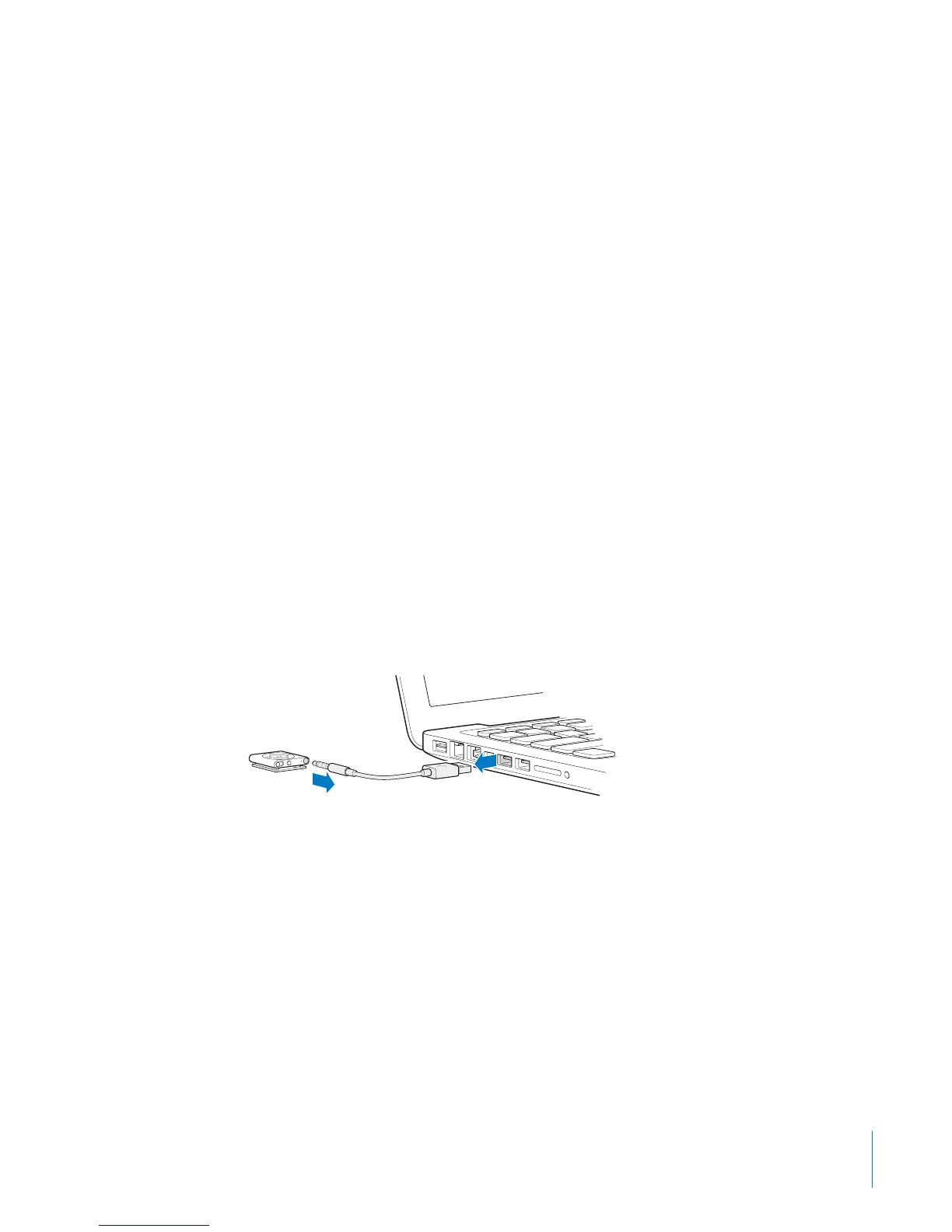
To disconnect iPod shue:
Disconnect the USB cable from iPod shue and from your computer. B
9
Chapter 2 iPod shue Basics



 To Next Page