Weather
16
Viewing Weather Summaries
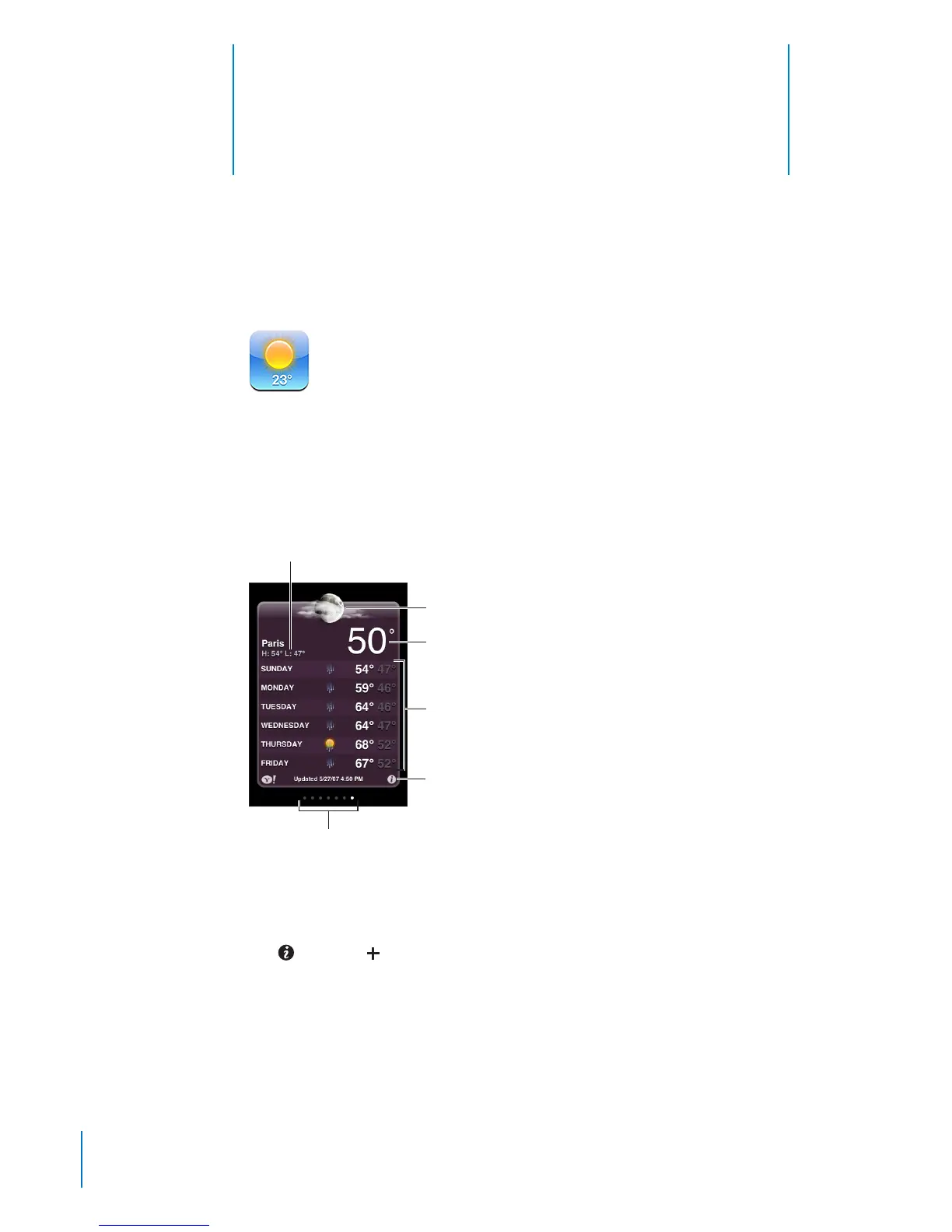
Tap Weather on the Home screen to get the current temperature and six-day forecast
for one or more cities around the world. To use Weather, iPod touch must join a Wi-Fi
network that’s connected to the Internet. See “Connecting to the Internet” on page 19.
Six-day forecast
Current temperature
Current conditions
Add and delete cities
Number of cities stored
Today’s high and low
If the weather board is light blue, it’s daytime in that city—between 6:00 a.m. and
6:00 p.m. If the board is dark purple, it’s nighttime—between 6:00 p.m. and 6:00 a.m.
Add a city:
1 Tap
, then tap .
2 Enter a city name or zip code, then tap Search.
3 Choose a city in the search list.
Switch to another city: Flick left or right, or tap to the left or right of the row of dots.
The number of dots below the weather board shows how many cities are stored.
12 6



 To Next Page