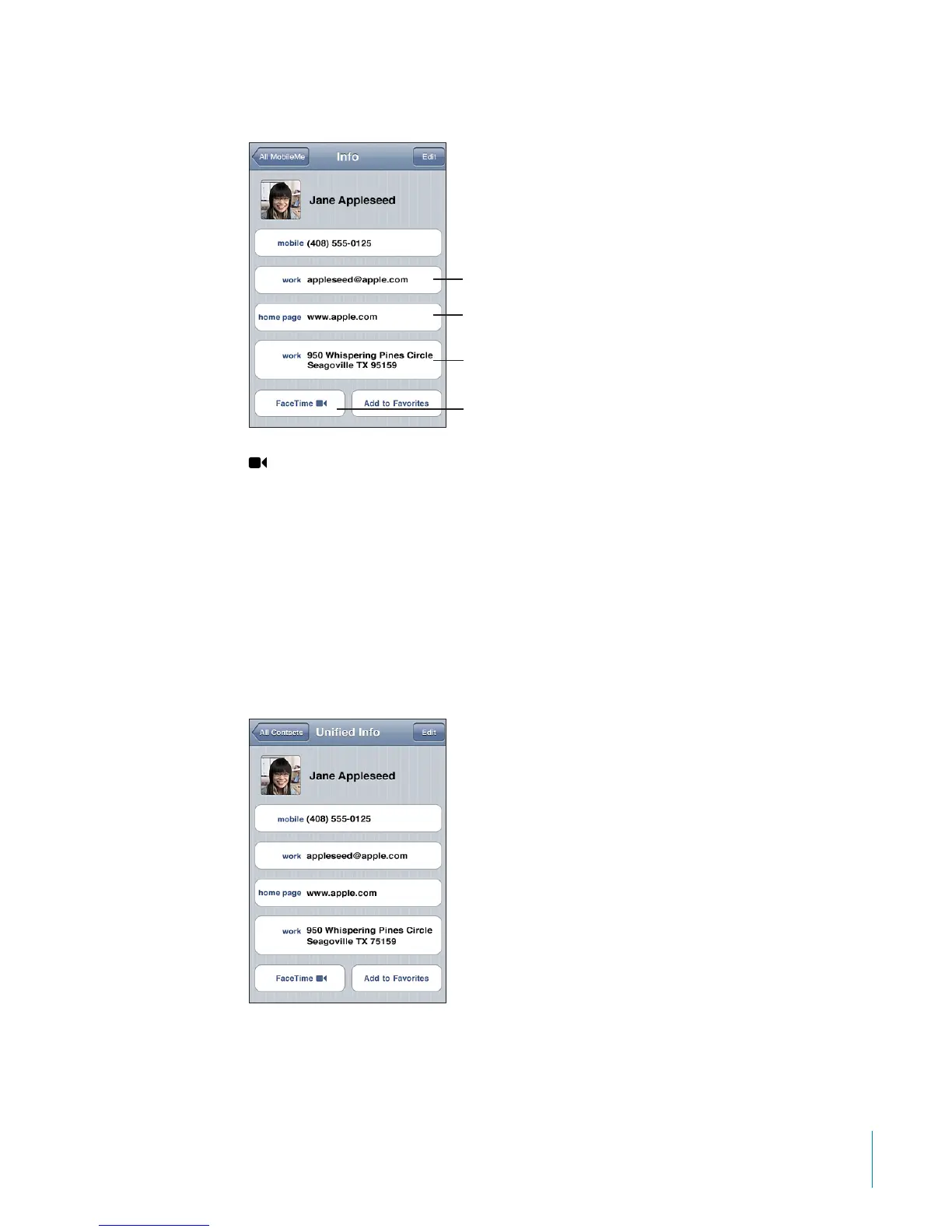
Use a contact’s info screen: Tap Contacts and choose a contact. Then tap an item.
Visit the website
Send an email
See a map and
get directions
Call in
FaceTime
appears on the FaceTime button if you’ve previously had a FaceTime call with
the contact.
Unied Contacts
When you sync contacts with multiple accounts, you might have entries for the same
person in more than one account. To help keep redundant contacts from appearing
in the All Contacts list on iPod touch, contacts that have the same rst and last names
(and not dierent prexes, suxes, or middle names) are linked and displayed as a single
“unied contact” in your list. When you view a unied contact, the title Unied Info
appears at the top of the screen. Unied contacts only appear in the All Contacts list.
177
Chapter 24 Contacts



 To Next Page